Author: Lee Bowen

  • 7 Best Zoho Payroll Alternatives For UAE Enterprises

    7 Best Zoho Payroll Alternatives For UAE Enterprises

    Zoho Payroll is widely used in the UAE for structured salary processing and WPS compliance. However, enterprise organizations often require broader regional coverage, multi-entity payroll control, and deeper reporting visibility. 

    This comprehensive listicle roundup reviews the best Zoho Payroll alternatives for UAE enterprises in 2026. Each platform is evaluated based on compliance strength, scalability, governance structure, and suitability for larger workforce environments across the GCC.

    What is Zoho?

    Zoho Corporation launched Zoho Payroll UAE to help businesses in the United Arab Emirates automate salary processing and stay compliant with local regulations. Zoho started in 1996 and now operates globally with a portfolio of more than 50 business applications across finance, HR, and operations. The company follows international security standards, including ISO certifications, SOC compliance, and GDPR alignment, across its cloud infrastructure.

    Zoho Payroll UAE supports WPS-compliant processing and aligns payroll operations with UAE labour requirements. The software connects directly with Zoho Books, Zoho People, and Zoho Expense, creating a unified ecosystem for HR and finance teams.

    Key features of Zoho

    • WPS Compliant SIF Generation: Zoho Payroll generates SIF and bank advice files that align with UAE Wage Protection System requirements and support timely salary transfers.
    • Automated Gratuity and Final Settlements: The system calculates end-of-service benefits and processes final settlements based on employee tenure and configured salary structures.
    • Single Click Payroll Processing: HR teams prepare, review, and complete pay runs through a guided workflow that reduces manual intervention.
    • Flexible Salary Components: Users can define custom earnings, deductions, allowances, and formula-based components to align with company policies.
    • Off-Cycle and Bonus Pay Runs: Payroll teams process bonuses, commissions, arrears, and corrections without disrupting the regular payroll cycle.
    • Integrated Leave and Attendance Sync: The platform pulls approved leave, overtime, and loss-of-pay data directly into payroll calculations.
    • Employee Self Service Portal: Employees can access payslips, view salary breakdowns, apply for leave, and receive notifications via web and mobile.
    • Payroll Reports and Summaries: Finance teams generate expense summaries, gratuity liability reports, salary registers, and social security summaries in a few clicks.
    • Role-Based Access and Approvals: Administrators assign permissions and configure multi-level approval workflows to strengthen payroll governance.
    • Ecosystem Integrations: Zoho Payroll connects with Zoho Books, Zoho People, Zoho Expense, and external systems to streamline finance and HR operations.

    Book A Personalized Demo of Yomly, suitable Zoho alternative for enterprises.

    What to look for in a Zoho alternative

    Zoho Payroll suits many small and mid-sized companies. Larger or more complex businesses may require additional depth. When reviewing alternatives, check these areas clearly:

    • Stronger UAE Compliance Controls: Confirm the system supports WPS processing, gratuity rules, pension contributions, and automatic labour law updates without manual adjustments.
    • Multi-Entity and Multi-Country Support: Ensure the platform can manage payroll across several legal entities or GCC countries from one dashboard.
    • Advanced Approval and Audit Structure: Look for maker-checker validation, detailed audit logs, and layered access permissions for finance governance.
    • Higher Scalability: Verify the system can handle growing headcount, multiple pay cycles, and complex salary structures.
    • Deeper Reporting and Cost Visibility: Choose software that provides workforce cost breakdowns, liability tracking, and compliance summaries.
    • Local Implementation Expertise: Review onboarding support, training, and region-specific payroll guidance.

    Select a solution that aligns with your compliance risk, reporting needs, and long-term expansion plans.

    Best Zoho Alternatives in 2026

    1. Yomly

    Yomly is a cloud-based payroll platform designed for enterprises with 200+ employees operating across the UAE and the GCC. Mark JP Nutter founded Yomly in 2018, and the company operates from Dubai. More than 250 enterprise clients across 50+ countries trust Yomly, and over 100,000 users rely on the system daily, making it the best Zoho payroll alternatives for UAE enterprises. Global brands such as Kärcher, Nord Anglia Education, Isuzu Motors, Halian, and Lufthansa Technik Middle East run payroll and HR operations on Yomly.

    Enterprise teams choose Yomly when basic payroll tools no longer support complex approval structures, multi-entity setups, or GCC compliance demands. An in-house team of 80+ HR and technology experts continuously enhances the platform to align with regional labour regulations. 

    Large organizations use Yomly to strengthen payroll governance, reduce compliance exposure, and gain executive-level visibility across departments, cost centers, and legal entities. Yomly delivers the structure, control, and regional depth that growing enterprises expect from a long-term payroll partner.

    Key Features of Yomly Payroll Software

    • WPS File and SIF Generation: Yomly generates compliant bank files in minutes and helps enterprises avoid penalties and salary delays.
    • Multi-Entity and Multi-Currency Payroll: The platform manages payroll across multiple business units, countries, and currencies using localized rules.
    • Automated Salary Processing: Yomly calculates salaries, overtime, bonuses, deductions, and mid-cycle adjustments accurately every month.
    • End of Service and Gratuity Management: The system calculates end-of-service benefits automatically and provides liability tracking for finance planning.
    • Leave and Attendance Integration: Yomly connects payroll directly with attendance and leave data to eliminate manual errors.
    • Finance and ERP Integration: The software integrates payroll data with accounting systems and supports GL coding and journal exports.
    • Employee Self Service Portal: Employees securely access payslips and submit payroll-related requests via the web and mobile devices.
    • Real Time Reporting and Dashboards: HR and finance leaders monitor payroll costs, trends, and approvals using centralized dashboards.

    Pricing: Yomly offers modular enterprise pricing based on employee count and selected modules, available through a custom quotation.

    2. gulfHR

    gulfHR offers a payroll platform designed for organizations operating across the UAE and wider Middle East. The company supports more than 100,000 employees in the MEA region and reports a 92% customer retention rate and a 100% implementation success rate. 

    ISO certifications in information security and IT service management support its compliance positioning. gulfHR focuses on automating payroll calculations, managing recurring payroll cycles, and supporting UAE Wage Protection System requirements. 

    Businesses that prefer a regionally developed payroll system with configurable structures and local support teams often consider gulfHR for their payroll operations.

    Key Payroll Features of gulfHR

    • Rule-Based Payroll Engine: The system processes salaries, overtime, allowances, commissions, and staff loans using configurable payroll rules.
    • UAE WPS Support: GulfHR generates WPS-compliant files to align payroll with local regulations.
    • Multiple Payroll Cycles: Payroll teams can run monthly, off-cycle, and parallel payroll batches when required.
    • General Ledger Integration: The platform connects payroll data with finance systems to support journal entries and reconciliation.
    • Bulk Data Upload Capability: Users upload salary adjustments and payroll elements in bulk to streamline processing.
    • Attendance and Leave Integration: The system links approved attendance data directly to payroll calculations.
    • Secure Payslip Generation: gulfHR provides system-generated, password-protected payslips for employees.
    • Flexible Deployment Options: Organizations can choose between cloud-based and on-premises deployments.

    Pricing: GulfHR provides payroll pricing through customized quotations based on employee count and selected payroll modules.

    3. Bayzat

    Bayzat provides a cloud-based payroll management system used by more than 4,000 companies across the UAE and Saudi Arabia. The platform combines payroll automation, regulatory compliance, and integrated reporting within a unified environment. Bayzat holds ISO 27001:2022 and SOC 2 Type 2 certifications, reflecting its focus on structured data security and operational controls. 

    Organizations such as Careem, Deliveroo, Volvo, DMCC, and Costa use Bayzat to manage compensation processes. User reviews highlight its ease of use, responsive support teams, and reporting capabilities. 

    Bayzat positions payroll as part of a broader financial and workforce ecosystem, supporting businesses that prefer an integrated platform for payments and compliance.

    Key Payroll Features of Bayzat

    • Automated Payroll Processing: Bayzat automates salary calculations, overtime, deductions, and approvals through configurable workflows.
    • WPS and Regional Compliance: The system generates SIF files and supports regulatory requirements in the UAE and KSA, including EOSB and GOSI.
    • Multi-Currency and Global Support: Bayzat supports payroll in over 130 currencies using real-time exchange rates.
    • Integrated Accounting Sync: Payroll journals integrate directly with accounting systems, streamlining reconciliation.
    • Custom Payroll Cycles: Companies define their own payroll date ranges and run partial or off-cycle payroll when required.
    • Work Expense Integration: Approved expenses flow directly into payroll or advance payments.
    • Digital Loan Management: Employee loan eligibility, approval, and repayment link automatically to payroll processing.
    • Secure Cloud Infrastructure: Encrypted, role-based access controls and audit trails support structured payroll governance.

    Pricing: Bayzat provides payroll pricing on request, tailored to company size and selected platform modules.

    4. Oracle

    Oracle operates as part of Oracle Fusion Cloud HCM and supports global enterprises that require high-volume, multi-country payroll processing. Organizations use Oracle Payroll in more than 60 countries through native payroll capabilities, and partner integrations extend coverage to over 160 countries. The platform processes payroll for more than 16 million employees worldwide each month. 

    Analyst firms such as Gartner and Ventana Research have recognized Oracle as a leader in cloud HCM and global payroll. Enterprises adopt Oracle Payroll when they require deep configurability, embedded AI automation, and tight alignment between payroll, finance, time, and workforce data inside a single cloud ecosystem.

    Key Payroll Features of Oracle

    • Global Native Payroll Coverage: Oracle delivers country-specific payroll functionality in 60+ countries with localization support.
    • Scalable High Volume Processing: The system processes millions of employee payments monthly with enterprise-grade reliability.
    • Configurable Payroll Rules: Organizations configure complex pay flows, checklists, and compliance rules without custom coding.
    • Built-In Compliance Controls: Oracle supports global, national, and local tax and labor regulations through structured updates.
    • Unified HCM Integration: Payroll connects directly with time, absence, compensation, and benefits modules inside Oracle Cloud HCM.
    • AI Embedded Automation: Persona-based dashboards and activity centers help payroll teams identify and resolve errors quickly.
    • Third Party Payroll Integrations: Prebuilt integrations with global partners such as ADP and Neeyamo expand international coverage.
    • Anytime Pay Capability: Employees can access earned wages earlier through supported flexible payment options.

    Pricing: Oracle Payroll pricing is enterprise-based and provided through customized contracts depending on workforce size, country coverage, and deployment scope.

    5. Akrivia HCM

    Akrivia HCM delivers payroll for UAE organizations through its unified cloud platform, which connects workforce data, approvals, and compensation processes together. The company maintains a presence in Dubai Internet City and supports enterprises across the Middle East and Asia. 

    Its payroll module forms part of a broader AI-enabled suite designed to automate calculations, reduce manual dependencies, and centralize employee records. UAE-based businesses use Akrivia to manage structured pay components, streamline monthly payroll cycles, and maintain visibility across departments. 

    The platform aligns payroll with attendance, leave, and policy configurations inside a single environment.

    Key payroll features of Akrivia HCM

    • Integrated Payroll Engine: Salary calculations run directly alongside attendance and leave data within the same system.
    • Customizable Pay Elements: HR teams configure allowances, bonuses, reimbursements, and deductions according to company policy.
    • Structured Approval Workflows: Multi-level validations help control payroll changes before final processing.
    • Automated Payslip Distribution: Employees access digital payslips securely through web and mobile applications.
    • Scalable Cloud Deployment: The system supports mid-sized and large enterprises operating across multiple locations in the UAE.
    • Security and Data Controls: ISO 27001-aligned practices support secure payroll data management.

    Pricing: Akrivia HCM offers customized payroll pricing in the UAE based on employee count and configuration requirements.

    6. Zimyo

    Zimyo delivers a WPS-compliant payroll platform tailored for businesses operating in the UAE and wider GCC. The system automates salary calculations, gratuity settlements, and MOHRE-compliant SIF file generation within one cloud environment. 

    More than 2,500 organizations use Zimyo across global markets, including companies in logistics, manufacturing, retail, and services. The platform supports mainland and Free Zone payroll structures, including DIFC, ADGM, DMCC, and JAFZA. 

    Zimyo positions its UAE payroll module around regulatory alignment, structured workflows, and secure salary disbursement, helping HR and finance teams manage payroll cycles with visibility and automated controls.

    Key payroll features of Zimyo

    • MOHRE Compliant WPS Processing: Generate SIF files instantly and align salary transfers with UAE Wage Protection System rules.
    • Automated End of Service Calculations: Compute gratuity and final settlements based on UAE Labour Law configurations.
    • Multi-Country GCC Payroll: Manage payroll across the UAE, KSA, Qatar, Oman, Kuwait, and Bahrain from one platform.
    • Flexible Salary Structures: Configure basic pay, allowances, overtime, commissions, and variable components.
    • Expense to Payroll Integration: Route approved reimbursements directly into payroll processing cycles.
    • Arabic and English Digital Payslips: Provide employees with bilingual payslips accessible via the web and mobile devices.
    • Payroll Analytics and Compliance Reports: Access dashboards covering WPS submissions, gratuity liabilities, and cost center analysis.
    • Secure Cloud Architecture: Maintain encrypted storage and detailed audit trails for payroll and salary disbursement records.

    Pricing: Zimyo payroll pricing starts at approximately $3 per user per month, with higher tiers available based on feature requirements and business scale.

    7. ZenHR

    ZenHR provides a payroll management platform built primarily for Saudi Arabia and the wider MENA region. The company positions its payroll system around strong regional compliance, native integrations, and multi-entity workforce management. ZenHR integrates directly with Mudad, Muqeem, and GOSI in KSA and supports WPS processing across GCC countries, including the UAE.

    The platform is SOC 2 Type II and ISO 27001 certified, reflecting its structured security controls. Organizations operating across multiple branches, cost centers, and countries use ZenHR to manage localized payroll rules, automate statutory reporting, and centralize payroll governance. Businesses that require structured compliance alignment across KSA and MENA markets often evaluate ZenHR as a regional payroll alternative.

    Key Payroll Features of ZenHR

    • Mudad, Muqeem, and GOSI Integration: ZenHR connects natively with Saudi regulatory platforms to automate compliance submissions and social insurance reporting.
    • WPS and GCC Compliance Support: The system generates country-specific WPS files and aligns payroll cycles with regional labour regulations.
    • Multi-Branch and Multi-Entity Payroll: Organizations run separate payroll cycles for different branches, legal entities, and business units using localized salary structures.
    • Automated End of Service Calculations: ZenHR calculates gratuity, service termination benefits, and final settlements based on configured country laws.
    • Cost Center and Payroll Allocation: Payroll costs are distributed across departments and projects to support budgeting and workforce cost visibility.
    • Overtime and Financial Request Workflows: Approved overtime, loans, advances, and expense reimbursements flow directly into payroll processing.
    • Payroll Journal Export to ERP Systems: Finance teams export payroll entries to accounting platforms such as SAP, Xero, QuickBooks, and NetSuite.
    • Security and Audit Controls: Role-based permissions, structured approvals, and certified cloud infrastructure support payroll governance.

    Pricing: ZenHR provides payroll pricing through customized quotations based on employee count, country coverage, and selected modules.

    How Yomly Compares to Zoho Payroll

    Yomly and Zoho Payroll both support UAE payroll processing, but they differ in positioning and operational depth. Zoho Payroll supports startups, small to mid-sized businesses, and growing companies that want simplified payroll automation within the Zoho ecosystem. It works well for organizations with straightforward payroll structures and single-country operations.

    Yomly focuses on mid to large enterprises that manage multi-entity operations and operate across GCC countries. It supports more complex approval hierarchies, centralized compliance controls, and structured workforce cost visibility. Organizations with higher employee volumes, cross-border payroll, or stronger governance requirements often evaluate enterprise-focused regional platforms.

    Comparison AreaYomlyZoho Payroll
    Ideal Company SizeYomlyMid to large enterprisesZoho PayrollStartups, small to mid-sized, and growing businesses
    Regional CoverageYomlyGCC and MENA multi-country payrollZoho PayrollPrimarily UAE payroll
    Multi-Entity CapabilityYomlyBuilt for complex structuresZoho PayrollSuitable for simpler setups
    Governance DepthYomlyAdvanced workflows and audit trailsZoho PayrollStandard approval controls
    Platform PositioningYomlyEnterprise-focused regional platformZoho PayrollPart of the broader Zoho ecosystem

    If your organization requires enterprise-scale payroll across the GCC, book a free demo with Yomly and gain stronger compliance control and operational depth.

    Find alternatives of other HR payroll software:

    Final Words

    Zoho Payroll remains a practical option for smaller UAE businesses that operate within a single entity and prefer a lightweight ecosystem approach. However, enterprises managing multiple legal entities, layered approvals, or GCC expansion often evaluate more structured alternatives.

    Regional platforms such as GulfHR, Bayzat, Zimyo, Akrivia HCM, and ZenHR focus on compliance automation for the UAE and the wider GCC. Global systems like Oracle serve multinational payroll environments with higher complexity.

    For multi-location organizations seeking enterprise-grade control with strong GCC localization, Yomly stands out as a region-focused platform built specifically for structured multi-entity payroll governance.
  • 5 Best Managed Payroll Service Providers In Doha, Qatar

    5 Best Managed Payroll Service Providers In Doha, Qatar

    Managing payroll in Qatar needs accuracy and strict compliance with local laws. Companies in Doha must follow the Qatar Labour Law and the Wage Protection System rules. 

    A small mistake in salary processing or WPS file submission can lead to penalties and delays. Many businesses now use managed payroll service providers to reduce risk and save time.

    In this 2026 guide, we list the top 5 best managed payroll service providers in Doha, Qatar. We review their services, compliance support, and suitability for different business sizes. This guide helps you choose the right payroll partner for your company.

    Best Managed Payroll Services In Doha, Qatar for 2026

    1. Yomly

    Yomly is a managed end to end payroll service provider for enterprises in Doha, Qatar. It supports organizations with 250+ employees and complex payroll structures across multiple entities.

    Yomly delivers payroll through a dedicated payroll team that manages the full payroll cycle with clear accountability. The service follows a compliance first processing model to ensure every payroll run aligns with Qatar Labour Law and Wage Protection System requirements.

    The platform is built on clear ownership and structured governance, with defined approval workflows between HR and finance teams. Each payroll cycle includes validation checks, reconciliations, and review stages before salary release.

    Yomly provides audit ready reporting with payroll summaries, variance reports, reconciliation files, and control logs. This helps during internal reviews and external audits.

    Their managed payroll service is rusted by 250+ companies across the GCC, Yomly helps enterprises reduce payroll risk, improve accuracy, and maintain 100 percent compliant payroll operations.

    Key Payroll Services

    • End to end monthly payroll processing with validation controls
    • Payroll input review including attendance, leave, overtime, and allowances
    • HR and finance approval workflows with structured governance
    • Wage Protection System file preparation and submission
    • End of service benefit calculations and final settlements
    • Payslip generation and structured employee payroll support
    • Payroll reconciliation and variance analysis
    • Finance ready payroll reporting pack
    • Audit ready payroll documentation with full control logs

    Best Suited For

    • 250+ employee organizations
    • Multi entity and multi branch companies
    • Compliance heavy industries
    • Enterprises requiring strong payroll governance and reporting

    Contact Information

    • Address: 50th Floor, Business Central Towers, Dubai Media City, Dubai, UAE
    • Qatar Office: Lusail, Doha, Qatar (Twin Towers)
    • Phone: +971 4 436 1888
    • Email: info@www.yomly.com
    • Website: www.yomly.com

    2. Payce Payroll Service

    Payce Payroll Service by Ramco provides reliable payroll solutions for businesses in Doha, Qatar and across global markets. It helps companies manage payroll processing, tax calculations, compliance, and employee queries through a secure cloud platform. The system uses AI-driven automation to reduce errors and improve accuracy. 

    With support across 150+ countries, Payce enables organizations to handle payroll operations smoothly while focusing on core business goals. Its integrated helpdesk, analytics tools, and seamless ERP connections make payroll management simple and efficient for growing enterprises.

    Key Services

    • Payroll processing and salary management
    • Automated tax and compliance calculations
    • AI-based payroll validation and error detection
    • Employee self-service portal and chatbot support
    • Payroll reports and analytics dashboards
    • Integration with ERP and HR systems
    • Secure cloud-based payroll platform

    Contact Information

    • Address: Office 223 Desk 01 and 03, 2nd Floor, Regus Building, D Ring Road, Old Airport Area, Doha, Qatar
    • Email: contact@ramco.com
    • Website: http://www.ramco.com

    3. Kreston SVP

    Kreston SVP Qatar provides professional payroll outsourcing and advisory support for businesses operating across Qatar. As part of the global Kreston network, the firm combines local regulatory knowledge with international standards. The team handles salary processing, WPS compliance, employee settlements, and payroll reporting with accuracy and confidentiality. 

    With strong expertise in Qatar Labour Law and tax regulations, Kreston SVP helps companies reduce payroll risks, avoid penalties, and improve operational efficiency. Their services are suitable for SMEs, growing businesses, and large enterprises that need reliable and compliant payroll management.

    Key Services

    • Monthly salary processing and payroll calculations
    • WPS SIF file preparation and submission
    • End of service benefit calculations
    • Leave, overtime, and allowance management
    • Payroll reports and management summaries
    • Employee onboarding and exit settlements
    • Compliance support aligned with Qatar regulations

    Contact Information

    • Address: #406, Abdul Jaleel Abdul Ghani Business Center, Airport Street, Near Toyota Signal, Doha, Qatar
    • Phone: +974 4469 4481
    • Email: info@krestonsvp.com

    4. Innovations Group

    Innovations Group is a well-established outsourcing company providing structured payroll solutions across the UAE and the GCC. With close to 25 years of industry experience, the company supports businesses with compliant salary processing, workforce administration, and regulatory management. Its payroll services align with UAE labour rules and WPS requirements to ensure smooth monthly operations.

    Innovations Group operates 16 offices globally, including 8 in the GCC, 7 in India, and 1 in Poland. The company proudly serves 200+ happy clients and focuses on delivering dependable, secure, and efficient payroll support.

    Key Services

    • Full payroll processing and salary management
    • Attendance tracking and leave management systems
    • Pension and social insurance administration
    • WPS file preparation and submission
    • Staff loan and employee benefit handling
    • Payroll reports and pay register generation
    • Compliance checks and audit support

    Contact Information

    5. TrustLink 

    TrustLink provides structured WPS and payroll management services and supports organizations with accurate salary processing, Wage Protection System compliance, and end of service benefit calculations. Its team manages the full payroll cycle, from employee setup to monthly SIF file preparation and reporting. 

    With strong knowledge of Qatar labour regulations, TrustLink helps businesses avoid penalties, reduce administrative workload, and ensure timely salary payments. The service is suitable for small companies, growing firms, and established enterprises that require reliable and compliant payroll support.

    Key Services

    • Monthly salary calculations and payroll processing
    • WPS SIF file preparation and submission
    • End of service benefit calculations
    • Payslip generation and payroll records management
    • Payroll tax and compliance support
    • Annual payroll reports and documentation
    • Secure handling of employee salary data 

    Contact Information

    • Address: World Wide Commercial Building, Al Hilal, D Ring Road, Doha, Qatar
    • Phone: +974 44335100
    • Email: info@trustlinkqatar.com

    How to Choose the Right Payroll Provider in Doha

    Choosing the right payroll provider in Doha is important. Qatar has strict labor laws and Wage Protection System rules. A small mistake can lead to penalties.

    Use the following points to make a smart decision:

    • Check WPS Experience in Qatar: Make sure the provider has strong experience with Qatar WPS rules. Ask how they prepare salary files and submit them. A provider with local expertise reduces compliance risk.
    • Ensure Accuracy in Salary Processing:  Payroll must include overtime, deductions, bonuses, and end-of-service benefits. Choose a system that automates calculations and reduces manual errors.
    • Confirm Multi-Nationality Workforce Support: Many companies in Doha employ staff from different countries. The provider should handle different contracts, allowances, and payroll structures smoothly.
    • Review Data Security Standards: Payroll data is sensitive. Check if the platform uses secure cloud infrastructure, role-based access, and audit trails.
    • Understand the SLA and Support Response Time: Ask about payroll deadlines and issue resolution time. Quick support is critical before salary day.
    • Look for Integrated HR Features: A good provider should also connect payroll with leave, attendance, and employee records. This improves accuracy and saves time.
    • Check Scalability for Large Teams: If you manage large numbers of employees or multi-branch operations, choose a system that supports growth and multi-location management.
    • Review Contract Terms Carefully: Understand pricing structure, renewal terms, and exit conditions before signing.

    A payroll provider with strong WPS compliance, automation, security, and integrated HR tools will help businesses in Doha stay compliant, save time, and process salaries with confidence.

    Further resources 

    Final Words

    Choosing the right payroll provider in Doha is not just about processing salaries. It is about staying compliant with Qatar labour laws, avoiding penalties, and protecting employee data. A reliable payroll partner helps you reduce errors, save time, and manage a multi-national workforce with confidence.

    Look for strong WPS experience, secure systems, fast support, and integrated HR features. A scalable cloud-based solution can support growing teams and multi-branch operations across the GCC.

    When you select the right provider, you improve accuracy, build employee trust, and create a smooth payroll process every month.

  • Payroll Process for Companies With 500+ Employees

    Payroll Process for Companies With 500+ Employees

    When a company grows from a small team to 500 plus employees, payroll stops being a simple monthly task. In the early stages, payroll is easier to manage with basic tools and manual checks. 

    But as you scale, you start hiring across different regions, add more roles and pay structures, and deal with changing tax and compliance rules. What worked for a 20 or 50 person team does not work at this level.

    Most manual or semi manual payroll systems start to break under this pressure. Errors increase, approvals take longer, and compliance risks grow. Payroll teams spend more time fixing issues than running payroll smoothly. Delays in payouts or mistakes in deductions also hurt employee trust and create unnecessary back and forth with HR and finance.

    As an organization scales, payroll needs to move from a basic process to a structured operation with clear workflows, controls, and systems. 

    This guide is for HR leaders, finance teams, and operations managers who manage payroll for large teams. It explains what changes when headcount crosses 500, where most payroll processes fail, and how you can set up a reliable payroll process that scales without adding chaos.

    If you are looking for a payroll software to automate your payroll process, check out Yomly’s cloud-based payroll software built for enterprise scale.

    Payroll Complexity at 500+ Headcount: What You’re Actually Dealing With

    While working with enterprise clients across the globe, we found these common payroll challenges show up as soon as teams cross the 500 employee mark. 

    Payroll is no longer just about paying salaries on time. It becomes a moving system with many inputs, dependencies, and compliance checks. Small gaps in data, approvals, or systems start to create visible errors. Below are the real complexity layers payroll teams deal with at this scale.

    Multiple salary structures and bands

    At 500 plus employees, salary structures are rarely uniform. Different teams have different pay bands, increments, bonuses, and allowances. Sales, tech, support, and leadership teams all follow different compensation logic. 

    Even within the same role, salaries vary based on experience, location, and hiring time. Over time, these differences grow and become hard to track if rules are not documented and system driven. Manual handling increases the risk of wrong payouts, missed revisions, and incorrect tax calculations. Payroll teams also spend more time validating numbers instead of running payroll efficiently.

    Different employee types

    Large organizations usually work with a mix of full time employees, contractual staff, consultants, and sometimes interns or project based resources. Each category follows different pay rules, tax treatment, benefits, and compliance requirements. 

    Contractual workers may have fixed term contracts, consultants may be paid against invoices, and full time employees follow monthly payroll cycles. Managing all of this in one process creates complexity. If employee type is not clearly mapped in the system, deductions and payouts can easily go wrong. Payroll teams also need to align closely with HR and finance to avoid misclassification.

    Multiple locations, states, or countries

    Once teams are spread across cities, states, or countries, payroll rules change. Tax slabs, social security rules, minimum wage norms, and statutory deductions vary by location. Leave policies and public holidays also differ. 

    Payroll teams need to apply the right rules for each employee based on where they are employed and paid from. Manual handling at this level often leads to compliance gaps. Even a small rule mismatch can cause penalties or incorrect deductions. Without a centralized system, teams end up maintaining multiple rule sheets and trackers that are hard to keep updated.

    Variable components

    Variable pay adds another layer of complexity to payroll at scale. These components change every month and depend on inputs from multiple teams.

    • Incentives
    • Overtime
    • Commissions
    • Performance bonuses
    • Shift allowances

    When these inputs come late or in different formats, payroll gets delayed or processed with errors. Payroll teams spend a lot of time following up, cleaning data, and validating numbers. Without a clear cut off process and system validation, variable pay becomes the biggest source of payroll disputes and corrections.

    High volume of joins, exits, and monthly changes

    Large teams see constant movement. New employees join every month, some leave, and many have changes in salary, role, or location. Each change impacts payroll calculations, tax treatment, benefits, and final payouts. Exit settlements require accurate final pay, leave adjustments, and statutory deductions. 

    When these updates are tracked manually, things slip through. Missed updates lead to overpayments or underpayments. Payroll teams also struggle with version control of data. At scale, even a small delay in updating records can create errors across hundreds of payslips.

    Core Payroll Workflow for Large Organizations (End-to-End)

    Let us now check the full payroll workflow and how each stage needs to work when you are running payroll for 500 plus employees. At this scale, payroll is not a single task. It is a controlled process with defined inputs, validation layers, approvals, and outputs. Any break in one stage creates delays or errors in the final payout. A stable payroll operation depends on how well each step is designed and owned.

    A. Input Collection

    This is where most payroll issues start. Payroll depends on accurate inputs from HR, attendance systems, and business teams. This includes attendance and leave data, new joiner details, exit dates, salary revisions, and variable pay inputs such as incentives and overtime. 

    At scale, inputs come from multiple sources and teams, often in different formats. Large organizations need a fixed cut off date for inputs and a standard format for submissions. Inputs should be locked after the cut off to avoid last minute changes. Payroll teams should also run basic validations at this stage to catch missing bank details, incorrect employee status, or incomplete variable pay data.

    B. Payroll Processing

    Once inputs are locked, payroll processing should be rule driven and automated as much as possible. This includes applying salary structures, tax slabs, statutory deductions, and benefit contributions based on employee type and location. Large payroll runs should include automated checks for negative net pay, unusual variances from last month, and compliance thresholds.

    Processing should also account for prorated salaries for joiners and exits, leave without pay, and retroactive adjustments. At this stage, payroll teams should avoid manual overrides unless absolutely required. Any manual change should be logged with a reason and approved to maintain audit trails and reduce future disputes.

    C. Review and Approvals

    Before payouts, payroll needs structured reviews by HR and finance. The review should focus on exception reports, not every individual payslip. 

    This includes employees with large month on month salary changes, negative balances, missing deductions, or unusually high variable pay. Finance should reconcile total payroll cost with budgeted numbers and prior month trends. HR should validate headcount changes, exits, and salary revisions reflected in payroll. Approvals should be role based and time bound. 

    Large organizations benefit from a payroll preview window where stakeholders can flag issues before payroll is locked. This reduces post payout corrections and employee complaints.

    D. Payout and Reporting

    After approvals, payroll moves to payout and reporting. Bank files should be generated in the required formats for different banks or countries and validated before upload. Payslips should be released on time with clear breakdowns of earnings and deductions. Payroll teams should also generate statutory reports for tax, social security, and other mandatory filings based on local laws. 

    Post payout, payroll totals should be reconciled with bank debits and accounting entries. A final payroll summary report should be shared with leadership covering total payroll cost, headcount changes, and key exceptions. This creates visibility and accountability for payroll as a core business process.

    Compliance Checklist for Large Payroll Operations

    Here is the compliance checklist large organizations should track every payroll cycle to avoid penalties, audit issues, and employee disputes. At 500 plus employees, compliance cannot live in spreadsheets or memory. It needs clear ownership, system driven rules, and regular checks.

    Compliance Checklist

    • Employee classification by location and contract type
    • Correct tax slab and withholding setup
    • Social security and pension applicability
    • Insurance and statutory benefit coverage
    • Timely statutory deductions
    • Timely statutory remittances
    • Accurate statutory reports
    • Payroll audit trail and change logs
    • Record retention as per local laws
    • Compliance for remote and cross border employees
    • Exit settlement compliance
    • Payslip and payroll record compliance

    If even one of these is missed, it can create legal risk, penalties, or employee trust issues. At scale, small compliance gaps become expensive problems very quickly.

    With Yomly, you get compliance built into your payroll process. Our automated payroll tool makes sure employee category rules, tax deductions, statutory contributions, and reporting timelines are applied correctly every month. 

    Your team does not have to track changing rules manually. Payroll stays compliant by default, even as your headcount and locations grow.

    Further Resources:

    Payroll Team Structure for 500+ Employee Companies

    Here is a practical way to structure your payroll team once you cross 500 plus employees. While the exact setup depends on your business size and locations, we see the same core roles working well across most large organizations. 

    The goal is simple. Clear ownership, strong controls, and zero single point of failure. When payroll sits with one person or one team without backups, delays and errors become routine.

    Below is a recommended payroll team structure you can adapt based on your scale and geography.

    RolePrimary ResponsibilityKey Focus Areas
    Payroll ManagerPrimary ResponsibilityOwns end to end payroll deliveryKey Focus AreasProcess design, compliance oversight, final approvals, stakeholder coordination
    Payroll AnalystsPrimary ResponsibilityRun monthly payroll operationsKey Focus AreasData validation, payroll processing, exception handling, payslip support
    HR Operations LeadPrimary ResponsibilityOwns employee data accuracyKey Focus AreasJoiners and exits, salary changes, employee type mapping, policy alignment
    Finance ControllerPrimary ResponsibilityOwns payroll cost controlKey Focus AreasBudget checks, payroll reconciliation, accounting entries, cash planning
    Compliance SpecialistPrimary ResponsibilityOwns statutory complianceKey Focus AreasTax updates, social security rules, filings, audit readiness
    Payroll Systems AdminPrimary ResponsibilityOwns payroll tools and accessKey Focus AreasSystem configuration, user access control, integrations, data security

    How Yomly Supports Payroll for 500+ Employee Companies?

    When you move to an automated payroll platform like Yomly, most of the manual work and follow ups disappear. This helps you run payroll with fewer people, fewer errors, and far less stress every month. Instead of chasing inputs, fixing mistakes, and double checking calculations, your team can focus on controls and reviews. 

    With the right setup, even a small payroll team can handle large headcounts without breaking processes. Once the system is configured, it works the same way every month, no matter how fast your team grows or how many locations you add.

    Yomly’s payroll software is built for large and complex payroll requirements. It stays stable even at 5000 plus employees and supports multiple employee types, locations, and salary structures in one system. Compliance rules, tax calculations, and statutory deductions are applied automatically based on employee category and region. 

    Built in approval workflows, audit trails, and reports make payroll easier to manage and audit ready. You can explore the full feature set or book a demo to see how Yomly can simplify payroll operations for your team at scale.

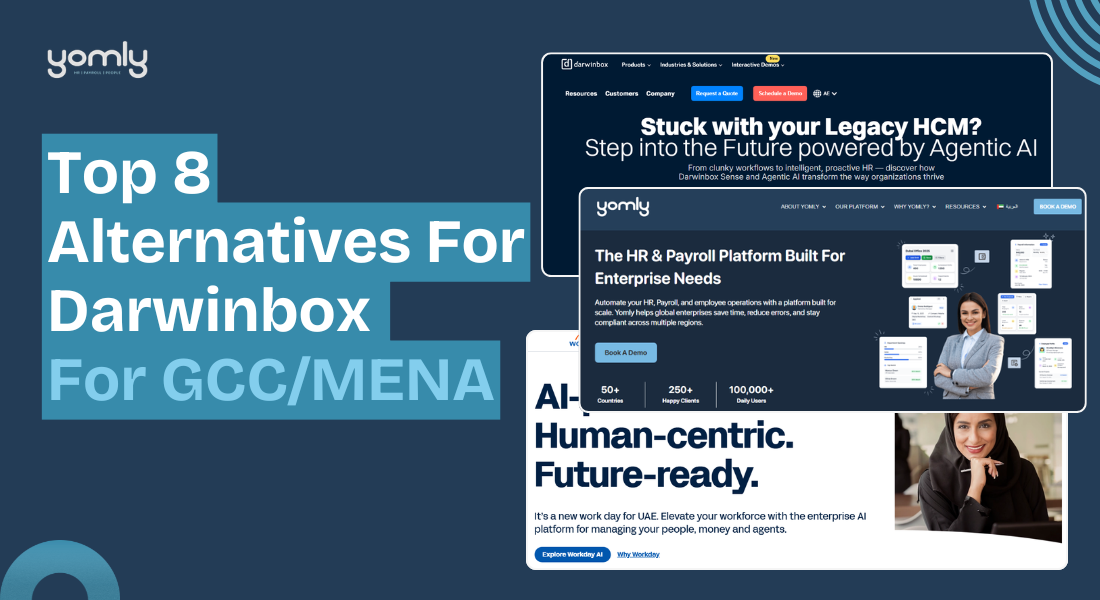
  • Top 8 Alternatives For Darwinbox For GCC/MENA (2026 Updated)

    Top 8 Alternatives For Darwinbox For GCC/MENA (2026 Updated)

    Selecting an HR and payroll system for the GCC and MENA market requires more than choosing a well-known global brand. 

    Darwinbox is a recognised enterprise HCM platform, but some organisations prefer solutions that align more closely with regional payroll rules, compliance standards, and implementation timelines. 

    Companies across the UAE and KSA often evaluate alternatives to find better cost flexibility, simpler rollout, or deeper localisation. 

    In this guide, we review the top Darwinbox alternatives for 2026 and compare them based on regional strength, enterprise capability, and practical deployment fit.

    What is Darwinbox?

    Darwinbox is a cloud-based Human Capital Management platform designed for enterprise and large mid-market organizations. It combines core HR, payroll, recruitment, performance management, workforce management, and employee engagement in one unified system.

    The platform serves 1,000+ companies and over 4 million users across 130 plus countries. It has been recognized as a Strong Performer in The Forrester Wave for HCM solutions and is backed by global investors, including Microsoft.

    Key features of Darwinbox

    • Darwinbox centralizes employee data, reporting structures, salary bands, and compliance tracking across multiple countries in one secure system.
    • HR teams plan increments, bonuses, and merit cycles using structured approval workflows and budget controls.
    • Managers track shifts, attendance, leave balances, and overtime with real-time visibility.
    • The payroll engine supports multi-country processing with built in statutory and localization capabilities.
    • Recruiters manage applicant tracking, offer approvals, and digital onboarding through one connected workflow.
    • The platform enables goal setting, review cycles, skills tracking, and succession planning for critical roles.
    • Leaders access dashboards and reports to monitor headcount, hiring trends, and workforce costs.
    • Employees view payslips, submit leave requests, manage expenses, and access engagement tools through web and mobile access.

    What to look for in a Darwinbox alternative

    Darwinbox offers a broad enterprise HCM suite. However, it may not suit every organisation. Some companies feel the platform becomes complex as more modules are added. HR teams may need training to handle advanced configurations. 

    If you are exploring alternatives, look for:

    • Simpler user experience so HR teams and employees can navigate without extensive training.
    • Faster implementation timelines with lower dependency on IT teams.
    • Flexible reporting tools that allow deep customisation without extra effort.
    • Strong regional compliance support, especially if you operate across GCC or multi-country environments.
    • Transparent and scalable pricing that aligns with your workforce size and growth plans.

    Choosing the right alternative means balancing usability, performance, cost, and regional fit with your long-term HR strategy.

    Best Darwinbox Alternatives in 2026

    1. Yomly, Best Darwinbox alternative for enterprise companies

    Yomly is a cloud-based HR and payroll platform built for enterprise companies in the GCC and MENA region. It is the top alternative for DarwinBox in the GCC and MENA region, which fits enterprise needs without a complex global setup. 

    The company started in 2018 and is based in Dubai. Today, more than 250 enterprise clients use Yomly across 50+ countries, with over 100,000 daily users. Brands like Kärcher, Nord Anglia Education, Isuzu Motors, Halian, and Lufthansa Technik Middle East use Yomly to run HR and payroll at scale.

    Yomly stands out because it is built with regional labor laws in mind. It supports WPS file generation, gratuity calculations, Arabic and English interfaces, and multi-currency payroll without heavy customization. Large HR teams use Yomly to centralize employee records, control approval hierarchies, and track workforce costs by department and entity. Yomly works best for companies with 250 to 500+ employees. It gives HR leaders full control over payroll, compliance, and workforce data across multiple entities.

    Key Features

    • Enterprise Core HR control
      HR teams manage all employee records in one system. They set reporting lines, approval levels, and grading structures that align with the company’s actual setup.
    • GCC-compliant payroll management
      Payroll teams run multi-country payroll using WPS files, perform gratuity calculations, and automate salary adjustments. The system supports UAE and KSA rules out of the box.
    • Automated approval workflows
      The system moves onboarding, confirmations, transfers, and exits through clear approval steps. HR teams track every action without having to chase emails.
    • Smart shift scheduling
      Managers assign shifts, monitor overtime, and receive alerts for consecutive work hours. This reduces manual tracking and payroll errors.
    • Real-time dashboards and reports
      Leaders view headcount data, payroll summaries, and attrition trends in simple dashboards. They make faster decisions with live data.

    Pricing: Custom enterprise pricing based on employee count and selected modules.

    2. Bayzat 

    Bayzat provides a unified HR, payroll, finance, and employee benefits platform built for GCC companies. While Darwinbox delivers a broad global HR suite, Bayzat focuses on strong regional compliance, such as WPS, GOSI, gratuity, and medical insurance administration. Businesses that operate mainly in the UAE or KSA benefit from its localized payroll engine and integrated benefits management.

    The platform connects HR workflows with expense tracking and vendor payments, which Darwinbox does not deeply cover. However, large enterprises with 500+ employees, multi-region entities beyond MENA, or advanced talent strategy needs may find Darwinbox more scalable for complex global deployments.

    Key Features

    • Region-focused payroll compliance: Built in WPS, GOSI, and gratuity calculations tailored for GCC labor laws.
    • Integrated insurance and employee benefits: Manage group health insurance and HR data inside one connected system.
    • HR and finance unification: Combine payroll, expense management, and accounts payable workflows.
    • Mobile first employee experience: Employees access payslips, leave requests, and insurance details through a single app.
    • AI-powered reporting tools: Generate workforce and payroll insights without manual data exports.

    Pricing: Pricing depends on company size, selected modules, and insurance or finance integrations required.

    3. Workday

    Workday serves large enterprises that need deep control over global HR and finance operations. Organizations with complex hierarchies, multiple legal entities, and distributed workforces often consider it alongside Darwinbox when evaluating enterprise HCM platforms.

    Workday stands out for its unified architecture. HR, finance, planning, and analytics run on a single data model, which reduces fragmentation across systems. Its reporting engine and configurable business-process framework enable enterprises to design workflows that align with internal governance structures.

    Key Features

    • Single data model across HR and finance: All workforce and financial data live in one architecture, improving reporting accuracy and cross-functional visibility.
    • Configurable business process framework: Enterprises design approval chains, change workflows, and governance rules without external coding.
    • Enterprise-grade analytics engine: Build calculated fields, custom dashboards, and workforce planning models for executive decision-making.
    • Global compliance readiness: Support multiple currencies, legal entities, and country-specific requirements under one structure.
    • Extensive enterprise integrations: Connect with ERP systems, identity management tools, and third-party payroll providers.

    Pricing: Premium enterprise pricing, generally suited for large organizations with global scale and dedicated HRIS teams.

    4. SAP SuccessFactors

    SAP SuccessFactors is a global HCM suite from SAP that supports large enterprises operating across the GCC and wider MENA region. Companies with 1,000+ employees and multiple legal entities often evaluate it alongside Darwinbox for regional transformation programs.

    SuccessFactors offers strong localization coverage, Arabic language support, and structured compliance management for complex regional workforces. It works well for conglomerates that want standardized HR policies across countries like the UAE, KSA, and Qatar.

    Key Features

    • Localized core HR for MENA operations: Manage employee data, contracts, and country-specific compliance requirements across GCC entities.
    • Integrated talent and performance suite: Align recruitment, performance, and learning processes under one structured enterprise framework.
    • Advanced workforce analytics: Generate cross-country HR reports to support executive-level planning.
    • SAP ecosystem integration: Connect HR data with SAP finance and ERP systems for unified reporting.
    • AI-enabled skills framework: Map workforce capabilities and support strategic talent planning.

    Pricing: Core HR plans start around USD 18 per user per month, with additional costs for talent, payroll, and regional add-ons. Enterprise contracts typically span multiple years.

    5. peopleHum

    peopleHum serves startups and mid-sized companies in the UAE and wider GCC that want structured HR without enterprise-level costs. Teams with 50 to 800 employees often compare it with Darwinbox when they need a simpler rollout and a lower pricing model.

    HR managers can move hiring, attendance, performance, and engagement into one system within weeks. The interface feels modern and mobile-driven, which suits distributed and deskless teams. Its built in analytics help leadership track workforce trends without exporting data into spreadsheets.

    Key Features

    • Quick HR digitization: Replace spreadsheets with structured workflows for hiring, onboarding, and employee records.
    • Mobile attendance and leave controls: Employees clock in, apply leave, and receive reminders directly on their phones.
    • Integrated engagement tools: Run surveys, recognition programs, and internal announcements from one dashboard.
    • Performance and goal tracking: Manage KPIs, review cycles, and 360-degree feedback in a structured format.
    • Built-in HR analytics: Monitor recruitment funnels, engagement scores, and workforce metrics in real time.

    Pricing: Starts at approximately USD 2 per employee per month, with modular add-ons based on selected features and workforce size.

    6. Oracle Fusion Cloud HCM

    Oracle Fusion Cloud HCM from Oracle targets large enterprises across the GCC and MENA that need deep process control and enterprise-wide integration. Government entities, conglomerates, and listed groups often evaluate it alongside Darwinbox during digital transformation programs.

    Oracle stands out for its unified data model across HR, finance, and payroll. Its embedded AI agents, strong analytics, and configurable workflows support complex multi-country operations in the UAE and KSA. It also fits organizations that already run Oracle ERP.

    Key Features

    • Unified HR and finance data layer: Connect workforce data with finance and payroll in one system of record.
    • Enterprise-grade payroll and compliance: Manage multi-country payroll with structured controls and audit visibility.
    • AI embedded talent lifecycle: Use AI agents for recruiting, career development, and workforce planning.
    • Advanced workforce management: Control time, absence, scheduling, and labor optimization within one suite.
    • Oracle ME employee experience platform: Deliver guided journeys, communications, and digital HR support through one interface.

    Pricing: Enterprise subscription pricing is customized based on modules, workforce size, and contract duration. Multi-year agreements are common for GCC deployments.

    7. greytHR

    greytHR becomes a practical alternative to Darwinbox when payroll accuracy and GCC compliance matter more than enterprise-wide HR transformation. Many mid-sized companies in the UAE, Qatar, Oman, Bahrain, and Kuwait switch from complex HCM suites to greytHR to simplify monthly payroll, WPS processing, and statutory deductions.

    Darwinbox positions itself as a broad talent and experience platform. greytHR, in contrast, focuses strongly on payroll control, automated compliance, and cost predictability.

    It fits organizations that want faster implementation and lower per-employee pricing. However, large enterprises that need deep workflow customization or advanced analytics may find the platform less flexible.

    Key Features

    • GCC focused multi-country payroll: Run payroll across UAE, KSA, Qatar, Oman, Bahrain, and Kuwait with automated statutory calculations.
    • WPS and compliance automation: Generate WPS files and government-ready reports directly from the system.
    • Integrated attendance and leave sync: Push attendance, overtime, and leave data directly into payroll without manual adjustments.
    • Employee self-service portal: Employees access payslips, tax details, and leave balances from the web and mobile.
    • Modular add-ons: Add recruitment, performance, or expense modules as business needs grow.

    Pricing: Starts at USD 50 per month for 10 employees, with additional per-employee charges based on the selected plan tier.

    8. ZingHR

    ZingHR is an enterprise-grade HR platform built for Middle East organizations that want structured governance, AI-led insights, and strong payroll control in one system. It serves large and upper mid-market companies across the UAE and MEA that manage complex workforce structures and multi-location operations.

    The platform focuses on measurable business outcomes. Leadership teams use it to connect HR data with financial visibility, audit tracking, and compliance oversight. It suits organizations that prefer outcome-driven HR management over basic automation.

    Key Features

    • Hire-to-rehire enterprise coverage: Manage recruitment, onboarding, payroll, performance, succession, and exit in one connected platform.
    • AI-driven HR analytics: Use predictive insights and configurable dashboards for workforce and financial decisions.
    • Real-time payroll cockpit: Monitor payroll processing, budgeting, and compliance from a centralized control view.
    • Compensation and merit planning: Simulate increments, align ratings with budgets, and push approved changes into payroll.
    • Governance and audit controls: Enable maker-checker workflows, structured approvals, and traceable audit trails.

    Pricing: Enterprise subscription pricing is customized based on modules, employee count, and regional rollout scope across MEA.

    How Yomly Compares to Darwinbox

    Yomly and Darwinbox both serve growing enterprises, but they approach HR transformation differently. Darwinbox offers a broad, global HCM suite designed for large-scale digital programs. Yomly focuses sharply on enterprise needs across the GCC, where compliance, payroll accuracy, and regional alignment matter most.

    Yomly delivers deep localisation for UAE and GCC labour laws, built-in WPS processing, and workflows designed for regional complexity. It reduces configuration effort and speeds up implementation without sacrificing enterprise control.

    For organisations operating in the Middle East, Yomly provides stronger regional expertise, clearer payroll governance, and a more practical path to scalable HR transformation.

    CriteriaYomlyDarwinbox
    Primary FocusYomlyGCC and MENA enterprise HR and payrollDarwinboxGlobal enterprise HCM platform
    Ideal Company SizeYomly250 to 5000+ employeesDarwinboxMid to large global enterprises
    Regional ComplianceYomlyDeep GCC localisation with UAE WPS, labour law alignmentDarwinboxMulti-country compliance with global coverage
    Payroll StrengthYomlyStrong GCC payroll engine with region-specific controlsDarwinboxUnified payroll with multi-country capabilities
    ImplementationYomlyFaster rollout with regional expertiseDarwinboxStructured enterprise implementation may take longer
    CustomisationYomlyConfigurable workflows tailored for GCC operationsDarwinboxHighly customisable enterprise framework
    User ExperienceYomlyClean interface built for HR and managersDarwinboxFeature-rich interface with broader modules
    Best ForYomlyEnterprises operating across the GCC that need tight compliance controlDarwinboxOrganisations managing a distributed global workforce

    Book a free demo with Yomly to see how a GCC-focused platform can simplify your enterprise HR and payroll at scale.

    Final verdict

    This comparison is not about replacing one global HCM with another. It is about finding the right regional fit for GCC and MENA organisations.

    Darwinbox is a strong enterprise HCM platform, but it may not align with every GCC or MENA organisation. Some companies need lighter implementation, deeper local payroll alignment, or more cost control.

    Global suites like Workday, Oracle Fusion Cloud HCM, and SAP SuccessFactors suit complex multinational structures. Bayzat and greytHR work well for companies prioritising payroll efficiency and compliance in the UAE and KSA. ZingHR and peopleHum appeal to businesses that want structured HR with a simpler rollout.

    The best option depends on your workforce size, compliance exposure, and internal HR maturity. For enterprises seeking strong GCC localisation with enterprise-grade control, Yomly remains a compelling region-focused choice.

  • How Enterprise HR Automate Employee Onboarding Workflows

    How Enterprise HR Automate Employee Onboarding Workflows

    Most companies begin onboarding with emails, spreadsheets, and manual checklists. Large enterprise teams move beyond that. They design structured workflows where HR triggers the process, systems execute tasks automatically, and IT only handles exceptions.

    Below is how mature organizations automate onboarding in a practical and scalable way.

    1. HR as the System of Record

    Enterprise automation always starts with one principle: HR owns employee data.

    When HR enters a new hire into the HR system with core details such as name, department, job title, reporting manager, employment type, and start date, that entry becomes the master identity record.

    From there, systems pull information automatically.

    As one sysadmin described on Reddit:

    This removes guesswork. IT does not wait for informal emails. Payroll does not re enter the same data. Security does not chase confirmations. Everything flows from one trusted source.

    Without a single source of truth, onboarding automation will always break.

    2. Role Based Access Instead of Manual Permission Copying

    In less structured environments, IT copies access from another employee and adjusts it manually. This creates errors and often grants too much access.

    Enterprise teams define roles in advance. Each role includes predefined access rules based on job function and department.

    For example, a Finance Analyst and a Sales Executive do not receive the same access bundle. Their system permissions, security groups, reporting dashboards, and collaboration tools are pre mapped to their role.

    3. Automated Account Provisioning Across Systems

    Once HR data is validated, automation handles account creation across multiple systems at the same time.

    Instead of IT creating accounts one by one, the workflow engine provisions:

    • Directory account
    • Corporate email
    • Collaboration platform access
    • VPN profile
    • Application licenses

    In many enterprises, identity management platforms such as Microsoft Identity Manager or Okta coordinate these actions. In other cases, custom automation scripts run on a schedule and compare HR records with system accounts.

    The goal is simple. On day one, the employee logs in without delays. IT does not scramble to create accounts at the last minute.

    4. Workflow Routing for Cross Department Tasks

    Onboarding does not involve IT alone. A new hire may need payroll setup, ID card creation, laptop allocation, system access, workspace preparation, and compliance documentation. Without structure, these steps get lost in email threads and informal follow ups.

    Efficient enterprises solve this with workflow routing systems. When HR submits a new hire entry, the platform automatically creates linked tasks for IT, finance, facilities, and security. Each team receives clear instructions and deadlines inside the system.

    Progress is tracked centrally. Delays are visible. Escalations happen automatically.

    5. Start Date Driven Activation

    Security is critical in enterprise environments because account access directly connects to payroll data, financial systems, customer information, and internal tools. If accounts are activated too early, organizations expose themselves to unnecessary risk. If they are activated too late, the employee’s first day becomes unproductive.

    Mature onboarding systems solve this by separating account creation from account activation.

    Here is how it typically works:

    HR enters the employee into the system with a confirmed start date. The identity management engine immediately creates the digital identity. This includes directory account, email profile, system group assignments, and application provisioning. However, the account remains in a disabled state.

    The automation engine continuously monitors the employment start date field. At a predefined time, often midnight or early morning on the joining date, the system automatically enables the account. No manual login by IT is required.

    This approach offers multiple advantages:

    • IT can prepare everything in advance without rushing.
    • Managers avoid last minute access delays.
    • Security teams reduce the risk of premature access.
    • Audit logs clearly show when access was granted.

    If the start date changes, the automation logic adjusts accordingly. If the offer is withdrawn, the account never activates. If onboarding is postponed, access remains blocked until the updated date.

    This creates a balance between readiness and control. The employee logs in on day one with full access, but the organization never grants permissions before it should.

    6. Controlled Approvals for Sensitive Access

    Not every permission should be automatic.

    For roles involving finance, payroll, or administrative privileges, enterprise onboarding systems include approval checkpoints. Managers select required access, and system owners approve or reject requests through structured workflows.

    This balances speed with governance. Automation handles standard access. Humans approve of exceptions.

    7. Integration with HRMS and Payroll Platforms

    True onboarding automation does not stop at IT systems. It connects directly with HR and payroll platforms.

    Enterprise HR systems such as Yomly centralize employee lifecycle management. When onboarding is integrated into such platforms:

    • Employee profiles are created once
    • Salary structures are assigned automatically
    • Leave policies are configured based on role
    • Approval workflows are linked to managers

    This reduces duplicate data entry and prevents payroll inconsistencies. HR teams manage onboarding inside one secure platform instead of coordinating across disconnected tools.

    Automation becomes part of the broader workforce management strategy, not just an IT process.

    8. Secure Credential Distribution and Notifications

    Once onboarding steps are complete, automated notifications inform HR and hiring managers.

    Modern systems avoid sending plain text passwords. Instead, they use secure activation links or self service portals where employees set their own credentials.

    This strengthens security and improves the employee experience.

    9. Lifecycle Automation Beyond Onboarding

    Enterprise teams design onboarding as part of the full employee lifecycle.

    The same automation engine manages promotions, department transfers, and terminations. When job roles change, access recalculates automatically. When termination dates are entered, accounts disable without manual intervention.

    This prevents orphan accounts and ensures compliance across the organization.

    What Makes Enterprise Onboarding Efficient

    Efficient onboarding depends on structured workflows, centralized data, and role driven automation. HR acts as the source of truth. Systems calculate access. Workflows assign tasks. Payroll and HR platforms integrate seamlessly.

    When done correctly, onboarding shifts from reactive setup to predictable, controlled, and scalable execution.

  • 10 Underrated AI Use Cases in Enterprise HR Systems

    10 Underrated AI Use Cases in Enterprise HR Systems

    Most enterprise HR teams use AI for drafting emails or summarizing meetings. That barely scratches the surface.

    Enterprise HR systems store massive structured and unstructured data. The real opportunity is using AI to extract insight, reduce operational waste, and improve decision quality.

    Below are underrated AI use cases in enterprise HR systems, explained in depth.

    1. Workflow Defect and Bottleneck Analysis in HR Operations

    Every action inside an HR system leaves a digital trail.

    When a manager submits a salary change request, the system logs:

    • Submission time
    • Reviewer comments
    • Approval or rejection
    • Payroll processing
    • Final confirmation

    In one Reddit discussion, a professional used Google AI Studio to analyze thousands of HR workflow records and generate a structured process improvement report. The AI identified fault percentages, delays, and recurring rejection reasons.

    Most HR teams never calculate internal defect rates.

    AI can help answer:

    • Which step causes the most delays
    • Which departments submit incomplete forms
    • How long each workflow stage takes on average
    • Where compliance violations occur

    Yomly already centralizes HR workflows such as leave approvals, salary structure changes, payroll approvals, and document issuance. 

    Since actions are logged with timestamps and user data, this structured dataset becomes ideal for AI based workflow analysis.

    Try Yomly’s HR software built for enterprises Businesses 

    2. Large Scale Policy Drafting and Gap Identification

    Enterprise organizations operate across regions with different labor laws and compliance standards. Policies must be consistent yet adaptable.

    AI can:

    • Compare existing policies against regulatory standards
    • Highlight missing clauses
    • Suggest clearer language
    • Standardize formatting across global documents

    For example, during a merger, HR may need to align leave policies across three regions. Instead of manually reviewing hundreds of pages, AI can summarize differences and suggest alignment points.

    The value here is speed and structure. AI generates first drafts and comparison summaries. HR validates legal accuracy and makes final decisions.

    This significantly reduces policy development time without removing human oversight.

    However, even the most advanced AI systems fail when employees cannot easily navigate HR platforms or access information quickly. A well planned enterprise UX design strategy helps organizations improve usability, reduce employee frustration, and increase adoption across HR systems.

    3. Performance Review Pattern Detection and Bias Monitoring

    Performance reviews generate large volumes of qualitative data. HR teams often focus only on final ratings, not language patterns.

    AI can analyze:

    • Tone differences across managers
    • Overuse of vague praise
    • Gendered language patterns
    • Inconsistent rating distributions

    For example:

    If one manager consistently gives high ratings with minimal explanation, while another provides detailed but harsh feedback, AI can flag this inconsistency before calibration meetings.

    This helps HR:

    • Reduce bias
    • Improve fairness
    • Support structured calibration discussions
    • Identify training needs for managers

    This is far more strategic than using AI to simply draft review comments.

    4. Meeting Transcripts Into Structured Operational Assets

    Many HR leaders record meetings and stop at summaries.

    The deeper value lies in transformation.

    AI can convert long meeting transcripts into:

    • Formal meeting minutes
    • Clear action trackers with owners and deadlines
    • Standard Operating Procedures
    • Risk logs
    • Policy drafts

    For example:

    A two hour workforce planning meeting can be converted into a structured document that outlines headcount decisions, hiring freezes, risk flags, and next steps.

    Platforms integrated within enterprise ecosystems, such as solutions within Microsoft 365, allow transcript analysis inside secure environments.

    This reduces confusion and improves execution consistency across departments.

    Turn HR decisions into real system changes. See how Yomly helps you configure workflows, payroll rules, and approvals with full control.

    Book a demo to connect strategy with execution.

    5. Enterprise Knowledge Retrieval Across HR Systems

    Large companies operate multiple systems:

    • HRIS platforms
    • Internal wikis
    • Policy repositories
    • Learning portals
    • Compliance documentation

    Employees often submit HR tickets because they cannot find information.

    AI powered internal chatbots trained on company knowledge bases can answer complex questions such as:

    • How does the relocation policy apply to international transfers
    • What is the eligibility criteria for grade level adjustments
    • Which training is mandatory for managers

    Instead of browsing multiple platforms, employees receive structured answers instantly.

    This reduces repetitive HR queries and improves employee experience.

    6. Proactive Meeting Preparation for HR Business Partners

    HR Business Partners handle multiple stakeholders across business units.

    AI agents can review:

    • Previous meeting notes
    • Open employee relations cases
    • Attrition data
    • Performance trends
    • Pending approvals

    Before a leadership meeting, the HRBP receives a structured brief summarizing:

    • Current workforce risks
    • Policy violations
    • Compensation anomalies
    • Engagement concerns

    This improves the quality of conversation and positions HR as data driven rather than reactive.

    7. Internal Audit Simulation and Compliance Stress Testing

    Enterprise HR departments face frequent audits.

    AI can simulate auditor behavior by reviewing:

    • Policy documents
    • Control frameworks
    • Approval logs
    • Documentation trails

    It can then:

    • Flag missing evidence
    • Suggest documentation improvements
    • Generate standard response templates

    This allows HR teams to identify weaknesses before official audits begin.

    The benefit is preparation and risk reduction, not automation of compliance decisions.

    8. Structured Recognition and Communication at Scale

    Some leaders experiment with AI generated recognition messages, including video personalization tools like HeyGen.

    The real value is not automation of praise. It is structured recognition tracking.

    AI can:

    • Identify high performing employees from project data
    • Draft personalized recognition messages
    • Ensure recognition language aligns with company values
    • Track recognition frequency across departments

    HR can also analyze recognition distribution to ensure fairness and inclusion.

    The technology must be used carefully. Authentic leadership cannot be replaced, but AI can support consistency and visibility.

    9. Synthetic Data Modeling for Secure Analytics

    HR systems store salary data, performance ratings, disciplinary records, medical leave details, diversity information, and investigation notes. Uploading this data into public AI tools creates legal exposure and trust risk. In many organizations, it is strictly prohibited.

    This is where synthetic data modeling offers a practical solution.

    Synthetic data is artificially generated data that mirrors the structure and behavior of real HR data but does not contain information about actual employees.

    For example, instead of using actual payroll records, an HR analytics team can generate a dataset that includes job grades, salary bands, department codes, tenure ranges, and performance scores. The numbers follow logical patterns, but they are fictional.

    Using this synthetic dataset, HR teams can build and test:

    • Attrition prediction models.
    • Compensation equity dashboards.
    • Performance distribution reports.
    • Automation scripts for recurring analysis.
    • Workforce planning simulations.

    Once the model or dashboard works correctly, the final logic can be deployed inside secure enterprise systems using real data under controlled access.

    10. Early Risk Detection Through Language and Sentiment Analysis

    Traditionally, HR focuses on numeric scores and reviews only a small portion of comments. Manual review of thousands of responses is not practical. Important patterns often remain hidden until attrition rises or formal complaints escalate.

    AI driven language analysis changes this.

    Natural language models can scan large volumes of text and identify recurring themes, tone shifts, and emotional patterns. They can detect increases in words associated with stress, frustration, or burnout. They can identify repeated mentions of a specific manager, policy, or department. They can cluster similar complaints across regions or job levels.

    For example, if exit interviews from a particular team repeatedly mention unclear career progression, AI can surface that trend early. If engagement comments increasingly reference long hours and workload pressure in a certain function, HR can investigate before turnover increases.

    Final thoughts

    AI in enterprise HR is not about faster emails. It is about smarter decisions from structured data. When paired with a strong foundation like Yomly, AI turns payroll, workflows, and workforce data into real strategic advantage.

  • Remote HR Roles in Large Organizations: What to Expect

    Remote HR Roles in Large Organizations: What to Expect

    Remote HR roles in large organizations can give you stability and focus. But they also come with structure, slower decision cycles, and less control over how things are built.

    Here is what the role really looks like in practice.

    1. Your role will be highly specialized

    In large organizations, HR is divided into clear functions. You are not expected to do everything.

    You may work only in:

    • Employee relations
    • Talent acquisition
    • HR operations
    • Compensation and benefits
    • HR analytics
    • Learning and development

    At companies like Amazon, HR is split into multiple teams. One team handles recruiting. Another handles exits. Another manages data. Another supports business leaders.

    This setup reduces the generalist burden. You focus on your function and build deep expertise.

    However, you may not get exposure to the full HR lifecycle. If you enjoy variety and ownership across many areas, this structure can feel narrow.

    2. Change does not disappear in large companies

    Many people assume large companies are calm and stable. That is not always true.

    Large organizations go through:

    • Leadership changes
    • Mergers and acquisitions
    • Restructuring
    • Policy updates
    • System migrations
    • Layoffs

    The difference is how change happens. In startups, change feels chaotic and urgent. In large firms, change is planned, documented, and rolled out in phases.

    One senior HR professional in a Fortune 100 company shared on Reddit that leadership philosophy shifts every few years. Each shift changes how HR operates.

    So remote HR roles in large firms still require adaptability. The pace may be slower, but the volume of change remains high.

    3. You may experience siloed work

    Large companies often use a three layer HR model:

    • Centers of Excellence design policies
    • HR Business Partners implement them
    • Shared Services handle transactions

    This model increases consistency across locations.

    But it also limits autonomy.

    If you are an HRBP, you may not design a compensation strategy. A global compensation team decides that. You execute within their framework.

    If you are in shared services, you may follow strict process guidelines with little room for adjustment.

    This can reduce creativity. Decisions require alignment across multiple teams. Change moves slowly because many stakeholders must approve it.

    4. Remote setup changes how you build influence

    In large organizations, your manager or business leaders may sit in another city or country.

    You may support a unit of 200 employees without ever meeting them in person.

    This creates challenges:

    • You must build trust through video calls
    • You must rely on data to support decisions
    • You must document conversations clearly
    • You must follow up consistently

    Influence becomes more structured. You cannot rely on hallway conversations or informal chats.

    Strong communication skills become critical. Clear emails, structured presentations, and data backed arguments help you gain credibility.

    Remote HR roles reward professionals who are organized and proactive.

    5. Workload can still be heavy

    Many assume that large companies mean large HR teams. That is not always true.

    Even in organizations with 15,000 or 100,000 employees, HR departments often run lean.

    You might be:

    • The only employee relations partner for several business units
    • The sole HRBP for a specific region
    • The only person handling investigations for a department

    When someone resigns, responsibilities shift quickly. Hiring replacements can take time due to internal approval processes.

    So while the structure is bigger, the workload can still feel intense.

    The difference is that responsibilities are clearer, not necessarily lighter.

    6. Career growth is more structured

    Large organizations usually offer defined career paths.

    You can see:

    • Job grades
    • Promotion criteria
    • Internal mobility programs
    • Leadership development tracks

    If you want to become a Subject Matter Expert in employee relations or compensation, large firms allow deep specialization.

    You also gain brand credibility. Experience at a known company can strengthen your resume.

    Many HR professionals move to large firms specifically to build credibility and structured growth.

    7. Politics and hierarchy are stronger

    Large organizations have multiple leadership layers.

    You may report to a Senior HRBP who reports to a Director who reports to a VP.

    Each leader may have a different management style.

    Some leaders focus on compliance. Others prioritize operations. Others focus on employee experience.

    This creates complexity.

    Remote roles can increase this challenge because communication happens mostly through calls and email. Misalignment can happen easily if documentation is weak.

    You must understand formal escalation channels. You must protect yourself through clear written communication.

    Politics are not always negative, but they require maturity and emotional control.

    8. Stability can be a major advantage

    Large companies usually handle economic downturns better than startups.

    They have:

    • Larger cash reserves
    • Diversified revenue streams
    • Established processes

    There may still be layoffs. But large firms often restructure instead of shutting down entirely.

    For professionals with families or financial commitments, this stability matters.

    Remote roles in large companies also offer geographic flexibility. You can work for a global firm without relocating.

    Who benefits most from remote HR roles in large organizations?

    This path works well if you:

    • Prefer structure over constant firefighting
    • Want clear boundaries in your role
    • Enjoy building deep expertise
    • Value job security
    • Are comfortable working through systems

    It may not fit if you:

    • Want full ownership of HR strategy
    • Enjoy fast decision making
    • Prefer direct daily interaction with executives
    • Get frustrated with layered approvals

    Remote HR roles in large organizations are not easier. They are more structured. You gain clarity and scale.

    You lose some flexibility and speed. Your satisfaction depends on whether you value stability or autonomy more at this stage of your career.

    Further resources: 

    Final Thoughts

    If your organization operates in the GCC and manages a large workforce, the right HR system must support local compliance, payroll accuracy, and enterprise scale.

    Yomly is built specifically for this environment. It combines regional expertise with modern cloud technology to help HR and finance teams reduce manual work and gain better visibility across operations.

    For enterprises that need secure, bilingual, and compliance ready HR and payroll software, Yomly offers a practical and scalable solution.

    You can explore the platform and request a personalized demo to see if it aligns with your operational goals.

  • What payroll compliance risks increase when scaling from 50 to 500+ employees in the UAE?

    What payroll compliance risks increase when scaling from 50 to 500+ employees in the UAE?

    As teams grow, payroll compliance gets more complex. We have worked with hundreds of enterprise clients with 500+ employees, and most of them went through the same journey. Things were manageable when the team was around 50 people. But as they scaled to 200, 300, and beyond, small gaps in payroll and compliance processes started turning into real risks.

    To understand what actually changes at this stage and which compliance risks increase in the UAE, we spoke to a few industry experts. We asked them what they faced while managing payroll at scale, where companies usually slip up, and what to fix early before problems start showing up in audits, fines, or employee issues.

    3 Things To Learn From Expert Insights

    Here is what we learned after reviewing expert insights from teams that have managed payroll while scaling from 50 to 500+ employees in the UAE. The risks do not increase in a linear way. They multiply as your headcount grows, your payroll structure becomes more complex, and compliance rules start affecting operations directly.

    1. Small payroll errors turn into large compliance risks

    At 50 employees, a missed allowance entry or a wrong salary component is a small manual error. At 500+ employees, the same mistake becomes a compliance issue at scale. WPS errors, wrong Salary Information Files, and misaligned payroll structures across hundreds of employees can lead to repeated penalties.

    What looks like a small process gap quickly turns into regulatory exposure when multiplied across a large workforce. This is why payroll accuracy needs system level controls, not manual checks.

    2. WPS compliance becomes an operational risk, not just a payroll task

    Once you cross 500 employees, WPS is no longer just about paying salaries on time. Delays of even a few days can trigger work permit suspensions, legal action, and public prosecution referrals. Incorrect SIF submissions or misclassified salary components can also lead to immediate penalties.

    At this scale, payroll failures start impacting hiring, visas, and business continuity. Teams need daily monitoring and automated validation to catch issues before WPS penalties hit.

    3. Complex workforce structures demand automation and clear ownership

    As companies scale, payroll has to handle multiple visa types, free zone and mainland employees, different contract terms, gratuity rules, and allowances.

    Without standardized systems and regular audits, inconsistencies grow fast. Experts consistently pointed out that automation is no longer optional at 500+ employees. Clear ownership between HR and finance, quarterly compliance audits, and automated payroll systems are critical to reduce regulatory and financial risks as the organization grows.

    Here Is What The Expert Shared

    Companies in the UAE, as they transition from having 50 employees to the point where they will have 500+ employees, see a major shift in the risk associated with payroll due to the change from a stand-alone manual error to much broader compliance exposure. For instance, when companies scale, they must not only consider Wage Protection System (WPS) compliance in terms of the complexity of WPS requirements, but also consider how small errors will now become larger issues; thus, resulting in more regulatory penalties for those errors when multiplied across a larger number of employees. Furthermore, there is an increased risk as it relates to non-alignment between employment agreements and payroll structure, especially with regard to allowances/gratuities.

    Additional areas of risk will exist in regard to tracking of visas, in how staff that work for our UAE operations are classified and in having to manage payroll across a mainland employee base and multiple free zones. Without any standardization of systems and periodic audits of records, inconsistencies will continue to grow. Therefore, moving to an automated payroll system, completing quarterly compliance audits and clearly defining HR and finance responsibilities are imperative to reducing regulatory and financial risks associated with scaling. – Lin Meyer, CEO, Crucial Exams

    The biggest risk to keep in mind is the UAE’s Wage Protection System (WPS), which is a key regulatory tool for monitoring salary payments by employers.

    For firms with more than 500 employees, the failure to pay salaries within 30 days of their due date means that immediate legal action will be taken under WPS rules. Additionally, the business will be referred to the public prosecution, and criminal charges against company officers may be carried out.

    If a delay of 17 days occurs, it may lead to the suspension of all new work permits, which could severely impact both operations and scaling efforts for companies intent on growth.

    Similar regulatory scrutiny is in place for inaccurate Salary Information Files (SIFs), which can come with immediate administrative penalties if salary components go misclassified or records remain incomplete. – Chris Groome, Head of New Business, Access People SMB (Access Paycircle)

    When you scale past 50 employees in the UAE, you move from basic payroll into complex compliance territory. One key risk is failing to align with WPS (Wage Protection System) as enforcement tightens — timing, record matching, and salary file accuracy become critical. We’ve seen enterprise systems require daily monitoring scripts to catch mismatches before fines hit.

    You also encounter more diverse employment structures — local hires, expat contracts, gratuity calculations — each with different legal implications. We built custom logic in one HRMS to segment and validate end-of-service benefit rules depending on visa status, tenure, and salary frequency. At 500+ employees, automation isn’t optional — it’s the only way to keep up with evolving MOHRE audits. – Igor Golovko, Developer, Founder, TwinCore

    Final Thoughts on Managing Payroll Compliance at Scale in the UAE

    Payroll compliance is one of those areas most companies do not think deeply about when they are small. When the focus is on growth and revenue, compliance often takes a back seat. But as headcount increases, payroll mistakes can quickly turn into legal, financial, and operational problems. What feels manageable at 50 employees can become risky and expensive at 500+.

    The smarter approach is to plan for compliance early and use the right systems before problems start showing up. An automated, cloud based payroll platform like Yomly helps you stay compliant with WPS, manage complex salary structures, track visas, and reduce manual errors as you scale.

    You can book a demo of Yomly to see how much impact the right payroll system can make at scale. We are already supporting 250+ organizations with over 1 lakh active users and processing more than 1 million payslips every year.

  • What are the biggest HR bottlenecks in high-growth organizations, and how can automation fix them?

    What are the biggest HR bottlenecks in high-growth organizations, and how can automation fix them?

    Staying compliant is manageable when a company operates in one region. For smaller companies, basic payroll tools, local advisors, and manual checks are often enough. The real challenge starts when the business scales and enters multiple regions. Each new country brings its own labor laws, payroll rules, tax structures, reporting formats, and employee documentation requirements. What worked earlier starts breaking very quickly.

    As companies grow across regions, HR teams are expected to handle compliance, payroll accuracy, employee records, audits, and reporting at the same time. Small mistakes like missed filings, incorrect tax calculations, or outdated policies can lead to penalties, delayed salaries, and employee dissatisfaction. Managing all of this manually or through disconnected systems puts unnecessary pressure on HR teams and slows down growth.

    At Yomly, we work closely with growing and enterprise companies facing exactly this challenge. We support 250+ clients globally, with users across 50+ countries, helping them stay compliant through a unified HR and payroll platform built for multi-region operations.

    To understand how companies can stay compliant across multiple regions without overloading HR teams, we reached out to industry experts who deal with global HR, payroll, and compliance challenges every day. Below, they share practical insights, proven approaches, and real-world advice on managing compliance at scale.

    3 Things To Learn From Expert Insights

    Here is what we learned from the expert insights shared above. When teams grow fast, HR bottlenecks usually show up in the same areas. The fixes are also surprisingly similar across industries.

    1. Automate the repetitive admin work first

    Most HR teams lose time on paperwork, reminders, forms, and approvals. This slows down hiring, onboarding, and daily operations. When these basic tasks are automated, HR teams get time back to focus on people, not processes. Start with screening, offer letters, onboarding forms, and routine approvals.

    2. Speed up hiring and onboarding to avoid growth slowdowns

    Delays in sending offers, collecting documents, and completing onboarding can cost you good candidates. Simple automation like tracking forms, digital credentials, and onboarding workflows reduces mistakes and shortens turnaround time. Faster hiring means teams can scale without burning out HR.

    3. Use tools that fit into your current workflow

    Automation only helps if people actually use it. Systems that connect with your existing tools for leave, feedback, scheduling, and compliance remove friction. This clears approval backlogs, reduces follow ups, and helps managers spend more time training and supporting new hires instead of chasing updates.

    Expert’s Quotes On HR Bottlenecks

    When you’re growing fast, hiring and onboarding can really bog everything down. At Morningscore, we were drowning in paperwork until we automated the screening and hiring process. Suddenly our HR folks could actually talk to people instead of pushing forms around. The automated reminders stopped those little mistakes that used to add up. My advice? Start with the boring repetitive stuff. You’ll get so much time back for building a real team. – Karsten Madsen, CEO, Morningscore

    Our HR team was getting buried in recruiting paperwork. We set up simple tracking forms and templates for offer letters and new hire docs. All of a sudden, we weren’t taking a week to get an offer out just because of forms. That meant more time actually talking to candidates, which is what matters. Stop letting your people get stuck on admin tasks. Let them do the real work. – John Turns, Chief Technology Consultant, Seisan

    Trying to handle hiring, onboarding, and compliance while still focusing on clients is tough. We switched to automated onboarding and a digital system for credentials, and it made a huge difference. Fewer mistakes, and our leaders finally had time to actually train people. If you try this, start with scheduling and credentials. It’s worked well for us at Mission Prep Healthcare. Aja Chavez, Executive Director, Mission Prep Healthcare

    When your team doubles, HR work goes sideways fast. At Brex, we set up automation for time off requests and feedback cycles. That cut out all the manual reminders and people finally got the stuff they needed. Finding the right system was a challenge, but it cleared the backlog of people waiting on approvals. My advice is to find automation that plugs right into your existing tools. Saves a ton of headache. – Jon Kowieski, Lead, Growth Marketing, Brex

    Turn HR Bottlenecks Into Scalable Systems

    As we have seen from the experts, it is clear that there is nothing unusual about facing HR bottlenecks during fast growth. Every organization goes through hiring delays, onboarding gaps, approval backlogs, and compliance pressure at some stage. The main thing is how early you identify these problems and how quickly you fix them with the right systems in place.

    If you are scaling your team or planning rapid growth, moving away from manual processes is not optional anymore. Yomly offers an all in one HR and Payroll software for teams across the globe.

    It is built for large scale operations, so when you grow, your systems grow with you. You get automated payroll including shift scheduling, payroll processing, ATS, employee benefits management, and more. This helps your HR team spend less time on admin work and more time building strong teams that can support long term growth.

  • 5 Best Payroll Software For Hospitality (200+ Employees)

    5 Best Payroll Software For Hospitality (200+ Employees)

    Managing payroll in the hospitality industry becomes increasingly complex once your workforce crosses 200 employees.

    Hotels, restaurant groups, resorts, and catering businesses deal with shift-based schedules, multi-role pay rates, overtime slabs, service charge distribution, gratuity accruals, and strict labor regulations. Seasonal hiring and multi-location operations add further pressure.

    Manual processing or disconnected systems often lead to payroll errors, compliance risks, and delayed salary runs. 

    The right payroll software automates calculations, integrates attendance data, enforces approval controls, and maintains financial accuracy at scale.

    In this listicle roundup, we review the top payroll software solutions built to support large hospitality businesses.

    Here are the top payroll management software for hospitality at a glance:

    • Yomly, 200+ employee hospitality groups, WPS and service charge automation
    • Oracle Hospitality, global hotel chains, full system integration
    • EQUAL HRMS, shift based hotels and restaurants
    • ADP, multi location hospitality payroll compliance
    • Voyon Folks HRMS, dynamic shift driven payroll automation

    1. Yomly

    Yomly is the best payroll software for hospitality businesses with 200+ employees. It supports hotel groups, restaurant chains, and large hospitality operators that run complex payroll every month.

    Hospitality payroll is rarely simple. Teams handle multi-currency salaries, service charge distribution, shift overtime, seasonal hiring, and gratuity accruals. WPS compliance adds another layer of pressure. Yomly manages all these moving parts within a single secure payroll system.

    More than 250 enterprise clients across 50+ countries use Yomly to process payroll for over 100,000 daily users. Yomly delivered a customised payroll solution for Al Ghalia, increasing efficiency, automating overtime, and supporting rapid expansion across Bahrain and KSA.

    Finance teams gain approval controls, audit trails, liability forecasting, and ERP-ready exports. Payroll runs stay accurate, compliant, and on schedule.

    Core Features of Yomly:

    • Multi-country, multi-entity payroll engine: Run payroll across properties and countries while applying local wage rules and currency settings.
    • Hospitality-focused pay structure setup: Configure service charges, tips, overtime slabs, allowances, and deductions per department.
    • Automated salary events: Process prorations, final settlements, unpaid leave, and mid-cycle changes without spreadsheets.
    • WPS and bank file generation: Create compliant WPS and secure bank transfer files aligned with GCC regulations.
    • Bulk variable pay uploads: Import commissions, bonuses, and seasonal adjustments efficiently for large workforce volumes.
    • Gratuity and liability tracking: Calculate end-of-service provisions and generate finance-ready reports.
    • Approval workflows and audit logs: Control access, enforce approvals, and maintain payroll traceability.
    • Finance-ready exports: Generate payroll journals, variance reports, and ERP-compatible outputs.

    Pricing: Enterprise modular pricing based on employee count and payroll complexity.

    2. Oracle Hospitality

    Oracle Hospitality delivers an integrated technology ecosystem for large hotel groups, resorts, casinos, and cruise operators that require centralized control across properties. The platform integrates property management, POS, finance, and operations systems into a single, unified environment. 

    Large hospitality brands use Oracle to manage room revenue, restaurant operations, event sales, and back office functions at scale. Its cloud-based OPERA platform enables standardization across thousands of locations while maintaining operational visibility. 

    Enterprise operators benefit from deep system integrations, advanced analytics, and strong financial controls that support high transaction volumes and multi-property environments.

    Core Features

    • Cloud-based property management system: Manage reservations, room inventory, check-in, check-out, and housekeeping operations across multiple properties in one centralized system.
    • Integrated point of sale system: Connect restaurant, bar, and in-room dining transactions directly to guest profiles and financial records.
    • Multi-property operational control: Standardize processes, reporting, and data management across hotels, resorts, and global locations.
    • Event and sales management tools: Coordinate banquet bookings, conferences, and group sales with automated tracking and revenue forecasting.
    • Revenue and performance analytics: Monitor occupancy, ADR, restaurant revenue, and operational performance through real-time dashboards.
    • Centralized finance integration: Sync operational data with financial systems for accurate reporting and streamlined reconciliation.

    Pricing: Custom enterprise pricing based on property size and deployment scale.

    3. EQUAL HRMS for Hospitality

    EQUAL HRMS for Hospitality focuses on operational control within mid- to large hospitality businesses that require payroll tightly integrated with daily workforce activity. The system integrates shift data, attendance records, salary structures, and reimbursement tracking into a single, unified payroll workflow. 

    Hospitality operators can configure policies based on local regulations, internal guidelines, and role-based compensation models. Instead of relying on separate tools, finance teams manage payroll, approvals, and compliance within a single centralized environment, reducing calculation errors and improving processing accuracy across properties.

    Core Features

    • Biometric integrated payroll calculation: Capture clock-in and clock-out data automatically and convert attendance into payroll-ready salary calculations.
    • Custom policy-driven salary processing: Apply company-specific overtime rules, late penalties, allowances, and deductions without manual adjustments.
    • Shift and schedule linked pay computation: Calculate payroll based on assigned shifts, work hours, and real-time availability data.
    • Structured payroll approvals: Implement multi-step validation before payroll release to ensure financial control.
    • Integrated reimbursement processing: Include approved employee claims and advances directly within payroll cycles.
    • User-defined payroll reporting: Generate tailored reports for finance, compliance, and internal review purposes.

    Pricing: Available upon request, based on deployment scope and employee volume.

    4. ADP

    ADP provides structured payroll and workforce solutions for hospitality businesses that manage complex scheduling, multiple job roles, and varied pay rates. Restaurant groups, hotels, and catering operators use ADP to process payroll accurately across departments and locations. The platform supports tip calculations, overtime tracking, bonus management, and compliance with labor regulations. 

    Businesses can run payroll locally or globally while maintaining consistent reporting standards. ADP helps operators reduce administrative workload and gain clearer visibility into employee costs, overtime exposure, and payroll trends across the organization.

    Core Features

    • Multi-rate and multi-role payroll processing: Calculate salaries for employees working different roles, pay rates, and shifts within the same pay cycle.
    • Integrated time and attendance tracking; Capture worked hours, overtime, and time off data and sync directly into payroll calculations.
    • Tip and bonus management: Process tip allocations, incentives, and performance bonuses accurately within payroll.
    • Multi-location payroll control: Manage payroll across branches, outlets, or properties with centralized oversight.
    • Labor cost and payroll reporting: Generate detailed reports on wages, overtime costs, and department-level payroll breakdowns.
    • Compliance-focused processing: Apply regional labor rules and statutory requirements during payroll execution.

    Pricing: Pricing varies based on company size, services selected, and geographic coverage.

    5. Voyon Folks HRMS

    Voyon Folks HRMS positions itself as a workforce automation platform for hospitality businesses that deal with constant staffing movement and payroll recalculations. Instead of treating payroll as a standalone task, the system integrates shift allocation, attendance capture, overtime rules, statutory deductions, and payout execution into a single continuous workflow. 

    Hotels and restaurant groups use Voyon to reduce salary disputes, control overtime leakage, and maintain compliance across dynamic work schedules. The platform focuses on minimizing payroll errors caused by fluctuating shifts, high attrition, and multi-department operations.

    Core Features

    • Dynamic shift-driven payroll engine: Adjust payroll automatically based on assigned shifts, hours worked, and schedule changes.
    • Real-time attendance capture: Sync biometric data directly into salary computation to prevent time manipulation or manual corrections.
    • Automated statutory calculations: Process gratuity, income tax, and other mandatory deductions within payroll runs.
    • Loan and advance reconciliation: Track employee loans and recover amounts systematically during salary processing.
    • Workforce cost visibility dashboard: Analyze payroll impact by department, absenteeism, and overtime trends.
    • Integrated compliance controls: Apply rule-based validations before final payroll release.

    Pricing: Available on request based on employee count and deployment scope.

    Further payroll resources: 

    What Key Features Should You Look for in Hospitality Payroll Software?

    Advanced Tip Management and Gratuity Handling

    Choose software that fully automates the tracking, allocation, pooling, and distribution of tips. It must distinguish between cash tips, credit card tips, declared tips, auto-gratuities (treated as wages in some cases), and tip credits under federal and state laws (such as FICA tip credits). 

    So, look for customizable rules based on shifts, roles, hours worked, or percentage-based pools, along with built-in audit trails for transparency and IRS-compliant reporting to simplify tax filings and reduce errors.

    Integrated Time and Attendance Tracking

    Ensure the system provides real-time clock-in/clock-out capabilities through mobile apps, kiosks, biometric devices, or geofencing. It should automatically capture breaks, meal periods, and overtime thresholds while enforcing compliance rules (e.g., mandatory breaks or daily/weekly overtime). 

    Support for Multiple Pay Rates, Shift Differentials, and Overtime Rules

    The software needs to handle complex wage structures effortlessly, including different rates for the same employee across roles (e.g., server vs. bartender), night differentials, holiday pay, split shifts, and blended overtime calculations. Automatic enforcement of federal, state, and local overtime laws (such as time-and-a-half after 40 hours) and tip credit adjustments is critical to avoid costly violations.

    Automated Tax Compliance, Filings, and Regulatory Updates

    Select a solution that handles automatic calculation and withholding of federal, state, and local taxes, including tipped-employee-specific rules, wage garnishments, and year-end forms (W-2s, 1099s). Built-in compliance alerts, automatic updates for changing laws (especially important in multi-state operations), and features like ACA management help mitigate risk and reduce administrative burden.

    Multi-Location Management and Centralized Control 

    For chains, groups, or properties with multiple sites, opt for centralized dashboards that support location-specific configurations, reporting, and labor cost tracking. The system should scale smoothly as your business expands, maintaining consistency while allowing departmental or site-level customization.

    Book A Free Yomly Demo and see how it helps your hospitality organization.

    Final Words

    Payroll software for hospitality businesses with 200+ employees should deliver more than basic salary processing. It must handle complexity without slowing operations.

    The right platform reduces manual intervention, strengthens compliance, and provides clear financial oversight across properties. Some solutions excel in enterprise integration, and others focus on shift accuracy and payroll automation.

    The best choice depends on your structure, growth plans, and regulatory exposure. Choose a system that scales with your workforce and protects every payroll cycle from errors, delays, and compliance risks.