Most companies begin onboarding with emails, spreadsheets, and manual checklists. Large enterprise teams move beyond that. They design structured workflows where HR triggers the process, systems execute tasks automatically, and IT only handles exceptions.
Below is how mature organizations automate onboarding in a practical and scalable way.
1. HR as the System of Record
Enterprise automation always starts with one principle: HR owns employee data.
When HR enters a new hire into the HR system with core details such as name, department, job title, reporting manager, employment type, and start date, that entry becomes the master identity record.
From there, systems pull information automatically.
As one sysadmin described on Reddit:
This removes guesswork. IT does not wait for informal emails. Payroll does not re enter the same data. Security does not chase confirmations. Everything flows from one trusted source.
Without a single source of truth, onboarding automation will always break.
2. Role Based Access Instead of Manual Permission Copying
In less structured environments, IT copies access from another employee and adjusts it manually. This creates errors and often grants too much access.
Enterprise teams define roles in advance. Each role includes predefined access rules based on job function and department.
For example, a Finance Analyst and a Sales Executive do not receive the same access bundle. Their system permissions, security groups, reporting dashboards, and collaboration tools are pre mapped to their role.
3. Automated Account Provisioning Across Systems
Once HR data is validated, automation handles account creation across multiple systems at the same time.
Instead of IT creating accounts one by one, the workflow engine provisions:
Directory account
Corporate email
Collaboration platform access
VPN profile
Application licenses
In many enterprises, identity management platforms such as Microsoft Identity Manager or Okta coordinate these actions. In other cases, custom automation scripts run on a schedule and compare HR records with system accounts.
The goal is simple. On day one, the employee logs in without delays. IT does not scramble to create accounts at the last minute.
4. Workflow Routing for Cross Department Tasks
Onboarding does not involve IT alone. A new hire may need payroll setup, ID card creation, laptop allocation, system access, workspace preparation, and compliance documentation. Without structure, these steps get lost in email threads and informal follow ups.
Efficient enterprises solve this with workflow routing systems. When HR submits a new hire entry, the platform automatically creates linked tasks for IT, finance, facilities, and security. Each team receives clear instructions and deadlines inside the system.
Progress is tracked centrally. Delays are visible. Escalations happen automatically.
5. Start Date Driven Activation
Security is critical in enterprise environments because account access directly connects to payroll data, financial systems, customer information, and internal tools. If accounts are activated too early, organizations expose themselves to unnecessary risk. If they are activated too late, the employee’s first day becomes unproductive.
Mature onboarding systems solve this by separating account creation from account activation.
Here is how it typically works:
HR enters the employee into the system with a confirmed start date. The identity management engine immediately creates the digital identity. This includes directory account, email profile, system group assignments, and application provisioning. However, the account remains in a disabled state.
The automation engine continuously monitors the employment start date field. At a predefined time, often midnight or early morning on the joining date, the system automatically enables the account. No manual login by IT is required.
This approach offers multiple advantages:
IT can prepare everything in advance without rushing.
Managers avoid last minute access delays.
Security teams reduce the risk of premature access.
Audit logs clearly show when access was granted.
If the start date changes, the automation logic adjusts accordingly. If the offer is withdrawn, the account never activates. If onboarding is postponed, access remains blocked until the updated date.
This creates a balance between readiness and control. The employee logs in on day one with full access, but the organization never grants permissions before it should.
6. Controlled Approvals for Sensitive Access
Not every permission should be automatic.
For roles involving finance, payroll, or administrative privileges, enterprise onboarding systems include approval checkpoints. Managers select required access, and system owners approve or reject requests through structured workflows.
This balances speed with governance. Automation handles standard access. Humans approve of exceptions.
7. Integration with HRMS and Payroll Platforms
True onboarding automation does not stop at IT systems. It connects directly with HR and payroll platforms.
Enterprise HR systems such as Yomly centralize employee lifecycle management. When onboarding is integrated into such platforms:
Employee profiles are created once
Salary structures are assigned automatically
Leave policies are configured based on role
Approval workflows are linked to managers
This reduces duplicate data entry and prevents payroll inconsistencies. HR teams manage onboarding inside one secure platform instead of coordinating across disconnected tools.
Automation becomes part of the broader workforce management strategy, not just an IT process.
8. Secure Credential Distribution and Notifications
Once onboarding steps are complete, automated notifications inform HR and hiring managers.
Modern systems avoid sending plain text passwords. Instead, they use secure activation links or self service portals where employees set their own credentials.
This strengthens security and improves the employee experience.
9. Lifecycle Automation Beyond Onboarding
Enterprise teams design onboarding as part of the full employee lifecycle.
The same automation engine manages promotions, department transfers, and terminations. When job roles change, access recalculates automatically. When termination dates are entered, accounts disable without manual intervention.
This prevents orphan accounts and ensures compliance across the organization.
What Makes Enterprise Onboarding Efficient
Efficient onboarding depends on structured workflows, centralized data, and role driven automation. HR acts as the source of truth. Systems calculate access. Workflows assign tasks. Payroll and HR platforms integrate seamlessly.
When done correctly, onboarding shifts from reactive setup to predictable, controlled, and scalable execution.
Most enterprise HR teams use AI for drafting emails or summarizing meetings. That barely scratches the surface.
Enterprise HR systems store massive structured and unstructured data. The real opportunity is using AI to extract insight, reduce operational waste, and improve decision quality.
1. Workflow Defect and Bottleneck Analysis in HR Operations
Every action inside an HR system leaves a digital trail.
When a manager submits a salary change request, the system logs:
Submission time
Reviewer comments
Approval or rejection
معالجة كشوف المرتبات
Final confirmation
In one Reddit discussion, a professional used Google AI Studio to analyze thousands of HR workflow records and generate a structured process improvement report. The AI identified fault percentages, delays, and recurring rejection reasons.
Most HR teams never calculate internal defect rates.
AI can help answer:
Which step causes the most delays
Which departments submit incomplete forms
How long each workflow stage takes on average
Where compliance violations occur
Yomly already centralizes HR workflows such as leave approvals, salary structure changes, payroll approvals, and document issuance.
Since actions are logged with timestamps and user data, this structured dataset becomes ideal for AI based workflow analysis.
2. Large Scale Policy Drafting and Gap Identification
Enterprise organizations operate across regions with different labor laws and compliance standards. Policies must be consistent yet adaptable.
AI can:
Compare existing policies against regulatory standards
Highlight missing clauses
Suggest clearer language
Standardize formatting across global documents
For example, during a merger, HR may need to align leave policies across three regions. Instead of manually reviewing hundreds of pages, AI can summarize differences and suggest alignment points.
The value here is speed and structure. AI generates first drafts and comparison summaries. HR validates legal accuracy and makes final decisions.
This significantly reduces policy development time without removing human oversight.
However, even the most advanced AI systems fail when employees cannot easily navigate HR platforms or access information quickly. A well planned enterprise UX design strategy helps organizations improve usability, reduce employee frustration, and increase adoption across HR systems.
3. Performance Review Pattern Detection and Bias Monitoring
Performance reviews generate large volumes of qualitative data. HR teams often focus only on final ratings, not language patterns.
AI can analyze:
Tone differences across managers
Overuse of vague praise
Gendered language patterns
Inconsistent rating distributions
على سبيل المثال:
If one manager consistently gives high ratings with minimal explanation, while another provides detailed but harsh feedback, AI can flag this inconsistency before calibration meetings.
This helps HR:
Reduce bias
Improve fairness
Support structured calibration discussions
Identify training needs for managers
This is far more strategic than using AI to simply draft review comments.
4. Meeting Transcripts Into Structured Operational Assets
Many HR leaders record meetings and stop at summaries.
The deeper value lies in transformation.
AI can convert long meeting transcripts into:
Formal meeting minutes
Clear action trackers with owners and deadlines
Standard Operating Procedures
Risk logs
Policy drafts
على سبيل المثال:
A two hour workforce planning meeting can be converted into a structured document that outlines headcount decisions, hiring freezes, risk flags, and next steps.
Platforms integrated within enterprise ecosystems, such as solutions within Microsoft 365, allow transcript analysis inside secure environments.
This reduces confusion and improves execution consistency across departments.
Turn HR decisions into real system changes. See how Yomly helps you configure workflows, payroll rules, and approvals with full control.
5. Enterprise Knowledge Retrieval Across HR Systems
Large companies operate multiple systems:
HRIS platforms
Internal wikis
Policy repositories
Learning portals
Compliance documentation
Employees often submit HR tickets because they cannot find information.
AI powered internal chatbots trained on company knowledge bases can answer complex questions such as:
How does the relocation policy apply to international transfers
What is the eligibility criteria for grade level adjustments
Which training is mandatory for managers
Instead of browsing multiple platforms, employees receive structured answers instantly.
This reduces repetitive HR queries and improves employee experience.
6. Proactive Meeting Preparation for HR Business Partners
HR Business Partners handle multiple stakeholders across business units.
AI agents can review:
Previous meeting notes
Open employee relations cases
Attrition data
Performance trends
Pending approvals
Before a leadership meeting, the HRBP receives a structured brief summarizing:
Current workforce risks
انتهاكات السياسة
Compensation anomalies
Engagement concerns
This improves the quality of conversation and positions HR as data driven rather than reactive.
7. Internal Audit Simulation and Compliance Stress Testing
Enterprise HR departments face frequent audits.
AI can simulate auditor behavior by reviewing:
Policy documents
Control frameworks
Approval logs
Documentation trails
It can then:
Flag missing evidence
Suggest documentation improvements
Generate standard response templates
This allows HR teams to identify weaknesses before official audits begin.
The benefit is preparation and risk reduction, not automation of compliance decisions.
8. Structured Recognition and Communication at Scale
Some leaders experiment with AI generated recognition messages, including video personalization tools like HeyGen.
The real value is not automation of praise. It is structured recognition tracking.
AI can:
Identify high performing employees from project data
Draft personalized recognition messages
Ensure recognition language aligns with company values
Track recognition frequency across departments
HR can also analyze recognition distribution to ensure fairness and inclusion.
The technology must be used carefully. Authentic leadership cannot be replaced, but AI can support consistency and visibility.
9. Synthetic Data Modeling for Secure Analytics
HR systems store salary data, performance ratings, disciplinary records, medical leave details, diversity information, and investigation notes. Uploading this data into public AI tools creates legal exposure and trust risk. In many organizations, it is strictly prohibited.
This is where synthetic data modeling offers a practical solution.
Synthetic data is artificially generated data that mirrors the structure and behavior of real HR data but does not contain information about actual employees.
For example, instead of using actual payroll records, an HR analytics team can generate a dataset that includes job grades, salary bands, department codes, tenure ranges, and performance scores. The numbers follow logical patterns, but they are fictional.
Using this synthetic dataset, HR teams can build and test:
Attrition prediction models.
Compensation equity dashboards.
Performance distribution reports.
Automation scripts for recurring analysis.
Workforce planning simulations.
Once the model or dashboard works correctly, the final logic can be deployed inside secure enterprise systems using real data under controlled access.
10. Early Risk Detection Through Language and Sentiment Analysis
Traditionally, HR focuses on numeric scores and reviews only a small portion of comments. Manual review of thousands of responses is not practical. Important patterns often remain hidden until attrition rises or formal complaints escalate.
AI driven language analysis changes this.
Natural language models can scan large volumes of text and identify recurring themes, tone shifts, and emotional patterns. They can detect increases in words associated with stress, frustration, or burnout. They can identify repeated mentions of a specific manager, policy, or department. They can cluster similar complaints across regions or job levels.
For example, if exit interviews from a particular team repeatedly mention unclear career progression, AI can surface that trend early. If engagement comments increasingly reference long hours and workload pressure in a certain function, HR can investigate before turnover increases.
الأفكار النهائية
AI in enterprise HR is not about faster emails. It is about smarter decisions from structured data. When paired with a strong foundation like Yomly, AI turns payroll, workflows, and workforce data into real strategic advantage.
Remote HR roles in large organizations can give you stability and focus. But they also come with structure, slower decision cycles, and less control over how things are built.
Here is what the role really looks like in practice.
1. Your role will be highly specialized
In large organizations, HR is divided into clear functions. You are not expected to do everything.
You may work only in:
Employee relations
اكتساب المواهب
HR operations
التعويضات والمزايا
تحليلات الموارد البشرية
التعلم والتطوير
At companies like Amazon, HR is split into multiple teams. One team handles recruiting. Another handles exits. Another manages data. Another supports business leaders.
This setup reduces the generalist burden. You focus on your function and build deep expertise.
However, you may not get exposure to the full HR lifecycle. If you enjoy variety and ownership across many areas, this structure can feel narrow.
2. Change does not disappear in large companies
Many people assume large companies are calm and stable. That is not always true.
Large organizations go through:
Leadership changes
Mergers and acquisitions
Restructuring
Policy updates
System migrations
Layoffs
The difference is how change happens. In startups, change feels chaotic and urgent. In large firms, change is planned, documented, and rolled out in phases.
One senior HR professional in a Fortune 100 company shared on Reddit that leadership philosophy shifts every few years. Each shift changes how HR operates.
So remote HR roles in large firms still require adaptability. The pace may be slower, but the volume of change remains high.
3. You may experience siloed work
Large companies often use a three layer HR model:
Centers of Excellence design policies
HR Business Partners implement them
Shared Services handle transactions
This model increases consistency across locations.
But it also limits autonomy.
If you are an HRBP, you may not design a compensation strategy. A global compensation team decides that. You execute within their framework.
If you are in shared services, you may follow strict process guidelines with little room for adjustment.
This can reduce creativity. Decisions require alignment across multiple teams. Change moves slowly because many stakeholders must approve it.
4. Remote setup changes how you build influence
In large organizations, your manager or business leaders may sit in another city or country.
You may support a unit of 200 employees without ever meeting them in person.
This creates challenges:
You must build trust through video calls
You must rely on data to support decisions
You must document conversations clearly
You must follow up consistently
Influence becomes more structured. You cannot rely on hallway conversations or informal chats.
Strong communication skills become critical. Clear emails, structured presentations, and data backed arguments help you gain credibility.
Remote HR roles reward professionals who are organized and proactive.
5. Workload can still be heavy
Many assume that large companies mean large HR teams. That is not always true.
Even in organizations with 15,000 or 100,000 employees, HR departments often run lean.
You might be:
The only employee relations partner for several business units
The sole HRBP for a specific region
The only person handling investigations for a department
When someone resigns, responsibilities shift quickly. Hiring replacements can take time due to internal approval processes.
So while the structure is bigger, the workload can still feel intense.
The difference is that responsibilities are clearer, not necessarily lighter.
6. Career growth is more structured
Large organizations usually offer defined career paths.
You can see:
Job grades
Promotion criteria
Internal mobility programs
Leadership development tracks
If you want to become a Subject Matter Expert in employee relations or compensation, large firms allow deep specialization.
You also gain brand credibility. Experience at a known company can strengthen your resume.
Many HR professionals move to large firms specifically to build credibility and structured growth.
7. Politics and hierarchy are stronger
Large organizations have multiple leadership layers.
You may report to a Senior HRBP who reports to a Director who reports to a VP.
Each leader may have a different management style.
Some leaders focus on compliance. Others prioritize operations. Others focus on employee experience.
This creates complexity.
Remote roles can increase this challenge because communication happens mostly through calls and email. Misalignment can happen easily if documentation is weak.
You must understand formal escalation channels. You must protect yourself through clear written communication.
Politics are not always negative, but they require maturity and emotional control.
8. Stability can be a major advantage
Large companies usually handle economic downturns better than startups.
They have:
Larger cash reserves
Diversified revenue streams
Established processes
There may still be layoffs. But large firms often restructure instead of shutting down entirely.
For professionals with families or financial commitments, this stability matters.
Remote roles in large companies also offer geographic flexibility. You can work for a global firm without relocating.
Who benefits most from remote HR roles in large organizations?
This path works well if you:
Prefer structure over constant firefighting
Want clear boundaries in your role
Enjoy building deep expertise
Value job security
Are comfortable working through systems
It may not fit if you:
Want full ownership of HR strategy
Enjoy fast decision making
Prefer direct daily interaction with executives
Get frustrated with layered approvals
Remote HR roles in large organizations are not easier. They are more structured. You gain clarity and scale.
You lose some flexibility and speed. Your satisfaction depends on whether you value stability or autonomy more at this stage of your career.
If your organization operates in the GCC and manages a large workforce, the right HR system must support local compliance, payroll accuracy, and enterprise scale.
Yomly is built specifically for this environment. It combines regional expertise with modern cloud technology to help HR and finance teams reduce manual work and gain better visibility across operations.
For enterprises that need secure, bilingual, and compliance ready HR and payroll software, Yomly offers a practical and scalable solution.
You can explore the platform and request a personalized demo to see if it aligns with your operational goals.
As teams grow, payroll compliance gets more complex. We have worked with hundreds of enterprise clients with 500+ employees, and most of them went through the same journey. Things were manageable when the team was around 50 people. But as they scaled to 200, 300, and beyond, small gaps in payroll and compliance processes started turning into real risks.
To understand what actually changes at this stage and which compliance risks increase in the UAE, we spoke to a few industry experts. We asked them what they faced while managing payroll at scale, where companies usually slip up, and what to fix early before problems start showing up in audits, fines, or employee issues.
3 Things To Learn From Expert Insights
Here is what we learned after reviewing expert insights from teams that have managed payroll while scaling from 50 to 500+ employees in the UAE. The risks do not increase in a linear way. They multiply as your headcount grows, your payroll structure becomes more complex, and compliance rules start affecting operations directly.
1. Small payroll errors turn into large compliance risks
At 50 employees, a missed allowance entry or a wrong salary component is a small manual error. At 500+ employees, the same mistake becomes a compliance issue at scale. WPS errors, wrong Salary Information Files, and misaligned payroll structures across hundreds of employees can lead to repeated penalties.
What looks like a small process gap quickly turns into regulatory exposure when multiplied across a large workforce. This is why payroll accuracy needs system level controls, not manual checks.
2. WPS compliance becomes an operational risk, not just a payroll task
Once you cross 500 employees, WPS is no longer just about paying salaries on time. Delays of even a few days can trigger work permit suspensions, legal action, and public prosecution referrals. Incorrect SIF submissions or misclassified salary components can also lead to immediate penalties.
At this scale, payroll failures start impacting hiring, visas, and business continuity. Teams need daily monitoring and automated validation to catch issues before WPS penalties hit.
3. Complex workforce structures demand automation and clear ownership
As companies scale, payroll has to handle multiple visa types, free zone and mainland employees, different contract terms, gratuity rules, and allowances.
Without standardized systems and regular audits, inconsistencies grow fast. Experts consistently pointed out that automation is no longer optional at 500+ employees. Clear ownership between HR and finance, quarterly compliance audits, and automated payroll systems are critical to reduce regulatory and financial risks as the organization grows.
Here Is What The Expert Shared
Companies in the UAE, as they transition from having 50 employees to the point where they will have 500+ employees, see a major shift in the risk associated with payroll due to the change from a stand-alone manual error to much broader compliance exposure. For instance, when companies scale, they must not only consider Wage Protection System (WPS) compliance in terms of the complexity of WPS requirements, but also consider how small errors will now become larger issues; thus, resulting in more regulatory penalties for those errors when multiplied across a larger number of employees. Furthermore, there is an increased risk as it relates to non-alignment between employment agreements and payroll structure, especially with regard to allowances/gratuities.
Additional areas of risk will exist in regard to tracking of visas, in how staff that work for our UAE operations are classified and in having to manage payroll across a mainland employee base and multiple free zones. Without any standardization of systems and periodic audits of records, inconsistencies will continue to grow. Therefore, moving to an automated payroll system, completing quarterly compliance audits and clearly defining HR and finance responsibilities are imperative to reducing regulatory and financial risks associated with scaling. – Lin Meyer, CEO, Crucial Exams
The biggest risk to keep in mind is the UAE’s Wage Protection System (WPS), which is a key regulatory tool for monitoring salary payments by employers.
For firms with more than 500 employees, the failure to pay salaries within 30 days of their due date means that immediate legal action will be taken under WPS rules. Additionally, the business will be referred to the public prosecution, and criminal charges against company officers may be carried out.
If a delay of 17 days occurs, it may lead to the suspension of all new work permits, which could severely impact both operations and scaling efforts for companies intent on growth.
Similar regulatory scrutiny is in place for inaccurate Salary Information Files (SIFs), which can come with immediate administrative penalties if salary components go misclassified or records remain incomplete. – Chris Groome, Head of New Business, Access People SMB (Access Paycircle)
When you scale past 50 employees in the UAE, you move from basic payroll into complex compliance territory. One key risk is failing to align with WPS (Wage Protection System) as enforcement tightens — timing, record matching, and salary file accuracy become critical. We’ve seen enterprise systems require daily monitoring scripts to catch mismatches before fines hit.
You also encounter more diverse employment structures — local hires, expat contracts, gratuity calculations — each with different legal implications. We built custom logic in one HRMS to segment and validate end-of-service benefit rules depending on visa status, tenure, and salary frequency. At 500+ employees, automation isn’t optional — it’s the only way to keep up with evolving MOHRE audits. – Igor Golovko, Developer, Founder, TwinCore
Final Thoughts on Managing Payroll Compliance at Scale in the UAE
Payroll compliance is one of those areas most companies do not think deeply about when they are small. When the focus is on growth and revenue, compliance often takes a back seat. But as headcount increases, payroll mistakes can quickly turn into legal, financial, and operational problems. What feels manageable at 50 employees can become risky and expensive at 500+.
The smarter approach is to plan for compliance early and use the right systems before problems start showing up. An automated, cloud based payroll platform like Yomly helps you stay compliant with WPS, manage complex salary structures, track visas, and reduce manual errors as you scale.
You can book a demo of Yomly to see how much impact the right payroll system can make at scale. We are already supporting 250+ organizations with over 1 lakh active users and processing more than 1 million payslips every year.
Staying compliant is manageable when a company operates in one region. For smaller companies, basic payroll tools, local advisors, and manual checks are often enough. The real challenge starts when the business scales and enters multiple regions. Each new country brings its own labor laws, payroll rules, tax structures, reporting formats, and employee documentation requirements. What worked earlier starts breaking very quickly.
As companies grow across regions, HR teams are expected to handle compliance, payroll accuracy, employee records, audits, and reporting at the same time. Small mistakes like missed filings, incorrect tax calculations, or outdated policies can lead to penalties, delayed salaries, and employee dissatisfaction. Managing all of this manually or through disconnected systems puts unnecessary pressure on HR teams and slows down growth.
At Yomly, we work closely with growing and enterprise companies facing exactly this challenge. We support 250+ clients globally, with users across 50+ countries, helping them stay compliant through a unified HR and payroll platform built for multi-region operations.
To understand how companies can stay compliant across multiple regions without overloading HR teams, we reached out to industry experts who deal with global HR, payroll, and compliance challenges every day. Below, they share practical insights, proven approaches, and real-world advice on managing compliance at scale.
3 Things To Learn From Expert Insights
Here is what we learned from the expert insights shared above. When teams grow fast, HR bottlenecks usually show up in the same areas. The fixes are also surprisingly similar across industries.
1. Automate the repetitive admin work first
Most HR teams lose time on paperwork, reminders, forms, and approvals. This slows down hiring, onboarding, and daily operations. When these basic tasks are automated, HR teams get time back to focus on people, not processes. Start with screening, offer letters, onboarding forms, and routine approvals.
2. Speed up hiring and onboarding to avoid growth slowdowns
Delays in sending offers, collecting documents, and completing onboarding can cost you good candidates. Simple automation like tracking forms, digital credentials, and onboarding workflows reduces mistakes and shortens turnaround time. Faster hiring means teams can scale without burning out HR.
3. Use tools that fit into your current workflow
Automation only helps if people actually use it. Systems that connect with your existing tools for leave, feedback, scheduling, and compliance remove friction. This clears approval backlogs, reduces follow ups, and helps managers spend more time training and supporting new hires instead of chasing updates.
Expert’s Quotes On HR Bottlenecks
When you’re growing fast, hiring and onboarding can really bog everything down. At Morningscore, we were drowning in paperwork until we automated the screening and hiring process. Suddenly our HR folks could actually talk to people instead of pushing forms around. The automated reminders stopped those little mistakes that used to add up. My advice? Start with the boring repetitive stuff. You’ll get so much time back for building a real team. – Karsten Madsen, CEO, Morningscore
Our HR team was getting buried in recruiting paperwork. We set up simple tracking forms and templates for offer letters and new hire docs. All of a sudden, we weren’t taking a week to get an offer out just because of forms. That meant more time actually talking to candidates, which is what matters. Stop letting your people get stuck on admin tasks. Let them do the real work. – John Turns, Chief Technology Consultant, Seisan
Trying to handle hiring, onboarding, and compliance while still focusing on clients is tough. We switched to automated onboarding and a digital system for credentials, and it made a huge difference. Fewer mistakes, and our leaders finally had time to actually train people. If you try this, start with scheduling and credentials. It’s worked well for us at Mission Prep Healthcare. Aja Chavez, Executive Director, Mission Prep Healthcare
When your team doubles, HR work goes sideways fast. At Brex, we set up automation for time off requests and feedback cycles. That cut out all the manual reminders and people finally got the stuff they needed. Finding the right system was a challenge, but it cleared the backlog of people waiting on approvals. My advice is to find automation that plugs right into your existing tools. Saves a ton of headache. – Jon Kowieski, Lead, Growth Marketing, Brex
Turn HR Bottlenecks Into Scalable Systems
As we have seen from the experts, it is clear that there is nothing unusual about facing HR bottlenecks during fast growth. Every organization goes through hiring delays, onboarding gaps, approval backlogs, and compliance pressure at some stage. The main thing is how early you identify these problems and how quickly you fix them with the right systems in place.
If you are scaling your team or planning rapid growth, moving away from manual processes is not optional anymore. Yomly offers an all in one HR and Payroll software for teams across the globe.
It is built for large scale operations, so when you grow, your systems grow with you. You get automated payroll including جدولة الأعمال, معالجة كشوف المرتبات, ATS, employee benefits management, and more. This helps your HR team spend less time on admin work and more time building strong teams that can support long term growth.
Yomly هو best payroll software for hospitality businesses with 200+ employees. It supports hotel groups, restaurant chains, and large hospitality operators that run complex payroll every month.
Hospitality payroll is rarely simple. Teams handle multi-currency salaries, service charge distribution, shift overtime, seasonal hiring, and gratuity accruals. WPS compliance adds another layer of pressure. Yomly manages all these moving parts within a single secure payroll system.
More than 200 enterprise clients across 50+ countries use Yomly to process payroll for over 60,000 daily users. Yomly delivered a customised payroll solution for الغالية, increasing efficiency, automating overtime, and supporting rapid expansion across Bahrain and KSA.
Finance teams gain approval controls, audit trails, liability forecasting, and ERP-ready exports. Payroll runs stay accurate, compliant, and on schedule.
Core Features of Yomly:
Multi-country, multi-entity payroll engine: Run payroll across properties and countries while applying local wage rules and currency settings.
Hospitality-focused pay structure setup: Configure service charges, tips, overtime slabs, allowances, and deductions per department.
Automated salary events: Process prorations, final settlements, unpaid leave, and mid-cycle changes without spreadsheets.
WPS and bank file generation: Create compliant WPS and secure bank transfer files aligned with GCC regulations.
Bulk variable pay uploads: Import commissions, bonuses, and seasonal adjustments efficiently for large workforce volumes.
Gratuity and liability tracking: Calculate end-of-service provisions and generate finance-ready reports.
Approval workflows and audit logs: Control access, enforce approvals, and maintain payroll traceability.
Finance-ready exports: Generate payroll journals, variance reports, and ERP-compatible outputs.
التسعير: Enterprise modular pricing based on employee count and payroll complexity.
2. Oracle Hospitality
Oracle Hospitality delivers an integrated technology ecosystem for large hotel groups, resorts, casinos, and cruise operators that require centralized control across properties. The platform integrates property management, POS, finance, and operations systems into a single, unified environment.
Large hospitality brands use Oracle to manage room revenue, restaurant operations, event sales, and back office functions at scale. Its cloud-based OPERA platform enables standardization across thousands of locations while maintaining operational visibility.
Enterprise operators benefit from deep system integrations, advanced analytics, and strong financial controls that support high transaction volumes and multi-property environments.
Core Features
Cloud-based property management system: Manage reservations, room inventory, check-in, check-out, and housekeeping operations across multiple properties in one centralized system.
Integrated point of sale system: Connect restaurant, bar, and in-room dining transactions directly to guest profiles and financial records.
Multi-property operational control: Standardize processes, reporting, and data management across hotels, resorts, and global locations.
Event and sales management tools: Coordinate banquet bookings, conferences, and group sales with automated tracking and revenue forecasting.
Revenue and performance analytics: Monitor occupancy, ADR, restaurant revenue, and operational performance through real-time dashboards.
Centralized finance integration: Sync operational data with financial systems for accurate reporting and streamlined reconciliation.
التسعير: Custom enterprise pricing based on property size and deployment scale.
3. EQUAL HRMS for Hospitality
EQUAL HRMS for Hospitality focuses on operational control within mid- to large hospitality businesses that require payroll tightly integrated with daily workforce activity. The system integrates shift data, attendance records, salary structures, and reimbursement tracking into a single, unified payroll workflow.
Hospitality operators can configure policies based on local regulations, internal guidelines, and role-based compensation models. Instead of relying on separate tools, finance teams manage payroll, approvals, and compliance within a single centralized environment, reducing calculation errors and improving processing accuracy across properties.
Core Features
Biometric integrated payroll calculation: Capture clock-in and clock-out data automatically and convert attendance into payroll-ready salary calculations.
Custom policy-driven salary processing: Apply company-specific overtime rules, late penalties, allowances, and deductions without manual adjustments.
Shift and schedule linked pay computation: Calculate payroll based on assigned shifts, work hours, and real-time availability data.
Structured payroll approvals: Implement multi-step validation before payroll release to ensure financial control.
Integrated reimbursement processing: Include approved employee claims and advances directly within payroll cycles.
User-defined payroll reporting: Generate tailored reports for finance, compliance, and internal review purposes.
التسعير: Available upon request, based on deployment scope and employee volume.
4. ADP
ADP provides structured payroll and workforce solutions for hospitality businesses that manage complex scheduling, multiple job roles, and varied pay rates. Restaurant groups, hotels, and catering operators use ADP to process payroll accurately across departments and locations. The platform supports tip calculations, overtime tracking, bonus management, and compliance with labor regulations.
Businesses can run payroll locally or globally while maintaining consistent reporting standards. ADP helps operators reduce administrative workload and gain clearer visibility into employee costs, overtime exposure, and payroll trends across the organization.
Core Features
Multi-rate and multi-role payroll processing: Calculate salaries for employees working different roles, pay rates, and shifts within the same pay cycle.
Integrated time and attendance tracking; Capture worked hours, overtime, and time off data and sync directly into payroll calculations.
Tip and bonus management: Process tip allocations, incentives, and performance bonuses accurately within payroll.
Multi-location payroll control: Manage payroll across branches, outlets, or properties with centralized oversight.
Labor cost and payroll reporting: Generate detailed reports on wages, overtime costs, and department-level payroll breakdowns.
Compliance-focused processing: Apply regional labor rules and statutory requirements during payroll execution.
التسعير: Pricing varies based on company size, services selected, and geographic coverage.
5. Voyon Folks HRMS
Voyon Folks HRMS positions itself as a workforce automation platform for hospitality businesses that deal with constant staffing movement and payroll recalculations. Instead of treating payroll as a standalone task, the system integrates shift allocation, attendance capture, overtime rules, statutory deductions, and payout execution into a single continuous workflow.
Hotels and restaurant groups use Voyon to reduce salary disputes, control overtime leakage, and maintain compliance across dynamic work schedules. The platform focuses on minimizing payroll errors caused by fluctuating shifts, high attrition, and multi-department operations.
Core Features
Dynamic shift-driven payroll engine: Adjust payroll automatically based on assigned shifts, hours worked, and schedule changes.
Real-time attendance capture: Sync biometric data directly into salary computation to prevent time manipulation or manual corrections.
Automated statutory calculations: Process gratuity, income tax, and other mandatory deductions within payroll runs.
Loan and advance reconciliation: Track employee loans and recover amounts systematically during salary processing.
Workforce cost visibility dashboard: Analyze payroll impact by department, absenteeism, and overtime trends.
Integrated compliance controls: Apply rule-based validations before final payroll release.
التسعير: Available on request based on employee count and deployment scope.
What Key Features Should You Look for in Hospitality Payroll Software?
Advanced Tip Management and Gratuity Handling
Choose software that fully automates the tracking, allocation, pooling, and distribution of tips. It must distinguish between cash tips, credit card tips, declared tips, auto-gratuities (treated as wages in some cases), and tip credits under federal and state laws (such as FICA tip credits).
So, look for customizable rules based on shifts, roles, hours worked, or percentage-based pools, along with built-in audit trails for transparency and IRS-compliant reporting to simplify tax filings and reduce errors.
Integrated Time and Attendance Tracking
Ensure the system provides real-time clock-in/clock-out capabilities through mobile apps, kiosks, biometric devices, or geofencing. It should automatically capture breaks, meal periods, and overtime thresholds while enforcing compliance rules (e.g., mandatory breaks or daily/weekly overtime).
Support for Multiple Pay Rates, Shift Differentials, and Overtime Rules
The software needs to handle complex wage structures effortlessly, including different rates for the same employee across roles (e.g., server vs. bartender), night differentials, holiday pay, split shifts, and blended overtime calculations. Automatic enforcement of federal, state, and local overtime laws (such as time-and-a-half after 40 hours) and tip credit adjustments is critical to avoid costly violations.
Automated Tax Compliance, Filings, and Regulatory Updates
Select a solution that handles automatic calculation and withholding of federal, state, and local taxes, including tipped-employee-specific rules, wage garnishments, and year-end forms (W-2s, 1099s). Built-in compliance alerts, automatic updates for changing laws (especially important in multi-state operations), and features like ACA management help mitigate risk and reduce administrative burden.
Multi-Location Management and Centralized Control
For chains, groups, or properties with multiple sites, opt for centralized dashboards that support location-specific configurations, reporting, and labor cost tracking. The system should scale smoothly as your business expands, maintaining consistency while allowing departmental or site-level customization.
Payroll software for hospitality businesses with 200+ employees should deliver more than basic salary processing. It must handle complexity without slowing operations.
The right platform reduces manual intervention, strengthens compliance, and provides clear financial oversight across properties. Some solutions excel in enterprise integration, and others focus on shift accuracy and payroll automation.
The best choice depends on your structure, growth plans, and regulatory exposure. Choose a system that scales with your workforce and protects every payroll cycle from errors, delays, and compliance risks.
Candidate experience is how job seekers feel about your company during the hiring process. It starts from the moment they see a job post and continues through interviews, offers, and onboarding. Every interaction shapes their opinion about your brand.
This data shows what candidates expect, what frustrates them, and what drives them to accept or reject offers. It reveals how poor experiences reduce applications, hurt revenue, and weaken long-term retention.
This highlights clear gaps in communication, application design, interview behavior, salary transparency, and onboarding, helping companies see exactly where they need to improve.
All data sources are curated from trusted research reports, industry studies, and reputable publications. The source URLs are attached at the end of the article for full transparency.
Key Candidate Experience Statistics at a Glance:
83% of candidates say a negative interview experience can make them reject a job they once liked.
58% of candidates have declined a job offer because of a poor hiring experience.
60% of candidates abandon job applications halfway due to complex processes.
62% lose interest if they do not hear back within two weeks after an interview.
75% of job seekers consider employer’s brand before applying.
55% of candidates refuse to apply if a company has poor online reviews.
53% of candidates say they have been ghosted by employers during hiring.
94% of candidates want interview feedback, but only 41% receive it.
An effective onboarding process improves retention by 82%.
Organizations that invest in candidate experience see a 70% improvement in quality of hire.
???? Looking for HR solutions that help your enterprise HR team? Explore Yomly.
Candidates enter the hiring process with expectations, pressure, and personal doubts. Their mindset affects how they search, apply, and respond to employers. These numbers explain how job seekers behave before they even submit an application.
46% of candidates relied on themselves rather than recruiters or referrals to secure their most recent job, showing strong self-driven job-search behavior.
88% of job seekers feel concerned about the lack of jobs in their field, which increases competition and pressure.
71% of US employees are open to new job opportunities, showing strong job mobility and ongoing interest in better roles.
During the job search, 27% of candidates experience anxiety or nervousness, which makes the process emotionally stressful.
About 21% of candidates are unsure if they have the skills needed to succeed, which affects confidence before applying.
86% of active job seekers begin their job search using a smartphone, making mobile access essential.
Around 1 in 10 job seekers discovered a vacancy after seeing a LinkedIn post from an employer’s recruitment team, proving that social visibility matters.
Before starting an online application, 60% of candidates spend at least one hour researching and preparing.
Employer Branding and Reputation Influence
Candidates form opinions about a company long before they attend an interview. They check reviews, study ratings, and observe how the company treats applicants. Employer branding directly affects application numbers, offer acceptance, referrals, and even revenue. A strong reputation attracts talent, while a poor experience spreads quickly and damages trust.
75% of candidates consider employer branding before they begin an application, which shows that reputation shapes early decisions.
53% of job seekers avoid companies when they find signs of poor work life balance during research.
Before applying, 86% of candidates check Glassdoor ratings to understand employee feedback and company culture.
Among those who check reviews, 55% choose not to apply if the company has poor ratings.
Around 50 million candidates use Glassdoor every month to research employers and assess reputation.
85% say a positive or negative candidate experience can change their overall opinion of a company.
When candidates have a bad experience, 77% share it with their network, spreading negative feedback quickly.
About 25% of unhappy candidates actively discourage others from applying, which reduces future applicant flow.
On the positive side, 8 in 10 candidates share a good experience with their network, and 50% post about it on professional platforms.
Virgin Media once estimated that poor candidate experience cost the company £4.4 million per year due to lost customers.
Salary, Transparency and Role Clarity
Clear and honest job information builds trust before the application even starts. Candidates want full clarity about pay, flexibility, and expectations. When details are missing or vague, many job seekers lose interest. These numbers show how transparency directly affects application decisions.
83% of job seekers rank pay and compensation as their top concern when evaluating a role, placing it above culture, title, or growth opportunities.
When salary is listed clearly in the job post, 47% of US candidates say they are more likely to apply because it reduces uncertainty.
40% of workers prefer hybrid work arrangements, which shows that flexibility now plays a major role in job decisions.
More than half of job seekers stop applying when they see the word “competitive” instead of an actual salary range, since vague wording lowers trust.
About 7 in 10 candidates say transparency about workplace flexibility is very important, and they expect clear policies instead of general promises.
Before applying, candidates actively look for key details such as salary, location, commute time, benefits, and employee reviews to assess suitability.
43% of job candidates feel that many job adverts do not provide enough information about the role, which creates hesitation.
17% of candidates say lack of transparency during the hiring process is a core issue that damages their trust in the employer.
Application Experience and Drop Off
The application stage is where many companies lose strong candidates. Long forms, repeated questions, and complex steps create frustration. Candidates expect a fast and simple process. When applying feels difficult, many leave before finishing. These numbers show how design decisions affect completion rates.
19% of candidates will not apply if the role is advertised through a recruitment agency, which affects sourcing strategy.
Many time because the process feels too complex, 60% of candidates stop an application halfway, which directly reduces applicant volume.
Forms with fewer than 12 fields perform better, as shorter applications lead to higher completion rates.
Around 35% of candidates abandon the application when the overall process takes too much time.
When detailed screening questions appear too early, 29% say they would leave instead of continuing.
Only 4 in 10 applicants complete applications that stretch across multiple pages and ask for information already listed in the CV.
On average, 43% of candidates spend 30 minutes or more filling out an online application, and 10% invest over an hour, which increases fatigue.
Many job seekers prefer simpler methods, with 48% choosing to submit a CV to an online system instead of completing long forms.
While 35% prefer emailing a hiring manager directly, only 9% choose detailed online forms as their preferred method.
Communication, Updates and Feedback Gaps
Clear communication keeps candidates engaged. Silence creates doubt and frustration. Many candidates drop out not because of rejection, but because they do not hear back. These numbers show how lack of updates and feedback damages the hiring experience.
Even when updates are shared, 52% report waiting three months or more, which weakens interest.
62% of professionals lose interest in a job if they do not hear back within two weeks after the first interview.
Half of job seekers want clear next steps and timelines immediately after they submit an application.
57% expect to hear back within three days if they are rejected, showing demand for quick closure.
65% of candidates say they rarely or never receive updates about their application status.
78% of candidates say they were never asked for feedback after the hiring process ended.
Only 25% of employers collect candidate feedback through surveys, which shows a major gap in listening.
94% of candidates want interview feedback, but only 41% receive it, showing a major gap between candidate expectations and employer communication.
65% of North American employers provide feedback to internal candidates, but only 17% extend the same to external applicants.
Poor responsiveness affects perception, as 28% of candidates say lack of communication is their biggest frustration.
Ghosting and Communication Breakdown
When communication stops without explanation, trust breaks. Ghosting leaves candidates confused and frustrated. It affects both sides of the hiring process and damages long term employer reputation. These statistics show how common silence has become.
53% of candidates say employers have stopped responding to them during the hiring process without any explanation.
On the other side, 44% of candidates admit that they have also ghosted employers at some stage.
After interviews, 52% of US candidates report being ghosted, which shows that silence often happens at a critical stage.
In Ireland, 54% of candidates were ghosted after an interview, and 21% were ghosted even after receiving a job offer.
80% of candidates say they would not consider other relevant roles at the same company if they are not informed about their application outcome.
When candidates are clearly notified about their outcome, they are 3.5 times more likely to reapply for another role in the future.
Candidates prefer clear communication channels, with 69% choosing email for updates, 51% preferring phone calls, 39% selecting text messages, and only 10% choosing LinkedIn messages.
Interview Experience and Recruiter Behavior
The interview stage strongly shapes how candidates view a company. Professional behavior, respect for time, and clear communication make a big difference. A poor interview can push candidates away, even if the role is attractive. These numbers show how interview conduct affects hiring outcomes.
46% of candidates say they felt their time was disrespected during interviews, which lowers trust in the employer.
When interviews involve two or more interviewers, 37% of job seekers say they feel intimidated.
64% believe that more than two interview stages are unnecessary and make the process feel too long.
A quarter of job seekers have experienced interviewers arriving late, which creates a negative first impression.
83% of candidates say a negative interview experience can make them reject a role or company they once liked.
On the positive side, 87% say a strong interview experience can attract them to a role they were unsure about before.
46% cite interviewer attitude or behavior as a major frustration that shapes their opinion of the company.
42% say the interviewer’s focus and attention during the meeting strongly influence how they see the employer.
Flexible scheduling improves comfort, as 51% say it reduces stress and conflicts with work or personal commitments.
About 25% of candidates feel that the overall hiring process takes too long, which often includes extended interview rounds.
35% say that feeling appreciated by a recruiter plays an important role in their final hiring decision.
Offer Decisions and Acceptance Drivers
The candidate experience does not end with interviews. It strongly affects whether someone accepts or rejects a job offer. Respect, communication, and trust play a major role at this stage. These numbers show how experience directly influences offer outcomes.
94% of candidates say contact from the hiring manager builds trust and speeds up their acceptance decision.
58% of candidates say they have turned down a job offer because of a poor candidate experience during the hiring process.
Happy candidates are 38% more likely to accept a job offer, which reduces last minute withdrawals.
Even after receiving an offer, 52% of job seekers declined it due to a negative experience.
76% say that a positive hiring experience influenced their decision to accept an offer.
When recruiters stay in touch, 89% of candidates say outreach helps them accept offers faster by reducing uncertainty.
Onboarding and Early Retention Impact
The hiring journey does not end when a candidate accepts an offer. Early onboarding shapes long term satisfaction and retention. When expectations do not match reality, new hires leave quickly. These statistics show how onboarding quality affects employee stability and brand advocacy.
An effective onboarding process can increase employee retention by 82%, showing how structured support improves long term commitment.
1 in 10 employees leave within the first month because of a poor onboarding experience.
Candidates who receive a strong onboarding experience are 3 times more likely to recommend their employer to others.
87% of businesses say assigning a mentor or buddy during onboarding helps improve retention and early engagement.
41% of new hires resigned within the first 12 weeks because expectations set during hiring were not met.
Measurement and Business Impact
Candidate experience is not only about satisfaction. It affects hiring quality, recruiter performance, and company revenue. When companies measure and improve the experience, they see real business results. These statistics show how candidate experience connects to long term success.
Only 17% of employers measure candidate experience at every stage of the hiring process, which shows limited tracking.
44% of employers measure candidate experience only after a candidate has been hired, which delays improvement.
64% of companies tie recruiter performance to positive candidate experience scores, linking hiring quality to accountability.
Organizations that invest strongly in candidate experience see a 70% improvement in quality of hire, which reduces costly hiring mistakes.
47% of recruiting professionals believe candidate experience will shape hiring strategy over the next five years.
Companies with happier employees are 21% more profitable, and satisfaction often begins with a strong hiring experience.
Candidate experience shapes the full hiring journey from first click to first day at work. The data clearly shows that long applications, poor communication, weak interviews, and a lack of transparency push candidates away. Many companies lose strong talent not because of salary, but because of how they treat people during the process.
At the same time, simple actions create strong results. Clear salary details increase applications. Fast updates keep candidates engaged. Respectful interviews improve offer acceptance. Strong onboarding improves retention.
Companies that focus on candidate experience protect their reputation, improve quality of hire, and increase long term profitability. The message from this data is clear. When companies treat candidates with respect, clarity, and speed, they build stronger teams and stronger businesses.
For any growing business, payroll is one of the most important monthly operations. As teams grow, payroll becomes more complex with different salary structures, taxes, leaves, and compliance needs. Many companies still choose manual payroll using spreadsheets or basic tools because it feels familiar and low cost at the start.
In this guide, we explain how manual payroll and automated payroll work, where each one fits, and what you should choose based on your team size, compliance needs, and growth plans. At Yomly, we offer cloud based automated payroll, and from our experience with real businesses, we have seen how automation reduces errors, saves time, and makes payroll easier to manage as companies scale.
What Is Manual Payroll?
Manual payroll is the process of calculating and managing employee salaries using spreadsheets, basic accounting tools, and manual checks instead of a dedicated payroll system.
The HR or finance team collects attendance data, applies salary structures, calculates deductions and taxes, prepares payslips, and shares bank transfer details manually every pay cycle.
In most small teams, this starts with a simple Excel sheet that tracks basic salary, allowances, and deductions. Over time, as teams grow, more components get added like overtime, incentives, reimbursements, unpaid leaves, tax deductions, and statutory contributions. Each of these calculations is handled by a person, reviewed by another person, and then shared with finance for payout.
Common Tools Used in Manual Payroll
Manual payroll is usually managed using a mix of disconnected tools:
Spreadsheets for salary calculation, tax deductions, and monthly payroll sheets
Attendance data from biometric devices or timesheets shared over email
Leave records maintained in HR sheets or basic HR tools
Bank transfer files prepared manually or uploaded through net banking portals
PDF or Excel payslips created using templates
Email or WhatsApp used to share payslips and payroll confirmations
Separate folders for storing payroll records and compliance files
Each tool works in isolation. Data is copied from one place to another, which increases the chances of mismatch. For example, attendance is updated in one sheet, salary calculation in another, and final payout in a third file. Any small change like a leave correction or incentive update requires manual edits in multiple places.
Where Manual Payroll Usually Breaks
Manual payroll tends to fail at scale and under compliance pressure:
High error risk in calculations for taxes, overtime, unpaid leave, and reimbursements
Inconsistent salary calculations when multiple HR team members work on different sheets
Delays in payroll processing when attendance or approvals come late
Compliance gaps in handling statutory deductions and filings
Difficulty in tracking changes to salary structures and revisions
No audit trail for who changed what and when
Hard to generate reports for finance, audits, or leadership reviews
Data security risks when payroll files are shared over email or stored locally
Poor employee experience due to late or incorrect payslips
Operational dependency on one person who understands the payroll sheets
As team size increases, even a small mistake can affect multiple employees. Fixing payroll errors after payout also takes time and damages trust. Manual payroll may work in the early stages, but it becomes fragile and risky as the business grows and compliance needs become stricter.
What Is Automated Payroll?
Automated payroll is the use of a dedicated payroll software to manage salary calculations, deductions, compliance, payslips, and payouts in a structured and system driven way. Instead of handling payroll across spreadsheets and emails, all payroll data lives in one secure platform. Attendance, leave, salary structures, and statutory rules are connected to the payroll engine, so calculations happen automatically based on defined rules.
Platforms like Yomly offer cloud based automated payroll that connects payroll with HR data, attendance, and leave management. HR teams define salary components once, set compliance rules, and the system handles monthly payroll processing with built in checks. This reduces manual work, removes repeated data entry, and ensures consistency across every payroll cycle.
What Payroll Automation Covers End-to-End?
Automated payroll manages the full payroll lifecycle from data input to payout and reporting:
Store employee profiles, joining dates, roles, salary structures, allowances, deductions, tax categories, and bank details in one system. Any change is logged and reflected in the next payroll cycle.
Pulls attendance and leave data directly from attendance systems or HR modules. Late entries, unpaid leaves, overtime, and shift hours are applied to salary calculations without manual updates.
Automatically calculates monthly salary based on basic pay, allowances, bonuses, overtime, incentives, reimbursements, and deductions. The system applies pro rating for new joiners and exits.
Applies current tax rules and statutory deductions as configured in the system. This includes employee level tax calculations, monthly deductions, and compliance specific components. Rules are applied consistently for every employee.
Flags missing bank details, incorrect salary structures, negative net pay scenarios, or policy violations before payroll is finalized. This prevents payout errors before money is transferred.
Generates payslips for every employee in a standard format. Payslips are shared through the employee portal, reducing manual emails and follow ups.
Prepares bank transfer files or payout instructions in the required format. Finance teams can upload these files directly to banking portals, reducing manual entry errors.
Maintains payroll records, tax summaries, deduction reports, and audit ready payroll history. This makes audits, internal reviews, and compliance checks easier.
Employees can view payslips, salary breakdowns, tax details, and payroll history in their own dashboard. This reduces HR support tickets for routine payroll queries.
And, these are justa few of the benefits that organizations get with automated payroll systems.
With automated payroll, the process becomes repeatable, accurate, and audit ready. Instead of spending time fixing errors or reconciling sheets, HR and finance teams can focus on workforce planning, cost control, and employee experience.
When Manual Payroll Still Makes Sense
While there are many benefits of using automated payroll, it is not the right fit for every business at every stage. Payroll software needs some investment in setup, subscription, and basic process changes. For very early teams with simple payroll needs, manual payroll can still work for a short period.
Here are the cases where manual payroll is still a practical option.
Very Small Teams
Manual payroll can work when the team size is very small, usually under 5 to 8 people. In such setups, salaries are often fixed, changes are rare, and the number of payroll components is limited.
The HR or founder can calculate salaries in a single sheet without much effort. There are fewer attendance adjustments, fewer reimbursements, and fewer one off payments. The risk of error is lower because the volume is low and payroll data changes slowly.
Low Compliance Complexity
Manual payroll is manageable when compliance requirements are simple and stable. This is common in teams where employees are on similar salary structures, there are no complex tax categories, and there is no need to manage multiple statutory deductions.
If there are no frequent policy changes, no location based compliance differences, and no regular audits, manual tracking of deductions and payroll records can still be handled with discipline and proper documentation.
Temporary Early Stage Setups
Manual payroll makes sense for short term early stage setups where the business is still validating its model or running a pilot team. In such cases, payroll processes are not yet stable and the team structure may change often.
Investing in a payroll system at this stage may not be a priority. However, this should be treated as a temporary phase. Once hiring becomes regular and payroll runs become more frequent, manual processes start creating delays, rework, and control issues.
Manual Payroll vs. Automated Payroll
To help you evaluate which payroll method fits your business better, here is a clear comparison of manual payroll and automated payroll across the areas that matter in day to day operations, compliance, cost, and team experience.
المنطقة
Manual Payroll
الرواتب الآلية
Payroll processing time
Takes several hours to days each cycle depending on team size
Takes minutes to run payroll once data is synced
Accuracy
High risk of human errors in calculations and data entry
System driven calculations reduce errors significantly
Compliance handling
Tracked manually using sheets and reminders
Built in rules help apply statutory deductions correctly
Scalability
Becomes harder as team size grows
Scales easily as team grows without extra effort
Attendance and leave sync
Data copied manually from timesheets or tools
Syncs directly from attendance and leave systems
إنشاء قسيمة الدفع
Created using templates and shared manually
Auto generated and shared via employee portal
Bank payout preparation
Bank files prepared or entered manually
Auto prepared bank transfer files for upload
أمن البيانات
Files shared over email or stored locally
Role based access and secure cloud storage
Audit readiness
Records scattered across folders and sheets
Centralized records with change history
Reporting
Manual reports created for finance and leadership
Ready reports for payroll cost and trends
HR effort per cycle
High manual effort every month
Low effort after initial setup
تجربة الموظف
Delays and errors lead to payroll queries
Faster payouts and clear payslips reduce queries
Long term cost
Hidden cost of HR time and rework
Predictable software cost with operational savings
This comparison makes it clear that manual payroll may work for very small and simple setups, but automated payroll is better suited for growing teams that need accuracy, compliance, and speed at scale.
Common Concerns About Switching to Automated Payroll
When we speak to HR and finance teams about moving to automated payroll, they usually have a lot of concerns. This is normal because payroll is a sensitive process and mistakes can impact employee trust and compliance. Let us address the most common concerns one by one.
Is automation expensive?
As shared above, there is a cost involved in using payroll software. But with manual payroll, the hidden cost keeps increasing as the team grows. HR time spent on calculations, rework due to errors, and compliance follow ups adds up every month.
Even a single mistake in payroll or compliance in regions like UAE can lead to fines and penalties. The cost you pay for automation is for a stable and hassle free payroll process. Your HR and finance teams can spend more time on growth and people related work instead of fixing payroll issues.
Will my team adapt?
Change always feels hard at first. At Yomly, we help teams move step by step from manual payroll to automated payroll. The platform is simple to use and does not require technical knowledge. We guide HR and finance teams through setup, payroll runs, and daily usage. Most teams get comfortable within the first one or two payroll cycles.
Is data secure?
Yes. Most modern payroll platforms like Yomly follow strong data security practices. Payroll data is stored securely in the cloud with access controls. Only authorized users can view or edit sensitive information. This is safer than sharing payroll files over email or storing them on local systems without proper access control.
Will compliance be handled correctly?
Yes. Yomly is built to support payroll compliance for GCC, MENA, and SEA regions. The system is designed to handle regional payroll rules, deductions, and reporting requirements.
This reduces the risk of missing statutory requirements or applying incorrect deductions. Compliance rules are applied consistently across every payroll run.
What about support and onboarding?
You do not have to figure this out on your own. We provide complete onboarding support, setup guidance, and team training. Our team helps you configure salary structures, map policies, and run your first payroll cycles. Ongoing support is also available to resolve issues and guide your team as your payroll needs evolve.
Payroll Is a System, Not a Monthly Task
What most companies get wrong is treating payroll as just a monthly task. They invest a lot of time every month in running payroll, fixing errors, and handling follow ups. Payroll does not directly grow your business, but poor payroll processes slow down your teams and create avoidable risks. This is why payroll should be a system that runs smoothly in the background, not a repeated manual effort that depends on people and spreadsheets.
Your core team should not spend hours reconciling payroll data, and your HR team should not be stuck fixing the same issues every month. When companies choose Yomly, they move to an all in one HR and payroll platform that connects payroll with attendance, shift scheduling, recruitment, employee rewards, and more. This creates one system for people operations instead of disconnected tools.
If you are deciding whether to move from manual payroll to automation, احجز عرضاً تجريبياً مجاناً and see how the process works for your team. You can also check out our case studies to see how Yomly has helped leading organizations save time, reduce errors, and build stronger HR operations.
هل تعرف ما الذي يشمله نظام الرواتب فعلياً في عملك؟ إنه لا يقتصر على المرتبات. بل يشمل الالتزام، وثقة الموظفين، والتدقيق، وسمعة شركتك لدى السلطات في قطر. خطأ صغير واحد في نظام الدفع بالتحويل المصرفي (WPS)، أو هيكل الأجور، أو مستحقات نهاية الخدمة، أو مواعيد الدفع يمكن أن يؤدي إلى غرامات، أو حجب تصاريح العمل، أو موظفين غير راضين.
لدى قطر قواعد صارمة لكشوف المرتبات والعمال، وهذه القواعد تخضع للتحسين المستمر. إذا كنت تدير كشوف المرتبات يدويًا أو باستخدام جداول البيانات، يصبح من الصعب البقاء دقيقًا كل شهر. الأخطاء الصغيرة تتراكم بمرور الوقت وتظهر عادةً أثناء عمليات التدقيق أو عند إنهاء خدمة الموظفين.
هذه المقالة عبارة عن قائمة مرجعية مبسطة وعملية للامتثال للرواتب في قطر، محدثة لعام 2026. تغطي ما تحتاج إلى التحقق منه كل شهر، وما يجب عليك مراجعته كل ثلاثة أشهر، وما يجب أن يكون جاهزًا من اليوم الأول. كما توضح كيف برنامج Yomly لإدارة الرواتب في قطر يساعدك في تشغيل كشوف المرتبات المتوافقة مع WPS، وتتبع المكافآت، وإدارة البدلات، والبقاء جاهزًا لعمليات التدقيق دون الحاجة لعمل إضافي يدوي.
إذا كنت موظفًا في CHRO أو مديرًا في HR أو مديرًا ماليًا أو صاحب عمل في قطر، فاحفظ هذا الدليل. يمكنك استخدامه كقائمة مرجعية عملية لفريق الرواتب لديك وكمرجع عند إعداد أو مراجعة إجراءات الرواتب مع HR.
قائمة تدقيق الامتثال السريع لكشوف الرواتب في قطر (نظرة سريعة)
لراحتك، إليك قائمة مرجعية موجزة وسهلة الاستخدام للتأكد من الامتثال لقوانين الرواتب في قطر. يمكنك استخدامها كقائمة مراجعة شهرية وفصلية لفرق "HR" وفرق الرواتب لديك.
سجل في WPS وحافظ على امتثال ملفات كشوف المرتبات
تطبيق قواعد الحد الأدنى للأجور والبدلات
حسابات مكافأة نهاية الخدمة وحفظ السجلات
المساهمات في الضمان الاجتماعي والمعاشات التقاعدية للمواطنين القطريين
جدول الدفع وقواعد التحويل المصرفي بما في ذلك العملة والإطار الزمني
عطلات رسمية، مستحقات إجازات، وقواعد العمل الإضافي
حفظ السجلات، قسائم الرواتب، ومسار التدقيق
الاعتبارات الضريبية وإعداد التقارير في سياق الشركات والشخصي
شروط عقد العمل وتوثيق التغييرات
تنبيهات الامتثال وتسوية WPS
والآن، سنتعمق في كل نقطة من هذه النقاط ونشرح ما تعنيه عمليًا، وما عليك القيام به لضمان الامتثال للقوانين في قطر، وكيف يمكن لبرنامج الرواتب من Yomly مساعدتك في إدارة كل مجال من هذه المجالات بأقل جهد يدوي وأقل أخطاء.
نظرة مفصلة على عناصر القائمة الهامة
فيما يلي تفصيل مفصل لكل بند من بنود قائمة المراجعة، مشروح بعبارات عملية لتعرف بالضبط ما يجب عليك فعله ولماذا يهم للامتثال لدفع الرواتب في قطر.
إلى جانب كل نقطة من هذه النقاط، قمنا أيضًا بمشاركة إرشادات وموارد واضحة لمساعدتك على تطبيق هذه الإجراءات في عمليات الرواتب اليومية، ولترى كيف يمكن لبرنامج الرواتب من Yomly المخصص لقطر أن يساعدك في الحفاظ على الامتثال للقوانين دون إضافة أعباء عمل يدوية إضافية.
1. نظام حماية الأجور (WPS) - قناة إلزامية لكشوف الرواتب
نظام حماية الأجور (WPS) هو قناة الدفع الإلزامية للرواتب في قطر. يُطلب من جميع أصحاب العمل دفع رواتب الموظفين من خلال نظام حماية الأجور باستخدام البنوك المعتمدة والتنسيقات المحددة.
يستخدم هذا النظام من قبل السلطات لمراقبة دفع الرواتب والجداول الزمنية والامتثال لقواعد العمل. إذا كانت ملفات WPS غير صحيحة أو تأخرت المدفوعات، فقد يؤدي ذلك إلى عقوبات ومشكلات تشغيلية للشركة.
إليك إجراءات صاحب العمل التي تحتاج إلى التأكد منها للامتثال لنظام دفع الرواتب (WPS):
سجل شركتك لدى WPS من خلال بنك معتمد
حافظ على تفاصيل بطاقة هوية الموظف (QID) والبنك الدقيقة
إنشاء ملفات الرواتب بصيغة WPS المعتمدة
تقديم ملفات الرواتب ضمن دورة الرواتب المسموح بها
ضمان إيداع الرواتب في غضون الإطار الزمني المطلوب
إصلاح ملفات WPS المرفوضة أو الفاشلة فورًا
الحفاظ على سجلات تقديم ودفع WPS
يتميز برنامج الرواتب من Yomly المخصص لقطر بخاصية التصدير المدمجة إلى WPS بالصيغة المعتمدة من SIF، والتحقق التلقائي من صحة أرقام الهوية القطرية (QID) للموظفين وبياناتهم المصرفية، وتشغيل WPS وفقًا لجدول زمني محدد، وإصدار تحذيرات قبل الإرسال عند تحميل الملفات، بالإضافة إلى تقارير التسوية للتأكد من صحة معالجة الرواتب.
2. الحد الأدنى للأجور والمخصصات (قانون 2021 + التحديثات)
وضعت قطر إطارًا للحد الأدنى للأجور الوطنية في عام 2021 لضمان مستوى أساسي من الحماية للسداد لجميع الموظفين. يجب على أصحاب العمل التأكد من أن كل موظف يفي بمتطلبات الحد الأدنى للأجور وأن أي نقص يتم تغطيته من خلال البدلات المعتمدة مثل السكن والنقل عند الاقتضاء. هذا ليس إعدادًا لمرة واحدة. تحتاج إلى مراجعة الأجور عند وجود تحديثات أو تغييرات في الأدوار أو العقود أو اللوائح.
من منظور الامتثال لمدفوعات الرواتب، يجب عليك ربط عناصر الدفع بوضوح بحيث يتم تنظيم الأجر الأساسي والسكن والنقل والبدلات الأخرى بشكل صحيح في نظام الرواتب الخاص بك. يجب تطبيق مراجعات الأجور في الوقت المحدد على جميع الموظفين المتأثرين، ويجب توثيق كل تغيير بشكل صحيح بعقود محدثة أو خطابات رواتب.
إذا لم يتم تعيين هيكل الرواتب الخاص بك بشكل صحيح، فقد تدفع المبلغ الإجمالي الصحيح ومع ذلك تفشل في عمليات التحقق من الامتثال. لهذا السبب من المهم الحفاظ على هيكل الأجور الخاص بك نظيفًا ومحدّثًا وقابلاً للتدقيق.
3. مكافأة نهاية الخدمة (المكافأة)
مثل الإمارات العربية المتحدة، تتمتع قطر أيضًا بمزايا نهاية الخدمة، والتي يطلق عليها عادةً مكافأة نهاية الخدمة. هذا هو مبلغ قانوني يجب على أصحاب العمل دفعه للموظفين المؤهلين عند مغادرتهم للشركة، بناءً على راتبهم الأساسي ومدة خدمتهم.
صيغة المكافأة في قطر:
مكافأة نهاية الخدمة = الراتب الشهري الأساسي ÷ 30 × 21 × عدد سنوات الخدمة المكتملة
هذا يعني أن مكافأة نهاية الخدمة تُحسب على أساس 21 يومًا من الراتب الأساسي لكل سنة خدمة مكتملة ويجب تسويتها عند التسوية النهائية.
يجب على أصحاب العمل حساب مكافأة نهاية الخدمة بدقة، والاحتفاظ بسجلات سليمة لفترات الخدمة وتاريخ الرواتب، والتأكد من سداد التسوية النهائية في الوقت المحدد عند مغادرة الموظف. لا ينبغي التعامل مع مكافأة نهاية الخدمة كفكرة لاحقة. يجب تتبعها طوال دورة حياة الموظف لتجنب المفاجآت عند المغادرة أو المراجعة.
لدينا أيضًا دليل مفصل حول مستحقات نهاية الخدمة في قطر و و حاسبة المكافأة قطر التي يمكنك استخدامها لتقدير مدفوعات لسيناريوهات موظفين مختلفة. يمكنك الاطلاع على هذه لمقارنة كيف يتم حساب المكافأة في الحالات الواقعية ولتخطيط أفض لمرتباتك و provisions المالية.
4. Social security / pensions (Qatari nationals)
In Qatar, social security and pension contributions apply mainly to Qatari nationals under Social Insurance Law No. 1 of 2022. This law mandates a state pension scheme for Qatari employees and sets clear rules on eligibility, contribution rates, and retirement benefits.
Main pointers you need to track:
A Qatari national becomes eligible for pension benefits at age 50 with at least 25 years of service.
The contribution rate is 21% of the contributory wage (total of basic salary plus social/housing allowance).
Employee share: 7%
Employer share: 14%
Contributions are capped on a contributory wage of QAR 100,000 per month.
The minimum pension benefit in government practice is around QAR 15,000 per month for retirees, with housing allowances up to QAR 6,000 depending on rules at the time of retirement.
Expatriate employees are generally exempt from Qatar’s state pension scheme. This makes accurate nationality classification in your payroll system critical for compliance and correct deduction management.
Yomly’s automated payroll takes care of all the auto deduction rules by employee category, contribution reporting, and the remittance calendar, so your team does not have to manage these rules manually every month.
5. Pay timing, currency & payslip rules
Payment for salaries in Qatar must follow clear timing, currency, and payslip rules. These are not flexible guidelines. They are compliance requirements that are tracked through WPS and can be checked during labour inspections.
Here are the specific things you should follow:
Salaries must be paid through WPS using an approved bank
Wages should be paid in Qatari Riyal only
Monthly paid employees should receive salaries at least once every month
Wage transfers should be completed within the WPS allowed payment window after payroll is processed
Payslips should show a clear break up of basic salary, allowances, deductions, and net pay
Payslips should be issued for every pay cycle and stored for records
Bank account details used for payroll must match employee records submitted under WPS
Any change in salary, allowances, or deductions should reflect in the next payroll cycle and payslip
You should also define and document your internal pay cycles clearly, such as payroll cut off date, payroll processing date, and salary credit date. This helps your team stay consistent and reduces the risk of delayed payments, which can trigger compliance flags under WPS.
Other Important Items For Payroll In Qatar
Here are other important payroll compliance items you must track in Qatar. These points focus on rules you need to follow every month and every year to stay audit-ready and compliant with labour requirements:
Record-keeping, audits & labour inspections
Maintain payroll records for required retention period
Store employment contracts and amendments
Keep payslips and WPS submission files
Retain attendance, leave, and overtime logs
Have a clear audit trail for payroll calculations
Public holidays & special days
Recognise statutory public holidays with paid leave
Apply correct holiday pay or compensatory offs
Track annual leave entitlement and carry-over rules
Record additional employer-specified paid holidays
Apply correct overtime pay rules when work is done on holidays
Payslip & documentation standards
Issue payslips every pay cycle
Show detailed break-ups: basic, allowances, deductions
Ensure payslips match WPS figures
Keeping these records and applying these checks every pay cycle helps you stay ready for audits and government inspections without last-minute rushes or missing files.
Implementation checklist & timeline (practical)
Here is a simple and practical 30, 60, and 90 day implementation plan you can follow to set up compliant payroll in Qatar and move to a more structured process with Yomly.
First 30 days: Setup and compliance foundation
Register or validate your WPS setup with your bank
Collect and verify employee QIDs, bank details, and contract data
Define your payroll calendar with cut off date, processing date, and salary credit date
Map salary structures into basic, housing, transport, and allowances
Identify Qatari nationals for social security and pension setup
Configure pay elements and deductions in Yomly
Upload existing payroll records and employee documents
Set user roles and access for HR and finance teams
Next 60 days: Parallel run and validation
Run payroll in parallel on your current system and Yomly
Generate WPS files from Yomly and validate format and data
Test gratuity calculations and final settlement scenarios
Validate social security deductions for Qatari nationals
Reconcile payslips with bank credits and WPS reports
Train HR and payroll users on Yomly workflows
Fix data gaps or structure issues found during parallel runs
Next 90 days: Go live and optimisation
Move fully to Yomly for live payroll processing
Enable automated WPS scheduling and alerts
Set up compliance reminders for pay dates, WPS submissions, and remittances
Create standard payroll checklists for monthly runs
Set up audit ready reports for payslips, WPS, gratuity, and deductions
Review payroll accuracy and timelines after first two live cycles
Document your internal payroll SOP and handover to operations
This phased approach reduces risk, avoids payroll disruptions, and helps your team move to a compliant and scalable payroll setup in Qatar without rushing critical compliance steps.
Payroll Compliance in Qatar Made Simple With Yomly
Payroll compliance in Qatar involves many moving parts, from WPS files and pay structures to gratuity, social security, and audit records. Managing all of this manually increases the risk of delays, errors, and compliance gaps.
All of this can be automated through Yomly’s cloud based integrated payroll software. More than 250 large scale businesses trust Yomly to manage complex payroll operations. Over one lakh daily users run payroll and HR workflows on the platform, backed by 99.9 percent system uptime. This means your payroll process stays reliable even during peak processing days.
احجز عرضًا توضيحيًا مع Yomly to see how each compliance component is handled in a single system, from WPS exports and payslips to gratuity tracking and audit ready reports. Our team will walk you through the full setup and help you configure Yomly for your Qatar payroll requirements, so you can move to a compliant and scalable payroll process with confidence.
What starts as just paying people for their work quickly turns into a complex payroll operation. As companies scale, payroll is no longer about basic salary processing. It comes with compliance rules, statutory filings, audits, WPS requirements, and strict timelines. Every single mistake can lead to salary delays, employee dissatisfaction, penalties, and operational risk.
That is why many growing companies start looking at payroll outsourcing to reduce risk and take pressure off their HR and finance teams.
This guide is for organizations that are planning to outsource payroll or are already struggling with their current setup. With our experience working with mid sized and large businesses across GCC, MENA, and SEA regions, we are sharing the most practical points you should check before choosing a payroll outsourcing partner. These checks will help you avoid common mistakes and set up a payroll process that scales with your business.
What Is Managed Payroll?
Managed payroll means you outsource the end to end responsibility of running payroll to a specialized payroll partner. Instead of just using payroll software and managing everything internally, a managed payroll provider takes care of compliance, salary processing, statutory filings, WPS file preparation where applicable, payslip generation, and payroll reporting.
This model is designed for organizations that want to reduce operational load on HR and finance teams while ensuring payroll runs accurately and on time every cycle. Managed payroll is especially useful for large teams, multi country operations, and companies dealing with complex compliance requirements across regions.
Payroll Software vs Managed Payroll
العامل
برنامج كشوف المرتبات
Managed Payroll (Yomly)
Who runs payroll
Your internal HR or finance team runs payroll
Yomly’s payroll team runs payroll for you
Compliance responsibility
Your team tracks and applies compliance changes
Yomly manages compliance and regulatory updates
Setup and configuration
Your team sets up payroll rules and structures
Yomly handles setup and ongoing configuration
Error handling
Your team fixes errors and reruns payroll
Yomly identifies and resolves payroll issues
WPS and statutory files
Prepared and validated by your team
Prepared and validated by Yomly’s payroll experts
Operational effort
High manual effort for HR and finance teams
Low operational effort with end to end payroll ownership
Best suited for
Small teams with simple payroll needs
Mid to large teams with complex payroll and compliance needs
5 Key Things You Need to Check Before Outsourcing Payroll
Below are the 5 key things you need to check before you outsource payroll. These points are based on real issues companies face when moving payroll to an external partner. Going through these will help you avoid compliance risks, reduce errors, and choose a payroll provider that can support your business as it grows.
1. Compliance Coverage for Your Region
Before outsourcing payroll, check if the provider truly understands the compliance rules in your region. Payroll laws differ across GCC, MENA, and SEA countries. This includes labor laws, statutory deductions, tax rules, end of service benefits, and WPS requirements where applicable. Many vendors claim regional coverage but rely on generic processes that fail during audits or salary file submissions.
Ask how often they update their compliance rules and how they handle regulation changes. Also check if they have handled payroll for companies of your size and industry in your region. Strong regional compliance support reduces the risk of fines, salary delays, and legal issues.
2. Data Security and Confidentiality Standards
Payroll involves highly sensitive employee data such as salaries, bank details, IDs, and contracts. Before outsourcing, understand how your data is stored, who can access it, and what security controls are in place. Ask about access roles for HR and finance teams, audit logs, and how data is protected from leaks or misuse. Also check where the data is hosted and how backups are handled. Weak security practices can lead to data breaches, payroll fraud, and loss of employee trust. A reliable payroll partner should follow strong security standards and have clear policies for data protection and confidentiality.
3. Accuracy, Automation, and Error Handling
Payroll errors create stress for employees and extra work for HR and finance teams. Before outsourcing, review how the provider ensures accuracy at scale. Ask about automated calculations for salaries, deductions, overtime, and benefits. Check if there are built in validation checks before payroll is processed.
Also understand how errors are handled when something goes wrong. A good payroll partner should have a clear process to detect issues early, fix them quickly, and prevent repeat mistakes. Strong automation with proper checks reduces manual work, improves accuracy, and ensures payroll runs smoothly every cycle.
4. Integration With Your HR and Finance Stack
Payroll does not work in isolation. It depends on data from HR, attendance, leave management, and finance systems. Before outsourcing, check how well the payroll provider integrates with your existing tools.
Ask if they support direct integrations or APIs with your HRMS, ERP, and accounting software. Poor integration leads to manual data entry, mismatched records, and delays in payroll processing. This increases the risk of errors and rework every month.
A well integrated payroll setup saves time, keeps data in sync across teams, and gives you a single source of truth for payroll related information.
5. Support Model and Service Accountability
Payroll runs on strict timelines. Delays or unanswered queries can directly impact employees. Before outsourcing, understand the support model of the payroll provider. Check if you will get a dedicated point of contact or a shared support desk. Ask about response times during payroll cycles and how issues are escalated when something is urgent.
Also clarify who owns the payroll outcome and how accountability is handled. Weak support structures create confusion and slow problem resolution. A strong support model ensures quick help, clear ownership, and peace of mind for HR and finance teams during every payroll run.
How Yomly Runs Payroll for 250+ Employee Organizations
Yomly offers professional managed payroll services designed for mid-size and enterprise businesses with 250+ employees across GCC, MENA, and global markets. The focus is on automation, compliance, accuracy, and integration so that payroll runs smoothly, on time, and in line with local laws and regulations.
Yomly combines cloud technology with expert support to reduce manual work, prevent errors, and give HR and finance teams full control and visibility over payroll operations.
Managed Payroll Services Built for Scale
Yomly offers professional managed payroll services that go beyond basic salary processing. It is designed for organisations with 250+ employees operating in the UAE, GCC, MENA, and global markets. With a focus on compliance, automation, and accuracy,
Yomly helps companies standardise payroll operations and move away from manual processes that can slow growth and increase risk.
Expert Compliance and Regional Coverage
Yomly ensures payroll is compliant with local labour rules, statutory requirements, and wage protection standards wherever you operate. The service covers country-specific rules across the GCC and MENA, making sure statutory deductions, social contributions, and filings are handled correctly every cycle. This reduces the risk of penalties, audit issues, and delayed payments.
End-to-End Payroll Management
With Yomly, payroll is managed end to end. This includes setting up salary structures, automating calculations for allowances, deductions, benefits, and final settlements, preparing payslips, and delivering accurate bank or payment files.
Expert teams support the setup and ongoing management of these processes so HR and finance teams don’t have to micromanage each run.
Seamless Integration With HR and Finance
Yomly’s managed payroll works closely with HR, attendance, leave, and finance systems to ensure data flows smoothly across teams. Integrated data from HR and time tracking systems makes payroll runs faster and more accurate while reducing manual entries and reconciliation work between departments.
Outsourcing payroll is not just about getting salaries processed on time. It is about having the right partner who can take end to end ownership of compliance, accuracy, and delivery at scale. With Yomly, you get a dedicated payroll delivery team backed by enterprise grade governance and clear reporting. This ensures every payroll cycle runs smoothly, stays compliant, and is easy to track for HR and finance leaders.
Managed Payroll Services by Yomly are designed to deliver compliance, reliability, and seamless integration with your existing HRIS, finance, and ERP systems. If you are looking to move away from fragmented processes and manual work, connect with our team to set up a managed payroll model that supports your growth and simplifies payroll operations end to end.
نستخدم ملفات تعريف ارتباط ضرورية لتشغيل هذا الموقع وتذكّر اختيارك. وبموافقتك، نستخدم أيضًا إحصاءات WordPress.com لفهم كيفية استخدام الزوار لموقعنا وتحسينه. يمكنك تغيير اختيارك في أي وقت من خلال إعدادات الخصوصية. سياسة الخصوصية




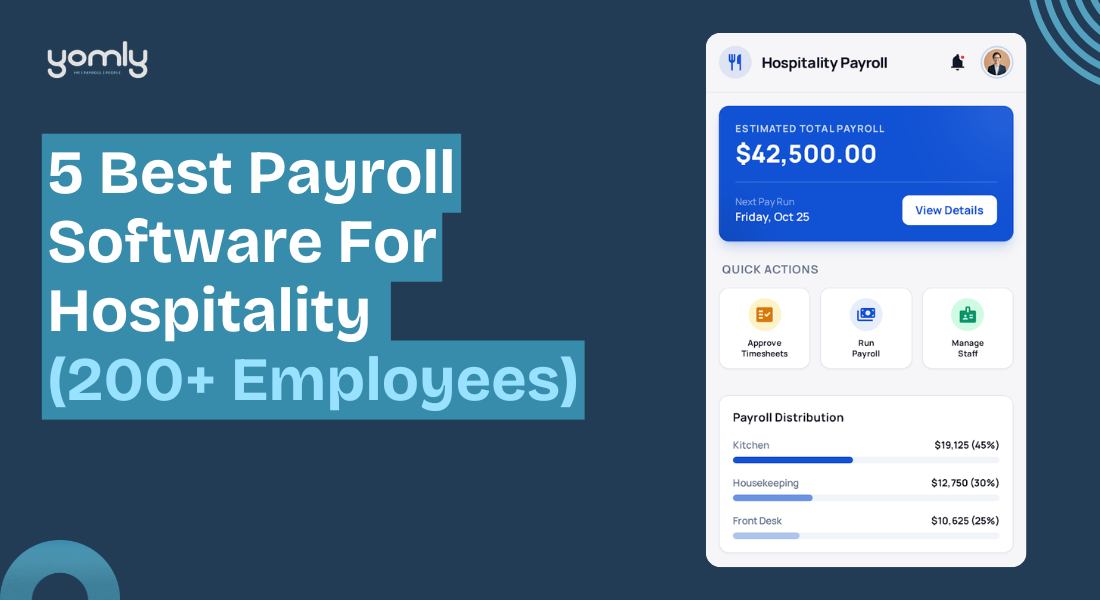





![قائمة مراجعة الامتثال لقوانين الرواتب في قطر [مُحدَّثة لعام 2026]](https://yomly.com/wp-content/uploads/2026/02/Payroll-Compliance-Checklist-For-Qatar.png)

 العربية
  English