Every new hire walks in with energy, questions, and the need to feel part of something. But without the right onboarding process, even the best talent can feel lost or disconnected. At Yomly, we have helped hundreds of organizations across the region streamline their HR and payroll operations through our all-in-one platform. One of the major challenges we see again and again is poor or inconsistent team onboarding.
To help organizations improve how they welcome new employees, we reached out to experienced leaders who have led teams at scale. And we got three powerful onboarding strategies that have worked in fast-moving startups and large enterprises alike.
Let’s look at what these experts had to say. Their practical tips can help your team onboard better, build trust faster, and retain top talent from day one.
Align New Hires With What Their Manager Actually Cares About
“After 30+ years coaching C-suite executives and running leadership development across 60+ senior coaches, I’ve seen one onboarding approach consistently accelerate integration: align new hires with what their manager actually cares about, not what they think should matter.
I coached a new GM at a tech company who kept focusing on product development and customer success–logical priorities. But his CEO only asked about sales pipeline and new business development. Their relationship was deteriorating fast because he wasn’t speaking her language.
We shifted his approach to start every meeting with sales performance first, then discuss other topics. The relationship transformed within weeks. He realized the investors were pressuring her for short-term growth, so that’s where her attention was.
The lesson: Have new hires spend their first week understanding their manager’s top 3 pressures and priorities through observation and direct questions. When they align their contributions to solve their boss’s actual problems–not the problems they assume exist–integration happens naturally and trust builds immediately.”
Many new hires walk in assuming what matters most, often based on the job description or past roles. But every leader has their own focus based on business pressures. When new team members take time to understand their manager’s real priorities, they gain trust faster and contribute in a more meaningful way. It creates alignment from day one, helping avoid confusion and frustration later.
Takeaway Tip:
Make “manager expectations” a formal part of onboarding. Ask every new hire to schedule a 30-minute conversation with their manager just to explore:
What are the top 3 priorities right now?
What does success in this role look like to you?
What updates do you want to hear regularly?
Make Values Orientation a Non-Negotiable
“New hires are looking for the quickest path to feeling belonging in your workplace and I’ve seen one part of onboarding matter most: Values orientation. When you make an intentional effort to share your brand values – and why they matter to your customer and your new hire’s role – you paint a clear picture of why you do what you do and why this new hire is needed. Nothing says “we want you to get to know us better” like sharing your values, several real life examples of those values lived out and any reward or recognition structure in place to reward staffers who live values out loud. That’s how you help a new hire feel like they haven’t just joined an organization but rather signed up for a mission!”
Joey Price – Author of The Power of HR and CEO, Jumpstart HR
Why This Works:
A strong values orientation builds belonging early. It shows new hires what the company truly believes in and how those beliefs shape the way people work and interact. When employees can see themselves in the values and understand how those values impact customers and teams, they feel included and motivated to contribute meaningfully. It also sets a clear standard for how people show up at work.
Takeaway Tip:
Create a “Living Values” onboarding session:
Share why each value exists with real internal or customer stories
Invite a few team members to share how they’ve seen it lived out
Highlight how your recognition program celebrates values in action
Assign a Peer Integration Partner
“One onboarding practice I have found consistently effective, both leading global e-commerce teams and guiding clients through digital transformation, is assigning each new hire a ‘peer integration partner’ for their first month.
This person is not their manager but a high-performing team member familiar with the company’s culture and workflows. The integration partner serves as a go-to resource for daily questions, informal introductions, and practical advice beyond what is covered in official onboarding materials.
I adopted this approach during a period of rapid scaling at an international e-commerce organization. Our business was expanding across multiple markets, and we needed new hires to contribute quickly, regardless of geography or function. Rather than rely solely on structured onboarding sessions, we paired every new joiner with a trusted team member who could offer candid perspectives, share unwritten rules, and facilitate real connections. This accelerated both technical ramp-up and cultural assimilation.
The results were measurable. New employees built working relationships faster and reported higher confidence in navigating both tools and team dynamics. Attrition during the first six months dropped significantly, which supported the business case for making this a standard process”
New hires often feel hesitant asking too many questions to their manager. A peer partner gives them a safe and friendly contact who can explain day-to-day tasks, team culture, and tools without pressure. It builds trust, speeds up onboarding, and helps new employees feel supported. This simple practice also encourages a team-first mindset from the start and reduces early attrition.
Takeaway Tip:
Set up a “Peer Integration Partner” system:
Match each new hire with a high-performing, culture-aligned team member
Encourage informal check-ins, daily chats, and introductions to the wider team
Provide a short guide with key things to cover in week 1 and week 2
Final Thoughts: Integration Happens When People Feel Seen
So, these were some of the expert insights on what really makes team onboarding work. From aligning with manager expectations to values-based orientation and peer partnerships, the goal is simple—help new hires feel seen, supported, and connected from day one.
If you’re looking for an HR and Payroll platform that supports better onboarding and overall employee experience, Yomly is here to help. We are one of the most trusted HRMS software providers in the UAE, across the GCC, and for global teams. Our all-in-one tool helps you simplify onboarding, manage employee data, automate HR tasks, and deliver a seamless journey for every team member.
Managing employee shifts is a critical part of workforce operations, especially in sectors like healthcare, retail, logistics, and hospitality.
In Qatar, businesses need scheduling software that aligns with local labor laws, supports Arabic and English, and accommodates both on-site and remote teams.
Whether you’re a growing SME or a large enterprise, the right shift scheduling tool can reduce admin workload, minimize errors, and ensure fair, compliant work schedules.
This listicle roundup highlights the top 10 employee shift scheduling solutions in Qatar based on features, localization, ease of use, and integration with payroll and HR functions.
1. Yomly
Yomly is an enterprise-grade HR and payroll platform in Qatar designed to simplify shift scheduling and workforce management in Qatar. Its Shift Scheduling module allows HR teams to assign and manage employee shifts with ease using customizable approval workflows. Managers receive automated alerts for consecutive shifts or exceeded hours, while the system handles overtime and lieu day calculations automatically. With real-time visibility into shift plans via mobile, both employees and supervisors can stay aligned. Yomly helps reduce manual workload, prevent scheduling conflicts, and streamline HR operations, all while supporting compliance and efficiency across diverse teams.
Key Features
Create schedules with a simple drag-and-drop interface that saves time and avoids confusion.
Automatically track overtime, leave balances, and late check-ins without manual calculations.
Plan shifts for different branches or departments all from one central dashboard.
Give employees access to their schedules on mobile and let them request changes with ease.
Link shift data directly to payroll and attendance to ensure accurate salary processing.
Workplus Attendance is part of a full HR software platform that helps companies manage attendance and employee shift schedules. It works well for offices, remote teams, and hybrid workplaces.
Employees can clock in and out using a mobile app, web browser, or biometric device. Managers can create and update shift rosters and view who is present, late, or absent in real time. Workplus also sends alerts when someone misses a shift or breaks attendance rules. This system helps companies save time and reduce manual tracking.
Key features
Create schedules with a simple drag-and-drop interface that saves time and avoids confusion.
Automatically track overtime, leave balances, and late check-ins without manual calculations.
Plan shifts for different branches or departments all from one central dashboard.
Give employees access to their schedules on mobile and let them request changes with ease.
Link shift data directly to payroll and attendance to ensure accurate salary processing.
Pricing: The Standard Plan is available at AED 100/month. If you want to subscribe to their Power Plan and Platinum Plan, speak to the sales team for quotes.
3. moCal
moCal is an HR scheduling and recruitment coordination platform designed for companies operating in Doha. It helps HR teams handle large volumes of interviews, manage team calendars, and reduce manual follow-ups.
The platform is particularly useful for recruitment teams working across departments or locations. moCal, focusing on simplifying coordination, allows candidates to schedule interviews directly, supports virtual meetings, and integrates with existing tools like LinkedIn and ATS platforms.
It works well for fast-paced hiring environments, offering a structured way to organise interview slots, internal meetings, and onboarding timelines.
Key features
Automatically match candidate and interviewer availability using AI suggestions.
Schedule one-on-one, group, or virtual interviews with video integration built in.
Share one central calendar with your hiring team to avoid overlaps or confusion.
Let candidates book their own time slots, reducing manual follow-ups and no-shows.
Integrate easily with LinkedIn, Google Calendar, and applicant tracking systems.
Pricing: You can start for free, and choose from five different plans: Basic, Essential, Professional, Team, and Enterprise.
4. Voyon Folks HCM
Voyon Folks is a cloud-based HR software platform tailored for businesses in Qatar. It helps companies manage their workforce more efficiently through AI-powered automation across payroll, attendance, leave, and performance management. With built-in compliance for Qatari labor laws and the Wage Protection System (WPS), it supports organizations in maintaining accurate records and seamless operations.
The system works well for both in-office and remote teams, making it a good fit for modern, distributed workforces. Voyon Folks aims to reduce manual work, enhance employee experience, and provide real-time visibility across all HR functions.
Key Features
Record attendance using mobile, web login, or biometric tools with real-time syncing.
Set up automatic leave approvals and policies to cut down on manual tasks.
Manage rotating, fixed, or night shifts based on department or role needs.
Overtime hours are tracked and connected directly to payroll systems.
Fully supports Qatar’s labor laws and Wage Protection System (WPS) compliance.
Pricing: You can buy plans as per your needs..
5. Oracle Workforce Management
Oracle Workforce Management is a part of Oracle Fusion Cloud HCM and is used by enterprise businesses in Qatar to automate complex scheduling needs. Its shift scheduling system helps managers build accurate, demand-aligned rosters while considering employee availability, skills, and legal compliance.
With built-in AI, the platform ensures that each shift is optimized for cost, coverage, and performance. It is ideal for organizations managing large teams across multiple departments.
Key Features
Use AI to create optimized shift schedules based on skills, demand, and availability.
Allow employees to view and claim open shifts right from their phones.
Let staff set their preferred working days to support better work-life balance.
Get alerts for overscheduling, missed breaks, or legal violations.
Built for mobile so both managers and employees can manage shifts on the go.
Pricing: You can contact the sales team for details
6. DOTS HR
DOTS HR offers a practical solution for companies in Qatar managing diverse employee schedules. The platform allows HR teams to define and control weekly and daily shifts using a built-in duty roster. It adapts to both fixed and rotating shift structures, giving businesses greater control over staffing.
The software also integrates AI-powered face recognition for real-time attendance tracking, helping companies reduce manual errors and maintain accurate shift data.
Key Features
Build flexible shift schedules for split, staggered, or rotating teams.
Use AI face recognition and biometrics for secure, accurate attendance tracking.
Monitor delays, absences, or missed shifts with automated reporting tools.
Manage shifts with a built-in duty roster planner that updates in real-time.
Available as cloud-based software or an on-premise system based on your setup.
Pricing: You can choose between Cloud and Perpetual plans after speaking with the sales team.
7. Artify360
Artify 360 offers an attendance and shift management solution designed to support companies across Qatar. The software allows HR teams to accurately track employee check-ins, manage daily or weekly shifts, monitor overtime, and maintain complete leave records. Businesses can integrate Artify 360 with biometric devices to eliminate manual errors.
The system also supports payroll syncing, ensuring that attendance data flows directly into salary calculations. Artify 360’s flexible configurations help companies stay compliant with local labor laws while improving workforce transparency.
Key Features
Log real-time attendance using biometric scanners or an online portal.
Build and assign shifts across multiple teams or departments.
Automate leave records and approvals so managers don’t miss requests.
Payroll syncs automatically with attendance to prevent salary errors.
Access reports that show who’s on time, who’s late, and who’s missing.
Pricing: You can get the pricing details from the sales team.
8. Zimyo
Zimyo offers a feature-rich HR and attendance management system designed to streamline workforce scheduling and ensure attendance accuracy. With options for fixed and rotational shifts, Zimyo enables HR teams to define shift policies, configure rosters, and track employee hours both on-site and remotely.
The platform supports offline clock-ins, geofenced attendance, and mobile tracking, making it suitable for both office-based and field employees. Zimyo also integrates attendance records with payroll, ensuring accurate salary calculations and improved operational efficiency.
Key Features
Create both fixed and rotating shift plans based on department needs.
Let employees mark attendance even without internet, using offline mode.
Geofenced clock-ins make sure staff are present at the right place.
Track location and travel time of field staff for better accountability.
Connect attendance to payroll and generate instant reports and dashboards.
Pricing: You can purchase any plan as per your business needs.
9. Barzan Tech
Barzan Tech’s HR and Payroll Software helps businesses in Qatar take full control of shift scheduling with ease and flexibility. You can create, manage, and assign multiple shift patterns across departments or teams without relying on spreadsheets or manual tracking.
With built-in automation and employee self-service, HR teams save time while improving workforce coordination. It can reduce scheduling errors, avoid understaffing, and ensure compliance with Qatar’s labor standards. The platform also integrates attendance, leave, and payroll, all under one dashboard.
Key Features
Design split, fixed, or rotating shifts that suit different departments.
Automatically generate shift rosters based on staff availability.
Use a calendar view to track who is working when and avoid gaps.
Employees can request or swap shifts within the system, with manager approvals.
Sync attendance, leave, and shift data into one payroll-ready platform.
Pricing: Contact the sales team for details
10. Falcon Trackers
Falcon Trackers offers a GPS-based employee tracking software in Qatar that helps businesses monitor location, time, attendance, and work patterns in real time. The platform is ideal for companies managing on-field staff, mobile teams, or remote operations, ensuring full visibility into shift coverage and employee movement.
With automation and centralized data, HR and operations teams can streamline shift allocation, avoid scheduling conflicts, and maintain productivity.
Key Features
Monitor where field staff are in real-time using GPS tracking.
Log attendance using geofencing and biometrics without manual punch-ins.
Schedule shifts dynamically for field or mobile teams with changing needs.
Employees and managers both get real-time alerts for shift changes or issues.
Generate compliance and performance reports to review field activity history
Pricing: Customised plans are available.
What are the key features of an employee shift scheduling software?
1. Smart Shift Planning
Shift scheduling software allows managers to create accurate schedules based on staffing needs, employee roles, and business hours. It helps avoid conflicts by showing who is available and when. Managers can plan weeks in advance and ensure each shift is properly staffed without overlaps or gaps.
2. Automated Scheduling
The software reduces manual effort by automating repetitive tasks like assigning weekly or rotating shifts. You can set up shift patterns and rules once, and the system takes care of generating schedules. This saves time and ensures consistency across departments and locations.
3. Mobile Access for Employees
Most platforms offer mobile apps or web portals where employees can view their schedules in real-time. This ensures that staff are always updated about their shift timings, changes, and upcoming workdays. Employees can stay informed even when they are off-site or working remotely.
4. Shift Swapping and Availability Requests
Employees can mark their availability, request preferred shifts, or swap shifts with colleagues directly through the platform. Managers receive notifications and can approve or decline requests instantly. This reduces last-minute calls and helps maintain a stable work schedule.
5. Real-Time Overtime and Compliance Tracking
Shift scheduling tools track working hours automatically and flag overtime or missed breaks. They help companies follow local labor laws and internal HR policies by alerting managers when an employee’s schedule violates predefined limits.
6. Multi-Location and Time Zone Support
If your team works across offices or different regions, the software supports shift planning in multiple time zones. You can assign shifts to remote workers or cross-border teams without confusion or manual adjustments.
7. Attendance Insights and Reports
Integrated analytics allow managers to review attendance data, shift coverage, and employee productivity. These reports help improve scheduling decisions and identify staffing gaps or overworked teams early.
Ready to simplify shift planning for your team?
Book a Free Demo with Yomly where we will give you an overview of how our all-in-one platform can help you manage shifts, track attendance, and support workforce compliance effortlessly.
Final words
Managing shifts doesn’t have to be a daily headache. The right scheduling software can take a huge load off your HR team, make life easier for employees, and keep your business running smoothly. Whether you need to track field staff, handle rotating shifts, or stay on top of labor laws in Qatar, there’s a solution that fits.
Each tool in this list brings something different to the table, so take your time, explore your options, and choose the one that feels right for your team. A smarter way to schedule is just a few clicks away.
Hiring in Dubai isn’t easy, especially when you’re managing dozens of roles, juggling compliance rules, and trying to impress top talent. That’s where a good Applicant Tracking System (ATS) makes all the difference. The right platform helps you post jobs faster, screen smarter, and keep everything organized in one place.
Whether you’re hiring for one office or across the GCC and Middle East, a smart ATS can save your team time and give candidates a smoother experience.
In this list, we’ve the 7 best ATS platforms in Dubai to help you find the right fit for your growing business.
Yomly is the leading applicant tracking system (ATS) software trusted by 200+ enterprise clients across 50+ countries. Brands like Isuzu Motors, ExecuJet, Karcher, and Nord Anglia rely on Yomly to simplify recruitment, improve candidate experience, and reduce time-to-hire.
Over 60,000 users log in daily to manage job requisitions, screen applicants, and onboard top talent faster. Yomly centralises every hiring stage, from job posting to offer letters, with built-in automation and smart workflows.
Recruiters can create branded career portals, reuse screening templates, schedule interviews, and track candidate progress in real time.
Our ATS platform supports video CVs, multi-language job descriptions, and internal referrals while automatically building a searchable talent pool.
With Yomly, HR teams gain full visibility, reduce admin, and ensure compliance across departments.
Client: Some of the top brands working with Yomly are Isuzu, Taaleem, Halian, Quill Communication, and more.
GulfHR is a specialist HR and payroll software provider built exclusively for the Middle East. 1,000+ clients, including Fortune 500s and regional enterprises, trust the agency for their HR needs. GulfHR offers a modular, cloud-based HRMS that streamlines recruitment, payroll, and performance management across entities and countries.
The platform features an intuitive Applicant Tracking System with customizable workflows, automated vacancy processing, and seamless website integration. GulfHR ensures fast implementation, deep ERP integrations, and ISO-certified data security on the Azure cloud.
GulfHR empowers businesses to attract, onboard, and manage talent efficiently while maintaining full compliance and operational control.
Founded in: 2003
Location(s): OFFICE 3202, THE ONE TOWER, BARSHA HEIGHTS, PO BOX 500033, DUBAI
3. Bayzat
Bayzat is a modern HR, payroll, and employee benefits platform trusted by over 4,000 companies, including Careem, Deliveroo, Volvo, and DMCC. Bayzat is built for efficiency, streamlining core HR operations with AI-powered automation, integrated payroll, and intuitive benefits management. Its Applicant Tracking System enables faster, smarter hiring with auto-screening, one-way video interviews, and customizable workflows.
Founded in: 2012
Location(s): Gate Avenue, Zone D, DIFC – UAE
4. Belsio HRMS
Belsio HRMS is a UAE-focused, cloud-based HR platform designed to meet the region’s legal and cultural needs. It empowers businesses with a smart Applicant Tracking System (ATS), AI-driven resume screening, and seamless onboarding workflows tailored for local compliance. Belsio is built with advanced automation and UAE labor law alignment, supporting visa processing, payroll, and performance reviews within one system.
It includes unique features like an in-platform chatbot for instant HR assistance, employee-led data management, and social collaboration tools. Belsio delivers a customisable, secure, and regulatory-compliant solution for businesses seeking to modernise HR while staying locally relevant.
Founded in: 2002
Location(s): Unit GA-00-SZ-L1-RT-201, Level 1, Gate Avenue – South Zone, Dubai International Financial Centre, Dubai, UAE
5. SmartHR
SmartHR by Smart City Systems is a UAE-based HR and payroll platform trusted by over 400 companies across the Middle East, India, and Australia. SmartHR has nearly two decades of experience in the UAE market delivering fully compliant, cloud-based solutions tailored to local labor laws, including WPS integration.
Businesses streamline recruitment using a robust Applicant Tracking System that automates job postings, shortlisting, and candidate communication. The platform also manages payroll for 500,000+ employees monthly, supported by ISO 27001 and MTCS-certified data security.
Its key modules include performance evaluation, visa processing, mobile attendance, and 360° employee lifecycle tracking.
Founded in: 2004
Location(s): Dubai Silicon Oasis, Dubai, UAE
6. Cazar
Cazar empowers enterprises to build smarter recruitment operations through its flagship solution, Sniperhire. Sniperhire, designed for global and regional scalability, streamlines candidate sourcing, engagement, hiring, onboarding, and reporting within a single platform.
It supports Arabic and English, integrates with job boards and social platforms, and enables full mobile access for hiring managers. Cazar has clients across the GCC, including government and large corporates, helping reduce recruitment time by up to 60% and cut costs by 85% through automation and direct sourcing.
Its features include career fair management, visa processing for KSA, 24/7 local helpdesk support, and advanced analytics for talent funnel optimization and executive decision-making.
Darwinbox is an AI-powered HCM platform built to help enterprises adapt to a rapidly evolving workforce. 1,000+ companies, including Airtel, JSW, Vedanta, and Tata AIA, trust Darwinbox. They manage over 3 million employees across 130+ countries.
The platform offers a fully integrated suite covering talent acquisition, core HR, payroll, performance management, and people analytics. Darwinbox simplifies complex HR operations while delivering real-time insights, multilingual support, mobile-first access, and deep localization. Its proprietary AI features automate goal setting, JD creation, feedback summarization, and skill intelligence. Recognized in Gartner’s Magic Quadrant, Darwinbox accelerates enterprise HR transformation with flexible, secure, and scalable cloud solutions.
Founded in: 2021
Location(s): 303B, 3rd Floor, Gate District 3, Opp Al Fattan Currency House, Dubai International Financial Centre (DIFC), Dubai, UAE
How to choose the right Application Tracking System platform in Dubai?
1. Choose an ATS That Follows UAE Labor Laws
In the UAE, companies must comply with strict labor regulations. Your ATS should help you meet those legal requirements without errors.
It should support the Wage Protection System (WPS) so that salary payments meet UAE government rules.
The system must manage visa processes, contract formats, and employee document tracking to stay compliant with MOHRE guidelines.
It should store candidate and employee data securely, with features that meet ISO or SOC2 standards for data protection.
This is especially important for enterprises that hire across multiple emirates or operate in free zones.
2. Make Sure It Supports Arabic and English
Dubai’s workforce is multilingual. Your ATS must offer both Arabic and English interfaces to make it accessible to candidates and HR teams.
For government contracts or Arabic-first organizations, Arabic support is a non-negotiable requirement. Yomly for example offers multilingual interface,.
3. Look for Seamless Integration with Your Existing HR Systems
The ATS should work smoothly with your current HR tools to avoid duplicate data entry and disconnected workflows.
It must integrate with payroll systems, time and attendance tracking, employee onboarding platforms, and ERP tools like Oracle or SAP.
The system should auto-sync candidate data once a hire is confirmed, feeding it directly into your employee records.
It should also support single sign-on (SSO) and user role permissions for data access control.
This ensures that your recruitment process is not only automated but also fully connected across departments.
4. Focus on Automation and AI Features
An effective ATS should use automation and artificial intelligence to save time, improve decision-making, and speed up hiring. This reduces manual work and ensures a faster and more accurate screening process.
5. Check Reporting and Analytics Capabilities
Hiring decisions must be based on data. A good ATS gives you complete visibility into the recruitment lifecycle.
The system should offer real-time dashboards showing application volumes, interview stages, and offer-to-join ratios.
You should be able to track bottlenecks, such as delays in approvals or drop-offs during the interview stage.
It should let you export reports or share insights with leadership to support strategic hiring decisions.
For enterprises hiring at scale, analytics play a crucial role in improving both the speed and quality of hires.
6. Ensure Mobile Access and Cloud Deployment
HR teams and managers often need to review candidates and make decisions on the move. A mobile-first and cloud-based system is essential.
This flexibility is especially useful for multi-location enterprises or remote hiring teams.
7. Look for Customization and Scalability
Large businesses often have complex hiring processes that vary by department, location, or seniority level.
Your ATS should allow you to build custom workflows for different job roles or business units.
It should support multi-location or multi-brand setups within a single instance.
The system should offer custom career page designs, candidate feedback forms, and onboarding journeys.
This ensures your hiring platform grows with your business needs, rather than limiting you over time.
8. Choose a Vendor with Local Presence and Support
When something goes wrong, you need quick support. Choose a provider with experience in the UAE market and a reliable support team.
Reliable local support helps you get the most value from the platform and ensures a smooth implementation experience.
FAQs
1. How does an ATS improve hiring efficiency in Dubai?
An ATS improves hiring efficiency by automating job posting, resume screening, and interview scheduling while ensuring compliance with UAE labor laws. Platforms in Dubai integrate WPS, visa processing, and bilingual support to streamline workflows and reduce time-to-hire across departments.
2. What compliance features should a Dubai-based ATS include?
A Dubai-based ATS should include WPS payroll integration, visa process tracking, ISO/SOC2-certified data protection, and contract format management to stay compliant with MOHRE and UAE labor laws.
3. Why is Arabic language support critical in Dubai ATS platforms?
Arabic language support is critical in Dubai ATS platforms to ensure accessibility for local candidates, fulfill government requirements, and enhance communication between HR and bilingual teams.
4. How does AI enhance applicant tracking systems?
AI enhances applicant tracking systems by enabling resume parsing, candidate ranking, automated job descriptions, and predictive analytics, which speed up hiring and improve decision accuracy.
Termination of employment in the UAE is governed by specific rules outlined in the UAE Labour Law (Federal Decree‑Law No. 33 of 2021).
Whether you are an employer or an employee, understanding these rules is important to avoid legal issues and ensure a smooth exit process. The law sets clear guidelines on notice periods, final settlements, valid reasons for termination, and more.
For organizations operating in the UAE, following the correct termination process is not just about compliance but it also protects your business from disputes and maintains a positive employer brand.
When you let go of an employee, you must ensure every step aligns with the law, from issuing notices to calculating end-of-service benefits.
At Yomly, we offer an automated payroll software that simplifies employee management, including compliant termination handling.
???? You can book a free demo of Yomly to see how it works or continue reading to explore the full 2025 guidelines.
Legal Grounds for Termination (Article 42)
Under Article 42 of the UAE Labour Law, employment contracts can be terminated for several lawful reasons. Knowing these legal grounds is important for both employers and employees to avoid disputes and ensure a compliant exit process. Each of these situations comes with specific conditions that must be followed.
Here are the key legal grounds for termination as outlined in Article 42:
1. Contract expiry or non-renewal
A common reason for termination is the expiry of a fixed-term contract. If neither party chooses to renew the contract, the employment naturally ends on the agreed date. However, employers must still provide final settlements and other dues.
If the employee continues working after the end date without a new contract or renewal, the contract is considered extended by default, and notice may then be required to end the employment.
2. Mutual agreement in writing
Both employer and employee can agree to end the contract at any time, as long as the agreement is in writing. This provides a clean and legal way to part ways without the need for notice periods. It’s important to clearly document the terms of this mutual agreement, including any final payments, to avoid misunderstandings later.
3. Termination by either party with notice
An employer or employee may terminate the contract by giving a written notice as per the notice period mentioned in the contract, usually between 30 to 90 days.
During this notice period, the employee is expected to continue working unless both sides agree otherwise. Failure to serve the notice or pay compensation in lieu of notice can lead to legal claims.
4. Other situations
Employment can also be terminated in other legally accepted scenarios such as:
Retirement of the employee
Death of the employee or employer (if the contract is tied to the person)
Permanent disability of the employee, supported by medical reports
Business closure or bankruptcy of the employer
In each of these cases, documentation and clear communication are necessary to complete the process lawfully.
The notice period ensures that both the employer and employee have ample time to adjust to the termination, whether it’s initiated by the employer or the employee. The notice period provides a legal structure to avoid sudden disruptions and guarantees that both parties can make necessary arrangements.
Understanding the correct way to handle notice periods is critical for compliance and maintaining healthy business practices.
Here are the key details:
1. Standard Notice Period
The notice period is typically defined in the employment contract, but the law sets minimum requirements if it is not specified. For most employees, the notice period should be at least 30 days, but this can be extended based on the contract terms.
In cases where the employee has been with the company for a long period, some contracts may specify a longer notice period. If a shorter notice period is agreed upon in the contract, it must not be less than 14 days.
2. Termination by the Employer
When an employer terminates an employee, they must provide a notice period unless the termination is based on justifiable reasons (such as serious misconduct).
If the employer does not comply with the notice period, they must compensate the employee for the unfulfilled period. This compensation should be equivalent to the salary the employee would have earned during the notice period. Failure to pay this compensation can lead to legal challenges from the employee.
3. Termination by the Employee
Employees who choose to resign also need to adhere to the notice period. The employee is expected to provide the employer with written notice, and failure to do so could lead to financial penalties, typically the amount equal to the notice period’s salary.
It is advisable that employees serve the full notice period to maintain good relations with the employer and receive their full final settlement. In some cases, an employer may waive the notice period requirement, allowing the employee to leave sooner.
4. Exemptions from Notice Period
In some cases, the notice period may not be applicable, such as when an employee is dismissed for serious misconduct. Under the UAE Labour Law, these include actions like theft, fraud, or insubordination.
If the employer can prove such misconduct, they may terminate the employee immediately without notice, and no severance pay is required. Likewise, if an employee has committed serious violations, they may also terminate their contract immediately without notice.
5. Mutual Agreement to Waive Notice Period
In some situations, both the employer and the employee may agree to waive the notice period, which means the employee can leave the job immediately or the employer can terminate without waiting for the usual notice.
This typically happens when both parties mutually agree on the exit terms and avoid further complications.
Employers and HR professionals should ensure they adhere to these regulations to safeguard both their interests and those of their employees. HR Platforms like Yomly can help in managing notice periods, automating notices, and keeping the process streamlined and compliant.
Update for 2026: No major change in minimum duration but the guidance around probation and notice variations is now more consistently applied by MOHRE and courts.
In the UAE, end-of-service benefits are a legal entitlement for employees who complete at least one year of continuous service. These benefits are part of the final settlement and must be calculated accurately according to the guidelines in the UAE Labour Law.
Employers are responsible for ensuring timely and correct disbursement of all dues, including unused leave salary, gratuity, notice period pay (if applicable), and any other pending payments.
The gratuity amount in UAE is calculated based on the employee’s last basic salary and years of service. For example, an employee completing between 1 to 5 years is entitled to 21 days’ basic pay per year, while those serving more than 5 years are eligible for 30 days per year.
Employers must also settle all dues within 14 days from the termination date, as mandated by law. Using platforms like Yomly ensures that these calculations are done correctly and that the final settlement process is fully compliant and documented.
Offboarding Process & MOHRE Submission
A structured offboarding process is essential to ensure legal compliance and a smooth exit for the employee.
In the UAE, offboarding involves not just internal procedures like collecting company assets and conducting exit interviews but also fulfilling mandatory legal steps such as updating records with the Ministry of Human Resources and Emiratisation (MOHRE).
Employers are required to submit termination details to MOHRE within the legally allowed timeframe.
This includes:
Cancelling the employee’s labour card and work permit
Updating MOHRE systems with the reason and date of termination
Settling all dues and issuing a service certificate if requested
Delays or errors in submission can lead to fines or legal complications. Using an HRMS like Yomly helps businesses manage the entire offboarding process, ensuring proper documentation, MOHRE integration, and compliance with UAE labour law.
???? These provisions are still in force through 2026 and are regularly relied upon.
Another Important Update:
Starting 1 January 2026, the UAE raised the minimum private sector wage for Emirati employees to AED 6,000 per month. This is not a termination rule per se, but impacts compliance and contractual salary obligations, relevant for employers calculating final dues and contracts.
Frequently Asked Questions
What are the legal grounds for termination under UAE Labour Law 2025?
Under Article 42 of the UAE Labour Law, employment can be terminated on several lawful grounds, including contract expiry or non-renewal, mutual agreement in writing, termination by either party with proper notice, retirement, permanent disability, or closure of the business. These grounds must be supported by proper documentation to avoid legal complications.
What is the minimum notice period for terminating an employee in the UAE?
The minimum notice period is 30 days, unless otherwise specified in the employment contract. Some contracts may allow up to 90 days, depending on the agreement between the employer and employee. Notice must always be given in writing and served properly to ensure compliance.
Can an employer terminate an employee without notice in the UAE?
Yes, but only under specific circumstances. If an employee commits serious misconduct such as fraud, theft, or repeated violation of company policies, the employer may terminate the contract without notice. However, the employer must have documented evidence and follow the legal process to justify such a decision.
What compensation is due to an employee after termination?
Employees are entitled to their final salary, payment for unused leave, end-of-service gratuity (if they’ve completed at least one year), and any other contractually agreed benefits. The final settlement must be paid within 14 days from the termination date to remain compliant with the law.
Can an employee resign without notice in the UAE?
Only in exceptional cases. If the employer has breached contract terms, failed to pay salaries, or exposed the employee to unsafe working conditions, the employee may resign without notice. In regular situations, the employee must serve the notice period as per the contract or pay compensation in lieu.
How can Yomly help automate the termination and final settlement process?
Yomly’s HR and payroll platform streamlines the termination process by automating notice period tracking, end-of-service benefit calculations, and MOHRE submissions. It ensures accuracy, legal compliance, and faster settlements reducing the risk of human error and delays. You can book a free demo to see it in action.
The UAE is one of the most structured markets when it comes to labour laws, and leave salary is a key part of employee compensation.
Organizations operating in the UAE must follow specific rules when calculating and paying leave salary, whether for annual leave or final settlements. You have to get it right to stay compliant, avoid penalties, and ensure employee satisfaction.
This article explains everything you need to know about leave salary calculation in the UAE, updated for 2026. It’s designed to help HR professionals, finance teams, and employers manage this process with clarity.
Leave salary is the amount an employee receives when they take their entitled annual leave. It ensures that employees continue to earn during their time off, as required by UAE labour law. For eligible employees, this payment must be made before or at the start of their leave period.
Components of Leave Salary:
Basic Salary: This is the minimum component that the employee must be paid during leave.
Allowances: Some companies also include fixed allowances such as housing or transport if stated in the contract or company policy.
Unpaid Leave Deductions: If the employee has taken unpaid leave earlier, this may reduce the total payable amount.
Why It Matters:
Calculating leave salary correctly is important for legal compliance and financial accuracy. Mistakes can lead to employee dissatisfaction, legal disputes, or penalties during audits.
By understanding what makes up leave salary and when it must be paid, businesses can ensure they follow UAE labour law and maintain trust within their workforce.
Legal Leave Entitlements in UAE (2026)
For every full-time employee working in the UAE, the Labour Law has outlined specific rules on how much paid leave they are entitled to each year. These entitlements vary based on the employee’s length of service and contract type.
Here are the updated leave entitlements as per the UAE Labour Law, which every employer must follow to remain compliant and avoid disputes.
Length of Service
Annual Paid Leave Entitlement
< 6 months
0 days (not mandatory by law)
6-12 months
2 days per month (pro-rata)
12+ months
30 calendar days per year
Part-time/Flexible
Pro-rated based on hours worked
1. Annual Leave After 12 Months of Service
Employees who have completed 12 months of continuous service are entitled to 30 calendar days of paid annual leave each year.
This leave must be fully paid based on the employee’s basic salary, and in some cases, regular allowances if stated in the employment contract. Employers must allow employees to take this leave every year and cannot carry it forward without mutual agreement.
2. Leave Between 6 to 12 Months of Service
Employees who have completed at least 6 months but less than 1 year of continuous service are entitled to 2 days of paid leave per month. This applies only to full-time employees and must be calculated in proportion to the number of months completed. These leave days can be accumulated if not used.
3. Less Than 6 Months of Service
Employees with less than 6 months of service are not entitled to paid annual leave. However, some companies may choose to offer paid or unpaid leave during this period as part of internal policies or employment contracts. This is not mandatory under UAE law but can be considered as part of retention practices.
4. Part-Time or Flexible Workers
For employees working part-time or under flexible contracts, leave entitlements are calculated on a pro-rata basis.
The number of days depends on the number of hours worked compared to a full-time schedule. Employers must apply the same legal framework proportionally, and the calculation must be clearly defined in the employment agreement.
These entitlements apply to private sector employees under the UAE Labour Law and must be followed carefully to ensure compliance. Leave policies that offer better benefits than the law are allowed, but not less.
Updates To The Articles As of 2026:
Employers cannot deduct salary during annual leave (full pay is required) except in very limited legally-specified cases.
Commissions and bonuses are generally excluded unless the contract expressly includes them.
How to Calculate Leave Salary
Here is the basic approach to calculating leave salary as per UAE Labour Law. The calculation depends on whether the employee is entitled to just the basic salary or the basic salary plus fixed allowances, depending on what is stated in their employment contract.
Formula A: Based on Basic Salary Only
Leave Salary = (Basic Salary ÷ 30) × Number of Leave Days
This is the most commonly used formula. It applies when only the basic salary is considered for paid leave.
Formula B: Based on Basic Salary + Fixed Allowances
Leave Salary = ((Basic Salary + Eligible Allowances) ÷ 30) × Number of Leave Days
This formula is used if the employment contract or company policy specifies that fixed allowances (like housing or transport) are part of the leave salary calculation.
Here are the steps to calculate the leave salary for your employees:
1. Confirm Leave Eligibility and Duration
Start by checking if the employee is eligible for paid leave under UAE Labour Law. Employees who have completed 12 months of service are entitled to 30 calendar days of paid annual leave. If the employee has worked between 6 to 12 months, calculate 2 days of leave per month.
For part-time staff, use a pro-rata calculation based on hours worked. Always verify the leave request dates and ensure the leave balance is available before proceeding.
2. Identify Salary Components Included in Calculation
Check the employment contract or internal HR policy to see if the leave salary should be calculated based on basic salary alone or include fixed allowances. Common allowances include housing, transport, or other contractual benefits.
Do not include performance bonuses, commissions, or variable pay unless specifically mentioned in the contract. This clarity ensures you follow legal and contractual obligations and avoid disputes.
3. Apply the Appropriate Leave Salary Formula
Once eligibility and components are confirmed, apply the correct formula:
Use Formula A if only basic salary is counted.
Use Formula B if fixed allowances are included.
Manually calculating these values for each employee can become time-consuming and error-prone, especially across teams or locations. Yomly’s payroll software automates this process by applying the right formula based on contract terms, leave type, and salary structure. This saves time and improves accuracy across HR and finance teams.
4. Process Payment Within the Legal Timeframe
UAE Labour Law requires employers to pay the leave salary before the employee starts their leave or within the regular payroll cycle. Failing to do so can lead to penalties or employee dissatisfaction.
Once the amount is calculated, initiate payment through a compliant payroll process, ideally through a WPS-supported system if operating in the UAE. Maintain proper records of the transaction for audits and internal reporting.
Updates On This Section As of 11th Jan 2026:
Employers should provide reasonable notice and schedule leave in consultation with employees, even though the law doesn’t specify a formal notice period for annual leave.
Unused leave can be carried forward with mutual consent (and in some interpretations, cash-compensated if not taken), but generally cannot accumulate indefinitely.
This is practice-oriented but aligns with how MOHRE and courts view annual leave disputes.
Leave Salary on Resignation or Termination
When an employee resigns or is terminated, they are entitled to payment for any unused annual leave they have accrued during their period of service. This payment is part of the final settlement and must follow the rules outlined in the UAE Labour Law.
Key Points to Consider:
Eligibility: The employee must have completed at least 6 months of continuous service to be eligible for paid leave. If they resign or are terminated after this period, the employer must compensate them for the unused leave days.
Calculation: The leave salary for unused days is calculated using the basic salary only, unless the contract specifically includes allowances.
The standard formula applies: Leave Salary = (Basic Salary ÷ 30) × Number of Unused Leave Days
Partial Year: If the employee worked less than a full year, calculate leave accrual based on the number of months completed. For example, if they worked for 9 months, they are entitled to 18 days of leave (2 days per month).
Final Settlement Timing: The leave salary must be paid along with other dues like end-of-service gratuity and any unpaid wages. This should happen at the time of the employee’s final exit, as required by UAE Labour Law.
Documentation: Maintain accurate leave balance records and ensure proper documentation of approval, leave encashment, and final settlement details.
Failing to settle unused leave salary correctly can lead to legal disputes or complaints filed with the Ministry of Human Resources and Emiratisation (MOHRE). Automating these calculations using a payroll system like Yomly can reduce risk and help ensure compliance.
In the UAE, the timing of leave salary payments is clearly defined under Federal Decree-Law No. 33 of 2021 and must be strictly followed to remain compliant.
When Should Leave Salary Be Paid?
Before the Leave Begins: Employers are required to pay the full leave salary before the employee starts their annual leave. This allows the employee to manage personal expenses during their time off.
In Final Settlements: In case of resignation or termination, leave salary for any unused leave days must be paid as part of the employee’s final settlement, along with gratuity and any unpaid wages.
What Happens if Employers Delay Payment?
Late payment or non-payment of leave salary is treated as a labour law violation. It can lead to employee complaints filed with the Ministry of Human Resources and Emiratisation (MOHRE).
In severe cases, companies may face fines, WPS suspension, or labour permit restrictions.
Other Compliance Rules
Leave salary must be based on calendar days, not working days.
Employers must document all leave approvals, calculations, and payments.
Any deductions from leave salary must be clearly justified and agreed upon in writing.
Properly managing these timelines and records is essential for staying compliant. Using a payroll platform like Yomly ensures leave salary is processed automatically and on time, reducing the risk of errors and penalties.
Important Note: There are no substantive legal changes for 2026 in the core leave salary calculation or entitlements for annual leave under UAE Labour Law. The legal framework and formulas remain the same as in 2025.
Frequently Asked Questions
1. What is the salary in the UAE?
Leave salary is the amount an employee receives as paid compensation when they take their annual leave. As per UAE Labour Law, employees are entitled to paid leave based on their length of service. This salary is usually calculated based on basic salary, and in some cases, fixed allowances like housing or transport. Employers must pay this amount before the employee begins their leave.
2. How is annual leave salary calculated under UAE Labour Law in 2026?
In 2025, the UAE Labour Law follows the standard calculation:
Leave Salary = (Basic Salary ÷ 30) × Number of Leave Days
If the employment contract allows, fixed allowances can be added to the basic salary before applying the formula. Employees who complete 12 months of service are entitled to 30 calendar days of paid annual leave.
3. Is leave salary calculated on basic salary or full salary?
By default, leave salary is calculated using only the basic salary. However, if the employment contract or company policy specifies that fixed allowances like housing or transport are to be included, then those are added to the basic salary. Variable elements like commissions or bonuses are usually excluded unless stated otherwise in the contract.
4. How many days of paid leave are employees entitled to in the UAE?
Employees are entitled to the following paid leave under UAE Labour Law:
30 calendar days per year after completing 12 months of service
2 days per month if service is between 6 to 12 months
No paid annual leave if service is less than 6 months
Part-time employees receive pro-rated leave based on hours worked.
5. What happens to unused leave when an employee exits?
If an employee resigns or is terminated and has unused leave, the employer must pay for those days as part of the final settlement. The calculation is based on the basic salary (unless otherwise agreed in the contract). Employers must ensure the amount is paid along with other dues like end-of-service benefits and any pending salary.
6. How can companies automate leave salary calculations in the UAE?
Companies can automate leave salary calculations by using payroll software that integrates with leave and attendance systems. Yomly offers a cloud-based payroll solution built for UAE compliance.
It automatically calculates leave salary based on contract terms, leave balances, and salary structure. It also handles WPS file generation, record-keeping, and audit logs, making payroll easier, faster, and error-free.
When enterprises set up a new branch office in the GCC or wider MENA region, payroll is one of the first operational systems that needs attention. Many companies either try to extend their existing tools or rely on manual processes, which often fall short of meeting local compliance requirements.
Today, payroll is no longer just about monthly salary calculations. It must be automated, secure, and aligned with regional laws. If you’re still using a basic or generic system, it may not be enough.
In this article, we cover the key features you must look for in a payroll software that works seamlessly across UAE, Qatar, and other global markets.
Why Payroll Software Matters?
Let us first define what payroll software is. A payroll software allows companies to manage employee salaries, deductions, benefits, tax filings, and end-of-service settlements in one streamlined platform. It helps companies save time, reduce errors, and ensure compliance with local labour laws.
In regions like the UAE and Qatar, where regulations are specific and constantly evolving, having the right payroll system is critical.
It supports smooth onboarding of employees, accurate monthly processing, and clear reporting for finance and HR teams. Without a reliable payroll solution, even well-established businesses can face operational delays and compliance risks.
Here are some of the most important features you should consider when choosing a payroll solution, whether you’re a growing SMB or a large enterprise in the GCC and MENA regions.
1. WPS Compliance Support
Regions like the UAE and Qatar have strict Wage Protection System (WPS) regulations in place. These systems are designed to ensure that employee salaries are paid accurately and on time through approved banking channels.
A payroll software with built-in WPS compliance simplifies this payroll process by generating bank-compliant salary files and handling required documentation. This ensures your business stays aligned with government rules and avoids penalties or salary delays.
For companies setting up in the Middle East, this is not optional, it’s a legal requirement. You should look for a platform like Yomly that stays updated with local labour laws and provides automatic WPS file generation to stay audit-ready.
2. Automated Payroll Calculations
Manual calculations increase the risk of salary errors, delayed payments, and employee dissatisfaction. Automated payroll software reduces these risks by instantly calculating salaries, overtime, deductions, benefits, and bonuses based on pre-set rules.
It eliminates repetitive tasks and ensures consistency in every pay cycle. When scaling across teams or regions, automation becomes essential for accuracy and time savings. This also allows your HR and finance teams to focus on more strategic work instead of repetitive number crunching.
If your business is headquartered in the US and you’re expanding into the UAE or Qatar, your payroll needs become more complex. You must manage multiple currencies, tax laws, and benefit structures across locations.
A good payroll system should support transactions in multiple currencies and offer compliance alignment with different jurisdictions. This allows your HR or finance team to manage global payroll without switching systems or relying on manual conversion sheets.
For example, you might need to pay UAE-based employees in AED, while keeping US-based payroll in USD. The right software will support this and generate consolidated reports for global oversight.
4. Leave & Attendance Integration
Leave policies differ widely between regions. In the UAE, you must account for annual leave, sick leave, and maternity leave based on labour law. In other countries, the rules and entitlements may vary.
A payroll platform that integrates with your leave and attendance system ensures accurate salary deductions or additions based on real-time data. This eliminates the need to manually update salary records every month. It also reduces the risk of errors in leave balance calculations and ensures employees are paid according to actual time worked.
For businesses with teams across regions, this integration helps maintain consistency and accuracy across the board.
5. Employee Self-Service Portal
An employee self-service portal reduces HR workload by letting employees access their salary slips, tax forms, leave balances, and basic details on their own. This not only improves transparency but also increases employee satisfaction.
Staff can update their bank details, apply for leave, or download documents without having to raise tickets. For businesses operating in different time zones, this feature becomes even more useful, as employees don’t need to rely on HR’s availability. It also helps create a modern employee experience that reflects well on your company.
6. Customizable Pay Structures
Not every employee has the same compensation model. Some receive fixed salaries, while others may have commissions, bonuses, allowances, or shift-based payments. Your payroll software should allow you to set up and manage these variations without needing external spreadsheets or manual overrides.
This flexibility is critical for companies with diverse teams across departments or regions. A good system will also let you create templates, so you can apply standard packages quickly and maintain consistency across the board.
7. End-of-Service & Gratuity Calculation
In the UAE and other GCC countries, gratuity is a mandatory end-of-service benefit that employers must pay to eligible employees upon termination or resignation. Calculating this manually can lead to errors and legal issues.
A payroll system with built-in gratuity and end-of-service calculation ensures you stay compliant with local laws while offering accurate payouts. It should automatically factor in duration of service, last drawn salary, and type of contract.
For a detailed breakdown of how gratuity is calculated in the UAE, you can read our full blog on the topic. A system that manages this internally removes guesswork and saves significant HR time.
8. Bank Integration & Payment Processing
A good payroll software should not stop at salary calculations and it must also support direct salary disbursement. Bank integration allows you to generate compliant salary files and send payments directly to employee accounts without manual uploads.
This is especially important in regions like UAE and Qatar, where salary disbursal must align with WPS and other local regulations. The system should support bulk payment uploads, validate account details, and generate confirmations for audit records.
9. Real-Time Reports & Audit Logs
Transparency and accuracy are critical in payroll management. Real-time reports give you up-to-date insights into salary costs, employee payouts, deductions, tax liabilities, and more.
Whether you’re preparing for monthly board reviews or financial audits, having instant access to detailed payroll reports makes compliance and decision-making easier.
Audit logs, on the other hand, help track every change made within the system, who updated what and when. This is important for internal governance and external audits. Choose payroll software that provides exportable, customizable reports and a full activity log to support accountability, especially if you operate in regulated environments.
10. Secure Cloud Access & Role-Based Permissions
As businesses grow, more teams get involved in payroll processes, from HR to finance to compliance. A cloud-based payroll platform ensures that all stakeholders can access the system securely from any location.
Role-based access control adds another layer of protection by allowing users to see only the information relevant to their responsibilities.
For example, HR managers can manage salary data, while finance can review reports without accessing personal employee details. This ensures data privacy while promoting team collaboration.
11. Arabic Language & Hijri Calendar Support
For organizations operating in GCC and MENA regions, local language and cultural compatibility are important. Payroll software that supports Arabic language ensures HR teams and employees can navigate the system with ease.
Hijri calendar support is also essential, particularly in countries like Saudi Arabia where official holidays, salary cycles, and employee records may follow the Islamic calendar. Without this, companies may run into compliance issues or employee disputes.
12. Local Support & Onboarding Help
If you face issues during setup or day-to-day use, having a local support team becomes important. Look for a vendor that offers onboarding assistance, including configuration, data migration, and training sessions.
Local support also ensures faster resolution of queries related to regional compliance or platform features. In high-stakes processes like payroll, delayed support can cause salary disruptions. A provider with a presence in UAE, Qatar, or other GCC countries will understand local laws better and help you get up and running without delays.
What to Avoid While Choosing Payroll Software
Here are some common mistakes businesses make when selecting a payroll solution. Avoiding these will save you time, money, and major compliance issues down the line.
Choosing a tool without local compliance features
Ignoring integration with leave and attendance systems
Opting for rigid pay structures that can’t scale
Overlooking multi-currency or multi-country capabilities
Selecting software with no real-time reporting or audit trails
Relying on tools with limited or delayed customer support
Now that you know what to look for, and what to avoid, let’s check if Yomly is the right payroll software for your business needs in the GCC, MENA, or global markets.
Why Enterprises Choose Yomly As Their HR & Payroll Software?
Yomly is a UAE-based payroll and HR software platform with a strong presence across the GCC and wider MENA region. Trusted by over 250 enterprise businesses across 20+ industries, Yomly is designed to meet the complex payroll needs of growing and global organizations.
Whether you are setting up a new office in the region or scaling operations across multiple countries, Yomly offers the flexibility, compliance, and support you need.
Here are some key reasons why we may be the right payroll solution for enterprise businesses in the GCC and even global markets.
Yomly is built from the ground up to meet the unique payroll and labour law requirements of GCC countries like the UAE, Qatar, Bahrain, and Saudi Arabia. From WPS file generation to end-of-service and gratuity calculations, every feature is designed to ensure full compliance with local regulations.
With over 1 million payslips processed annually, Yomly brings both scale and accuracy to your payroll process, giving you confidence that every salary cycle is timely, legal, and error-free.
2. Integrated HR + Payroll
Managing payroll becomes easier when it works hand in hand with HR operations. Yomly offers a fully integrated HR and payroll system that allows seamless handling of leaves, attendance, employee records, and benefits.
With over 300,000 employees managed each month, the platform supports large-scale operations without slowing down. This integration eliminates the need to switch between systems, improves data accuracy, and allows your HR and finance teams to collaborate more effectively across departments and locations.
3. Easy to Use with Powerful Features
Yomly combines enterprise-grade functionality with an intuitive, user-friendly interface. It’s easy for HR teams, finance departments, and employees to navigate without requiring constant support.
The platform delivers 99.9% system uptime, ensuring business continuity across regions. Clients have reported up to 85% reduction in administrative time spent on payroll and related HR tasks. Whether you’re managing 500 or 5,000 employees, Yomly helps streamline operations without compromising on performance or reliability.
4. Trusted by Leading Enterprises
Yomly is trusted by global and regional leaders across industries. Our client base includes top names such as Kärcher, Isuzu Motors, Panasonic Middle East, and Nord Anglia Education.
With 250+ enterprise clients and users across 50+ countries, Yomly has a proven track record of delivering results at scale. Businesses choose us for our consistent service, scalable architecture, and regional expertise. We understand the unique needs of companies operating in the GCC and beyond, and our product is built to support that complexity.
5. Free Onboarding and Regional Support
Getting started with a new payroll system can be challenging, especially when local laws are involved. That’s why Yomly offers free onboarding support to help you configure the system, migrate your data, and train your teams.
Our support team is based in the region and understands the local business environment. Whether you need help with setup, compliance questions, or ongoing technical support, our team is here to assist. This makes your transition smooth and ensures your payroll system runs without disruptions from day one.
Book a free demo and our experts will walk you through the platform and tailor it to your business needs.
Frequently Asked Questions
What is WPS compliance, and why is it important in payroll software?
WPS stands for Wage Protection System, a government-mandated payroll framework in countries like the UAE and Qatar. It ensures that employees are paid correctly and on time through authorised banks.
Yomly as a WPScompliant payroll software generates salary files in the required format, handles employee records, and ensures each transaction aligns with the rules set by the Ministry of Labour.
Without WPS support, businesses may face fines, payment delays, or legal issues. Having this feature built into your payroll system is essential for operating legally and efficiently in GCC countries.
Can payroll software handle multiple pay structures?
Yes, modern payroll software like Yomly can support multiple pay structures to meet the needs of different roles, departments, or regions within your organisation. You can define various components like base salary, allowances, commissions, bonuses, and shift-based pay.
Is it possible to run payroll for multiple countries from one system?
Yes, leading payroll platforms like Yomly offer multi-country support. This allows you to manage payroll for employees across different countries using one central system. The software handles different currencies, tax rules, benefit structures, and labour laws for each location.
How long does it take to implement payroll software?
The implementation timeline depends on the size of your organisation, the complexity of your payroll, and how much historical data needs to be migrated. For most businesses, full implementation takes anywhere from 2 to 6 weeks.
This includes system setup, data migration, configuration of pay structures, compliance alignment, and staff training. With Yomly, onboarding is fully supported by a local team, which speeds up the process and ensures your setup is correct from the start.
Over the years, HR processes have evolved significantly. What once relied on paperwork, spreadsheets, and manual tracking has now shifted to automated systems that save time, improve accuracy, and support decision-making.
HR teams across the globe are moving toward smarter solutions that help manage everything from employee records to payroll, benefits, and compliance, all in one place.
In this article, we’ll break down what an HRMS (Human Resource Management System) is, why it matters, and the key features and benefits it offers.
You’ll also find practical tips to implement it smoothly in your organization. These insights come from our experts at Yomly, a leading HR and Payroll software solution trusted by enterprise businesses across the GCC and MENA regions.
What Is an HRMS? A Practical Definition
An HRMS, or Human Resource Management System, is a digital platform that allows businesses manage their end-to-end HR processes in one place. It combines various HR functions like employee records, payroll, leave tracking, recruitment, performance management, and compliance into a single software solution.
Instead of using separate tools or manual spreadsheets, HR teams can use an HRMS to centralize all employee data, automate routine tasks, and gain better visibility into workforce operations. This not only saves time but also reduces errors, improves compliance, and enables smarter decisions through real-time insights.
In simple terms, an HRMS acts as the backbone of modern HR operations, especially useful for growing teams that need scalable and secure systems to manage people efficiently.
Both local and expat-led businesses in the GCC region(including UAE, Qatar, Bahrain) and beyond are increasingly adopting HRMS platforms to simplify, streamline, and scale their HR operations.
Whether it’s managing a growing workforce or ensuring compliance across borders, HRMS helps HR teams stay efficient, organized, and future-ready.
Here are some of the key reasons businesses are making the switch:
Centralized employee data and document management
Faster and more accurate payroll processing
Automated leave and attendance tracking
Easy management of local compliance and labour laws
Support for multi-country payroll operations
Improved employee self-service through mobile access
Real-time HR analytics and reporting
Streamlined onboarding and offboarding
Reduced admin work for HR teams
Better collaboration across distributed teams
Now that we understand why so many companies are adopting HRMS platforms, let us take a closer look at the key features that make a good HRMS system in Dubai, UAE.
Core HRMS Features to Look For
Choosing the right HRMS means making sure it includes the essential features your HR team needs to manage everyday tasks smoothly. Whether you’re a growing business or a large enterprise, the right features can make a big difference in efficiency and accuracy.
Here are some of the must-have key features to look for when evaluating an HRMS platform.
1. Employee Database
A centralized employee database is the foundation of any HRMS. It securely stores all employee records in one place, including personal details, job roles, visa status, documents, and contract terms.
For expat-led businesses in the GCC and MENA regions, this feature is important. It allows easy tracking of employees across borders, helps manage document expiries like Emirates ID or residence permits, and ensures quick access during audits.
You can update records in real time, control access levels, and integrate the data across payroll, leave, and performance modules. This reduces paperwork, keeps records accurate, and saves valuable admin hours.
2. Payroll Module
Managing payroll in multiple countries can get complex, especially with region-specific rules like WPS in the UAE or GOSI in Saudi Arabia.
A strong payroll module handles salary calculations, deductions, allowances, and tax rules while ensuring full compliance with local laws. It also supports multiple currencies, country-specific payroll cycles, and automates reports for government portals.
For global businesses operating in GCC, this feature simplifies payroll for both local and expat staff. It also integrates with attendance and leave systems so that payouts are always accurate. With role-based access, finance teams and HR teams can collaborate better without any confusion.
Yomly offers a complete payroll software solution built specifically for the needs of businesses operating in the UAE, Qatar, Bahrain, and wider MENA region. You can book a free demo to check out how it can make your payroll process efficient.
3. Attendance & Time Tracking
Tracking employee hours, shifts, and overtime is a big challenge, especially with remote teams and multi-location offices. An HRMS with attendance and time tracking helps record login hours, location, and shift schedules with full transparency.
Whether your staff is based in a Dubai office or working remotely from Qatar, the system logs attendance using mobile, biometric, or web-based methods. It also helps monitor late arrivals, early logouts, and absentee trends.
This not only improves discipline but also ensures accurate salary processing and performance evaluation. Businesses can also customize rules based on local policies and operational needs.
4. Leave Management
Leave policies often vary between countries, and handling this manually increases errors. An HRMS with automated leave management makes it easy to define and manage policies for annual leave, sick leave, public holidays, and special leave types.
Employees can apply for leave through a mobile app or web portal, and managers can approve or reject with just a click. For expat-heavy teams, it can also track special leaves like travel or visa renewal.
The system keeps everything in sync with payroll and ensures local compliance. It also reduces back-and-forth emails and helps HR maintain leave records without hassle.
5. Performance Management
A robust performance management feature helps track goals, conduct reviews, and plan development for every employee. It allows HR teams and managers to set KPIs, monitor progress, and gather feedback from peers and team leads.
For multinational teams across GCC and MENA, this brings structure and consistency in performance tracking. You can set up quarterly or annual cycles, enable 360-degree feedback, and track results in dashboards. This makes it easier to identify top performers, plan promotions, and support career growth. It also aligns employee efforts with business goals, especially important for fast-scaling teams in the region.
6. Onboarding & Offboarding
An HRMS makes onboarding smoother by automating tasks like document collection, access setup, training schedules, and policy acknowledgment. For companies in the UAE or Saudi Arabia hiring expats or relocating staff, this ensures nothing is missed.
The system can trigger reminders, track progress, and assign tasks across departments. Offboarding is just as important and the HRMS handles handover checklists, exit interviews, and final settlements. It also revokes access to systems securely.
Automating these steps ensures compliance, reduces admin time, and improves the experience for both new hires and exiting employees.
7. HR Reports and Analytics
Data-backed insights are key for growing enterprises. HRMS platforms offer built-in reports and analytics dashboards to track metrics like headcount, attrition, leave trends, payroll costs, and more. For businesses, this helps identify workforce patterns by region, department, or nationality.
You can also generate reports for regulatory audits, board meetings, and internal reviews. The ability to filter data, compare trends, and export reports gives HR leaders better control and visibility.
These insights support strategic decisions like hiring plans, policy updates, and budget forecasts, all based on real-time data.
A self-service portal allows employees to manage many of their HR tasks on their own, without needing to reach out to HR for every request. They can update personal information, view payslips, apply for leave, check attendance records, and track performance goals, all from a single dashboard.
This improves transparency, saves time, and empowers employees with direct access to their data. It also reduces the admin workload on HR teams, allowing them to focus on more strategic tasks. A mobile-friendly portal further adds to the convenience, helping employees stay connected and informed from anywhere.
Tips to Successfully Implement an HRMS in Your Business
To help you get the most out of your HRMS investment, here are some practical tips to ensure a smooth and successful implementation across your teams.
1. Define Goals and Challenges
Before choosing or implementing an HRMS, take time to list what you want to solve.
Are you looking to reduce manual payroll errors?
Do you want better leave tracking or performance reviews?
Map out your key pain points and the outcomes you expect from the system.
This helps you stay focused during vendor evaluation and setup. Clear goals also guide the implementation timeline, training plans, and success metrics. Without this clarity, your team may end up using only part of the system or miss out on key features.
2. Involve Key Departments
HR should lead the implementation, but it’s important to involve other teams like Finance, IT, and Compliance from the start. They can help identify integration needs, suggest practical workflows, and flag risks early.
This cross-functional input ensures the system fits into your existing tools and daily operations. For example, Finance can guide payroll mapping, while IT can support data security. Involving these teams also increases buy-in, which makes adoption faster and smoother across the organization.
3. Choose a Vendor That Understands Local Laws
Labour laws, payroll rules, and reporting requirements vary across countries. Choose a software provider that builds its system with local regulations in mind. This saves your team from compliance issues, manual workarounds, or needing extra tools. Ask the vendor if the system supports local payroll processes like for UAE, wage protection schemes, gratuity calculations, and country-specific tax rules. A good vendor should also stay updated as laws change and push timely updates into the system without added work for your team.
4. Train Your HR and Employees
Even the best HRMS won’t help if your team doesn’t know how to use it. Plan hands-on training sessions for both HR staff and employees. HR teams need to know how to manage workflows, run reports, and resolve issues.
Employees should be trained on self-service features like viewing payslips, applying for leave, or updating personal info. Use short guides, videos, and in-system tips to make learning easy. Good training ensures fewer errors and builds confidence in using the platform daily.
5. Monitor Adoption and Collect Feedback
After going live, track how well the system is being used. Are employees logging in regularly? Are HR teams using automated workflows or falling back on manual steps? Look at usage reports and ask for direct feedback from different departments.
Set up short check-ins or surveys during the first few months. This helps identify what’s working and where users are getting stuck. Addressing feedback quickly improves adoption, increases satisfaction, and ensures the system delivers real value over time.
Frequently Asked Questions
1. What’s the difference between HRMS and HRIS?
HRMS (Human Resource Management System) and HRIS (Human Resource Information System) are often used interchangeably, but there is a slight difference. HRIS mainly focuses on storing and managing employee data such as job titles, salaries, and personal details. HRMS includes all that plus additional tools for payroll, leave tracking, performance management, and more. In short, HRMS is a more complete solution that covers both administrative and strategic HR functions.
2. Can HRMS work for companies with expat-heavy teams?
Yes, a good HRMS like Yomly can easily support expat-heavy teams. It allows you to manage visa details, contract types, local and international benefits, and tax rules in one place. It also helps track document expiries, relocation data, and region-specific allowances. Many systems also support multiple languages and currencies, making it easier to manage a diverse workforce across locations.
3. Is it possible to customize HRMS workflows?
Most modern HRMS platforms allow workflow customization to fit your company’s needs. You can tailor approval chains, document formats, notifications, and leave policies based on department, role, or location. This flexibility helps you match the system with your internal processes instead of forcing your teams to adjust to fixed steps. Custom workflows also improve speed, reduce manual follow-ups, and keep everyone aligned.
4. Is HRMS secure for storing sensitive employee data?
Yes, reliable HRMS platforms follow strict security standards to protect employee data. This includes data encryption, role-based access, regular backups, and compliance with privacy laws. You can control who sees what data and monitor access logs.
If hosted on the cloud, look for vendors with ISO certifications or similar security benchmarks. This gives you peace of mind that your team’s personal and financial information is in safe hands.
5. How long does HRMS implementation usually take?
The timeline depends on the size of your company and the number of modules you want to implement. For small to mid-sized teams, implementation can take 2 to 6 weeks. Larger companies with complex payroll and custom workflows may need 2 to 3 months.
A phased rollout, starting with core modules, can help speed things up while giving teams time to adjust. Choosing a vendor with local support also helps resolve setup issues faster.
In the UAE, a delayed payment of employee salaries can lead to serious legal and financial consequences. The country has strict wage protection rules in place under the WPS (Wage Protection System), and even a short delay can trigger penalties, fines, and compliance issues.
As an organisation, it is your responsibility to ensure salaries are processed accurately and on time. While delays can happen due to manual errors, system mismatches, or approval backlogs, the risk is too high to leave payroll to chance.
Organisations using Yomly as their payroll software are already ahead. Yomly offers built-in WPS file generation, automated salary workflows, real-time alerts, and full support for UAE labour law compliance.
But for those still relying on manual or outdated systems, this article is a complete guide. We will explain how the payroll process in UAE works, what WPS is, the consequences of missing payroll deadlines, and what you can do to avoid costly mistakes.
What Is the Wage Protection System (WPS) in the UAE?
The Wage Protection System (WPS) is an electronic salary transfer system developed by the Central Bank of the UAE and the Ministry of Human Resources and Emiratisation (MOHRE).
It makes sure that private sector employers pay employee salaries on time and in full, directly through UAE-registered banks, exchange houses, or financial institutions. The system was introduced to protect employee rights, reduce disputes, and increase transparency across labour transactions.
WPS is mandatory for all companies registered with MOHRE and covers all employees under the UAE labour law. It requires employers to submit a Salary Information File (SIF) that details each worker’s wages, account details, and payment timeline.
The file must be submitted before the monthly salary deadline. Non-compliance, including delays or partial payments, can result in penalties, suspension of work permits, and other legal actions.
How WPS Works (Step-by-Step):
Prepare payroll with accurate employee details
Generate Salary Information File (SIF) in the required format
Submit the SIF through a WPS-approved bank or exchange
Bank processes the payment and notifies the Central Bank and MOHRE
Employees receive salaries directly in their UAE bank accounts
MOHRE monitors and confirms salary disbursement status
Whether you’re a UAE-based company or a foreign business with a local branch, you are legally required to process and release salaries on time as per MOHRE’s Wage Protection System (WPS) guidelines.
Failing to meet payroll deadlines can result in fines, restrictions, and long-term compliance risks.
Here are some important pointers to help you stay aligned with UAE labour law:
Standard timeline for salary disbursement post-pay period
Employers must pay employee salaries within a maximum of 10 calendar days after the end of each pay cycle (usually the end of the month). If you close your pay cycle on the 30th or 31st, salaries must be transferred by the 10th of the following month.
MOHRE’s definition of “late” payment
A payment is officially considered “delayed” if it is not credited to the employee’s account within 10 calendar days from the end of the salary cycle. MOHRE tracks this via the WPS system, and even a one-day delay can trigger a red flag.
The 10th day rule and grace period implications
The grace period ends on the 10th of each month. If the employer fails to pay by then, MOHRE may begin enforcement actions from the 16th day onwards. This can include warning notices, suspension of work permits, and freezing of new visa applications.
Payroll timeline expectations for private sector employers
All private sector companies registered with MOHRE must comply with WPS rules. This includes preparing the Salary Information File (SIF) in advance, scheduling bank transfers, and ensuring salaries reflect accurately in employees’ accounts by the 10th day of the month.
Penalties for Delayed Payroll in the UAE
When a salary is not paid on time through the Wage Protection System (WPS), it is treated as a violation of UAE labour law. You can face a range of consequences depending on how late the payment is and whether your company has repeated offences.
????Important Insight: Depending on the number of employees affected and how late the salaries are, fines can range from AED 1,000 to AED 50,000 per violation.
Here are some of the key penalties employers may face for delayed payroll in the UAE.
1. Freeze of New Work Permits
One of the first consequences of delayed salary payments is the suspension of the company’s ability to issue new work permits.
MOHRE can block your company from hiring new employees until the salary issue is fully resolved and verified through WPS. This directly affects workforce planning, especially in industries with high hiring volumes.
2. Suspension of Company Records
In more serious cases or repeat offences, the employer’s company file with MOHRE can be suspended. This means all employment-related activities such as renewing visas, issuing labour contracts, or changing employee details come to a halt.
The suspension can last until all pending salaries are cleared and the company has met full compliance standards.
3. Labour Bans for Repeat Violations
Companies with a history of delayed payments can face long-term consequences including labour bans.
MOHRE may escalate the matter by blacklisting the business from operating in the UAE labour market. This can also result in legal action, travel bans for responsible managers, and public notices about non-compliance.
4. Impact on Company Reputation, Employee Morale, and Business Continuity
Delayed payroll can seriously damage employee trust. It affects morale, increases attrition, and may lead to complaints or legal claims. For clients and partners, it raises doubts about the company’s financial health and reliability.
Over time, this can lead to a loss of contracts, difficulty in hiring talent, and disruption in business operations. In regulated sectors, repeated payroll issues can even affect your license renewal or ability to bid for new projects.
How to Stay Compliant and Avoid Payroll Delays
It is not that difficult to stay compliant with UAE’s payroll regulations if you follow the right processes and timelines. You just have to plan ahead, automate wherever possible, and make sure your salary files are submitted correctly and on time.
Here are some practical steps your HR and finance teams can follow to avoid payroll delays and maintain full WPS compliance.
Automate Salary Calculations and WPS File Generation
Manual payroll processing often leads to errors, missed deadlines, and non-compliance. Automating salary calculations ensures accuracy in basic pay, allowances, overtime calculation, deductions, and end-of-service benefits.
It also reduces dependency on spreadsheets or disconnected systems that slow down payroll cycles. One of the most critical steps is generating the WPS-compliant Salary Information File (SIF) correctly and on time.
How Yomly Helps:
Yomly’s payroll module automatically calculates salaries based on employee profiles, shift data, attendance, and company policies.
It generates SIF files in MOHRE-approved formats, ready for submission to WPS-authorised banks. This eliminates formatting errors and ensures complete alignment with UAE labour laws.
Schedule Timely Payroll Cycles
Delays often happen when payroll cycles are not planned in advance. Without a clear schedule, approvals and fund transfers get pushed back.
Companies must define payroll timelines based on pay period cutoffs, internal processing time, and bank transfer windows. This allows enough buffer to meet the WPS deadline by the 10th of every month.
How Yomly Helps:
Yomly allows you to configure and automate your payroll calendar based on your organisation’s requirements.
HR teams receive system alerts and reminders ahead of key deadlines, reducing the chance of missed cycles. The entire process can be tracked in real time with role-based access and time-stamped actions.
Build in Approval Workflows
Approval delays are a major reason for missing payroll deadlines. Without defined workflows, last-minute changes or pending confirmations can hold up salary releases.
Companies must create structured approval chains for payroll verification, finance sign-off, and final processing to keep things moving smoothly.
How Yomly Helps:
Yomly supports customisable, multi-level approval workflows that align with your organisational hierarchy. Managers, HR teams, and finance departments can review and approve payroll tasks within the platform. All actions are logged, ensuring traceability and accountability at every stage.
Audit and Review Payroll Reports
Regular audits help catch discrepancies before they become compliance issues. Reviewing payroll reports such as pay run summaries, salary variance, GL coding, and payment status helps ensure everything matches records and policy. Companies should review these reports after every payroll cycle to avoid cumulative errors.
How Yomly Helps:
Yomly provides a full suite of payroll reports including salary variance, audit logs, payslip history, and financial summaries.
These are accessible to HR and finance teams via a secure dashboard. Reports are generated in real time and can be exported for internal audits or regulatory reviews.
Final Thoughts
You saw how delayed payroll in the UAE can lead to serious compliance risks, financial penalties, and operational setbacks. When enterprise businesses operate across multiple locations, currencies, and approval levels, managing payroll on time can become challenging without the right system in place.
Over 250 enterprises across 50+ countries trust Yomly to streamline and automate their HR and payroll operations. With over 60,000 daily users and more than 1 million payslips processed annually, Yomly has proven to be a reliable platform for managing complex payroll processes with full compliance.
Yomly helps you stay ahead by automating salary calculations, ensuring WPS compliance, and giving your team complete control over every payroll cycle. You can book a free demo on our website and our team will walk you through how the platform works, tailored to your organisation’s needs.
From AI-powered hiring to 4-day workweeks, the list of so-called “HR trends” grows longer every year.
But here’s the problem: Which ones are worth following this year and which ones are just myths?
In this guide, we’ll break down the most discussed HR trends in 2025 and evaluate whether they’re grounded in long-term value or just riding the latest wave of buzzwords.
HR trends often mirror the Gartner Hype Cycle with a surge of excitement, a reality check, and a long wait before they deliver real value.
But unlike other business functions, HR doesn’t always get the luxury of a plateau of productivity. With limited budgets and rising expectations, it’s easy to chase the latest initiative before finishing the last one.
So before you revamp your onboarding flow or pilot a 4-day week, let’s sense-check each trend:
Is it backed by employee demand or just LinkedIn buzz?
Is it scalable across teams or a one-off success story?
Can we test it in a low-risk way before going all in?
We’ll also suggest action steps for each trend so your organization has a clear picture of what’s relevant and a current plan of action.
HR trends to follow in 2025 and beyond
Trend 1. AI-Powered HR Operations
What it is:
In 2025, HR teams actively use AI tools to automate and enhance core processes. They screen resumes using machine learning to quickly identify top candidates. Chatbots guide new hires through onboarding and instantly answer policy questions.
Platforms like Eightfold create personalized learning paths based on each employee’s skills and goals. AI also tracks employee sentiment by analyzing feedback and communication. These tools help HR work faster, reduce human bias, and deliver a more personalized and efficient experience for every employee.
Why it matters in HR:
AI reduces repetitive workloads and accelerates key processes like hiring, training, and compliance. But more than efficiency, AI introduces predictive insights. For instance, it can forecast attrition, identify underutilized talent, or surface hidden bias in job descriptions. With AI, HR can shift from reactive to proactive.
However, misuse can amplify bias if models aren’t carefully trained. That’s why AI must complement, not replace human judgment.
Action items:
Identify use cases where AI brings the most value (e.g., recruiting, learning paths, FAQs). Start with one process and scale.
Deploy AI-powered tools like ChatGPT for HR help desks, HireVue for candidate video screening, or Eightfold for skills mapping.
Build internal guidelines for AI usage, including fairness audits, data privacy protocols, and transparency reporting.
Train HR teams and hiring managers on interpreting AI results critically. AI should inform, not dictate or make final decisions.
Monitor and improve continuously. Gather user feedback, test model performance across different demographics, and fine-tune prompts or workflows.
Trend 2. Hybrid and Remote Work Models
What it is:
Hybrid work allows employees to split their time between remote and on-site locations, while some roles remain fully remote. This shift enables talent access beyond geographic boundaries, enhances autonomy, and requires HR to redefine performance metrics, team dynamics, and employee engagement in distributed environments.
Why it matters in HR:
Workplace flexibility has become a core demand. It impacts not only recruitment but also retention, productivity, and inclusion. Studies show that remote-friendly roles attract 3–4x more applicants. At the same time, poor hybrid management leads to isolation and disengagement. HR must balance employee autonomy with cohesion.
The challenge is to maintain equity across locations, ensure access to resources, and train leaders to manage distributed teams effectively. Culture-building in hybrid environments also requires deliberate digital engagement strategies.
Action items for your organization:
Develop a hybrid work policy that clearly defines eligibility, frequency, equipment guidelines, time-zone expectations, and communication protocols.
Provide remote-friendly hardware/software (e.g., laptops, high-speed internet reimbursement, Zoom, Notion, Miro).
Set core collaboration hours across distributed teams to maintain live touchpoints while allowing flexibility.
Train managers on building psychological safety, managing outcomes (not hours), and running inclusive hybrid meetings.
Review fairness in promotions, feedback, and visibility for remote vs. in-office employees via quarterly audits.
Trend 3. Employee Mental Health and Wellbeing
What it is:
Employee well-being includes physical, mental, emotional, and financial health. It has become a board-level priority, with organizations offering therapy access, well-being apps, burnout coaching, and flexible leave.
Organizations are moving beyond mere benefits to embrace a systemic, proactive approach:
Holistic care: Employers address the full spectrum—mental, emotional, physical, and financial health—with therapy access, burnout coaching, wellbeing apps, flexible leave, workplace design improvements, menopausal support, and financial wellness tools.
Strategic integration: Programs are embedded into daily operations. HR teams train managers in Mental Health First Aid, analyze wellbeing data, and adjust workloads, policies, and communications to reduce stress.
Preventive wellbeing: companies invest in cognitive health (like scheduling aligned with energy cycles), offer stress-management coaching, and deploy biometric-based prompts to foster resilience before burnout occurs.
Outcome focus & ROI: Organizations shift from traditional EAPs to measurable, outcome-driven mental health solutions, prioritizing high-acuity care and personalization via platforms like Spring Health
Why it matters in HR:
Unaddressed mental health issues result in reduced productivity, increased absenteeism, and higher turnover. In 2025, employees, especially Gen Z and Millennials expect proactive mental health support from employers, according to a Deloitte report. Organizations that invest in well-being see better retention, stronger morale, and improved performance.
Moreover, mental wellness is directly tied to workplace safety, collaboration, and innovation. If ignored, it becomes a silent drain on company culture.
Action items for your organization:
Offer a comprehensive wellness plan that includes teletherapy, burnout coaching, stress assessments, and 24/7 support platforms (e.g., Calm, Headspace).
Designate mental health days or “wellness hours” monthly without penalty, especially after peak workload periods.
Conduct pulse surveys every quarter to measure well-being, psychological safety, and workload stress across departments.
Equip managers with toolkits to identify burnout signs and respond with empathy, flexibility, or resources.
Ensure inclusive wellness by offering neurodiversity support, menopause programs, financial planning sessions, and wellness access for shift workers.
Trend 4. Skills-Based Hiring and Internal Mobility
What it is:
Organizations now prioritize actual skills such as technical, cognitive, and behavioral over traditional markers like degrees or job titles. Internal mobility allows current employees to grow into new roles through learning programs or lateral movement.
Why it matters in HR:
The pace of tech change means that static job descriptions and legacy degrees are no longer reliable talent filters. A skills-first approach expands the talent pool, reduces time-to-hire, and improves workforce diversity. Internal mobility keeps top performers engaged and reduces hiring costs. According to LinkedIn, companies with high internal mobility retain employees nearly twice as long. It also supports succession planning and agile workforce management. HR must build frameworks to assess, track, and reward skills, not just credentials.
Action items for your organization:
Create a company-wide skill framework mapping core, technical, and soft skills across all job families.
Launch a talent marketplace where employees can view open roles, express interest, and apply internally before external hiring begins.
Integrate skills assessments into recruitment using tools like Codility, Vervoe, or HackerRank.
Fund reskilling programs for adjacent-role transitions (e.g., customer service → sales → account management).
Set internal mobility KPIs such as “30% of mid-level roles filled internally” and track career progression paths over time.
Trend 5. DEI (Diversity, Equity, Inclusion) at the Core
What it is:
DEI strategies focus on fair hiring, equal access to opportunities, inclusive leadership, and psychologically safe workplaces. It’s no longer a side project, it’s central to people’s strategy.
Why it matters in HR:
Inclusive workplaces drive innovation, collaboration, and retention. In 2025, employees expect employers to uphold and measure DEI commitments. Diverse teams are 70% more likely to capture new markets and make better decisions. Lack of DEI can lead to disengagement, high turnover, and public backlash. Data also shows that employees from underrepresented groups leave faster in environments that lack inclusion.
Action items for your organization:
Embed DEI metrics into business dashboards (e.g., % women in tech, underrepresented groups in leadership, pay equity).
Standardize blind resume reviews and structured interviews to eliminate bias in early-stage hiring.
Ensure accessibility in all HR tools, training, and events including screen reader support, closed captions, and inclusive language.
Create diverse ERGs (Employee Resource Groups) with executive sponsors and allocate annual budgets for events, education, and policy input.
Publish transparent DEI goals and track year-on-year progress internally and externally.
Trend 6. Data-Driven Decision Making in HR
What it is:
People analytics uses data to drive decisions around hiring, retention, performance, engagement, and workforce planning. Advanced dashboards and predictive models are now common in enterprise HR platforms.
Why it matters in HR:
Organizations that use data outperform those that don’t. Data reveals patterns HR can’t see intuitively such as why turnover spikes in certain teams, which managers need support, or which roles face skill shortages. Predictive insights help HR intervene early, plan better, and align workforce strategy with business goals.
With AI, the insights are faster and more nuanced. However, HR must also ensure data privacy and avoid over-monitoring. Strategic use of data builds credibility with leadership and improves talent ROI.
Action items for your organization:
Adopt an HR analytics platform like Yomly, Visier, Lattice, or Tableau to centralize workforce data.
Define metrics and benchmarks for each HR function—e.g., time to fill, promotion rate by gender, learning ROI, DEI progress.
Build a data literacy program to train HR teams and line managers in reading dashboards and acting on trends.
Use anonymized engagement surveys with text analysis to discover deeper sentiment and cultural red flags.
Run quarterly “people analytics reviews” with business leaders to drive data-informed talent strategy.
Trend 7. HR Technology Stack Modernization
What it is:
HR tech now includes AI-powered platforms for hiring, engagement, payroll, learning, and performance. The shift is toward integrated, cloud-based, and mobile-first solutions that are user-friendly and analytics-ready.
Why it matters in HR:
Outdated tools slow down processes, frustrate employees, and create data silos. In 2025, tech-savvy employees expect consumer-grade experiences in HR systems. Modern HR tech increases efficiency, compliance, and employee satisfaction. Integration across tools also enables better data sharing and reporting. For HR leaders, a flexible and scalable tech stack is essential to support hybrid work, real-time feedback, and data-driven planning. Poor tech experiences, on the other hand, hurt adoption and credibility.
Action items for your organization:
Evaluate your current HR stack and identify outdated tools, duplications, or integration gaps.
Adopt best-of-breed or all-in-one HCM platforms (e.g., Workday, BambooHR, Darwinbox, Rippling) based on your size and goals.
Ensure mobile-first and multilingual support to increase access for field staff and global teams.
Implement self-service portals for employees to update profiles, submit leave, or access payslips.
Schedule quarterly vendor reviews to track system adoption, cost-effectiveness, and new feature updates.
Trend 8. Leadership Development for the Modern Workplace
What it is:
Leadership in 2025 demands emotional intelligence, adaptability, coaching skills, and tech literacy. Programs now focus on developing human-centered, resilient leaders who can manage hybrid teams and support employee growth.
Why it matters in HR:
Traditional command-and-control leadership models no longer work. Employees want empathetic managers who support growth, feedback, and well-being. A Gallup study shows that 70% of employee engagement depends on the manager. In hybrid environments, leadership is the glue that holds culture together. Developing future-ready leaders also supports succession planning and reduces people’s risk. HR must create leadership journeys that build trust, flexibility, and inclusive decision-making.
Include live simulations, peer feedback, and case studies rather than static lectures.
Use 360° feedback tools to help leaders understand how they’re perceived by peers, reports, and stakeholders.
Incorporate coaching sessions (internal or external) as part of every leadership journey.
Link leadership KPIs to people metrics like retention, engagement, DEI scores, and team development.
Trend 9. Rise of the 4-Day Workweek and Flexible Hours
What it is:
The 4-day workweek is gaining traction as companies test shorter schedules with no pay cuts. Others offer flexible hours or results-only work environments. This shift is enabled by productivity tools and employee demand for better work-life balance.
Why it matters in HR:
Work-life integration is a top priority, especially for younger generations. Companies adopting 4-day weeks often report higher engagement and retention, with no drop in output. However, success depends on clarity, goal-setting, and tech use. HR plays a key role in piloting these models, tracking outcomes, and preventing burnout. Flexible work also boosts inclusivity for caregivers and neurodiverse employees. It signals trust and progressive culture.
Action items for your organization:
Pilot a 4-day week in one department for 3–6 months. Track impact on output, engagement, customer satisfaction, and burnout.
Train teams on async communication (e.g., Loom videos, Notion updates, project boards) to reduce dependence on live meetings.
Set output-based performance targets instead of time-tracked goals.
Create feedback loops during and after the pilot to refine policies before full rollout.
Ensure equity by adjusting workloads for frontline roles that can’t shift to a 4-day schedule.
Here’s a TL;DR for HR Managers
Adopt HR software tools to automate hiring, onboarding, and learning, but ensure human oversight in decision-making.
Define clear hybrid and remote work policies with manager training and fairness checks.
Provide comprehensive mental health and well-being support with measurable outcomes.
Shift to skills-based hiring and promote internal mobility through talent marketplaces.
Embed DEI into all HR processes with clear metrics, accessible tools, and transparent reporting.
Use people analytics to guide hiring, retention, and engagement strategies.
Train leaders in empathy, adaptability, and hybrid team management.
Pilot 4-day workweeks or flexible hours with output-based goals and regular reviews.
Final words
HR leaders today face more noise than ever including AI tools, remote work shifts, wellness platforms, DEI dashboards, and bold experiments like 4-day weeks.
But as an HR professional, not every “trend” deserves your time or budget.
To move forward with clarity:
Focus on employee-centered innovations that solve real problems.
Start small, test rigorously, and scale what works.
Avoid shiny objects unless they align with your business and talent goals.
Make data your compass, not just opinions or social buzz.
In 2025 and beyond, the most successful HR teams will blend empathy with experimentation, grounded in strategy, powered by tech, and driven by impact.
1. How can we start using AI in HR without heavy investment?
Begin with free or low-cost tools like ChatGPT for HR FAQs or Google Forms for sentiment analysis. Focus on one use case like resume screening or onboarding before scaling.
2. What’s the biggest risk with adopting hybrid work models?
The main risk is creating inequality between remote and in-office employees. You must audit promotions, communication, and visibility regularly to ensure fairness.
3. Is the 4-day workweek really sustainable for all teams?
Not always. Some roles (like customer support or field jobs) may need alternate setups. Run pilots in flexible teams first, and track productivity, burnout, and satisfaction.
4. How do we measure the ROI of mental health programs?
Track metrics like absenteeism, turnover, employee satisfaction scores, and EAP usage. Use quarterly pulse surveys and well-being platforms with built-in analytics.
5. How do we embed DEI without it feeling performative?
Tie DEI goals to leadership KPIs, publish progress, and involve underrepresented groups in shaping policy. Avoid one-off training and focus on system-wide changes.
Many HR teams struggle with outdated performance reviews that feel disconnected, time-consuming, and ineffective.
These traditional approaches fail to engage employees, ignore real-time feedback, and often lead to poor retention and low motivation. Without a structured system, goals stay misaligned and performance issues go unnoticed.
In this guide, we break down what performance management means, why it matters, and how to implement or improve your system using proven frameworks, meeting strategies, and measurable HR metrics.
What is performance management in HR?
Performance management in HR refers to the continuous process of setting goals, monitoring progress, providing feedback, and evaluating employee performance. It helps align individual efforts with organizational objectives. Unlike annual reviews, performance management is ongoing and focused on development, not just evaluation.
Why performance management matters in an organization?
Aligns employee goals with business strategy
Performance management ensures that individual goals support the broader objectives of the organization. When employees know how their work contributes to company success, they stay focused, motivated, and aligned with strategic priorities.
Encourages continuous feedback and development
Ongoing performance discussions allow managers to provide timely feedback and coaching. This helps employees improve continuously, identify skill gaps early, and receive the guidance they need to grow in their roles.
Improves employee engagement and retention
When employees feel seen, supported, and appreciated, their engagement rises. A structured performance system builds trust and job satisfaction, which reduces turnover and helps retain top performers over the long term.
Enables early intervention on performance issues
Performance management gives managers the tools to detect underperformance early. Regular check-ins and performance tracking allow issues to be addressed before they escalate, making correction and improvement easier and more effective.
Builds a culture of accountability and recognition
An effective performance process promotes fairness and accountability across the company. It also creates structured opportunities to reward high performers, reinforcing positive behaviors and strengthening overall team performance.
What are the key elements of a modern performance management system?
Clear alignment with organizational goals
A modern performance management system starts by aligning individual job roles with the company’s strategic objectives. HR professionals must help managers set performance goals that directly support business outcomes. This creates clarity, motivation, and direction for every employee across the organization.
Defined performance goals and behavioral standards
Employees need measurable goals and clear expectations for behavior. These goals must be specific, realistic, and tied to daily tasks. HR and managers should collaborate to define what success looks like, so employees understand what they are working toward and how they will be evaluated.
Regular coaching and continuous feedback
Performance management is not a once-a-year event. Managers must coach employees continuously, using structured one-on-one meetings to offer praise, correct issues early, and build trust. Regular feedback keeps employees engaged, informed, and aligned with their development goals and performance expectations.
Manager enablement and training
Modern systems depend on managers knowing how to guide, support, and review performance. HR must provide them with the right tools and training to set goals, offer feedback, and manage both top and underperforming team members. Empowered managers drive better team outcomes.
Development-focused performance reviews
Performance reviews must shift from evaluation-only to development-focused. Reviews should assess progress toward goals, identify skill gaps, and offer support for upskilling. They must be two-way conversations where employees share challenges and aspirations, and managers offer personalized feedback and development plans.
Recognition and performance-based rewards
Employees perform better when their efforts are noticed and rewarded. Recognition can be informal (like verbal praise) or formal (bonuses, promotions, incentives). A strong system connects performance outcomes to tangible rewards, motivating employees to maintain and improve their contributions.
Proactive performance issue handling
Modern systems address performance issues early and constructively. Managers should use data, coaching, and feedback to resolve problems before they escalate. HR should support frameworks like performance improvement plans (PIPs), focusing on employee growth before resorting to disciplinary actions.
How does the performance management cycle work?
Goal setting and alignment
The cycle starts with setting clear and measurable goals for each employee. These goals must align with team and organizational objectives. They should be agreed upon by both the manager and employee and follow a SMART or OKR framework for better clarity and accountability.
Ongoing performance tracking
Throughout the cycle, managers and employees monitor progress toward these goals. This may include regular check-ins, tracking KPIs, reviewing deliverables, and noting achievements or delays. Progress tracking helps ensure that priorities stay aligned and nothing falls off track.
Continuous feedback and coaching
Frequent feedback helps employees understand what they’re doing well and where they can improve. Managers should offer feedback in real-time or during scheduled one-on-ones. This step encourages consistent growth, motivation, and early correction of performance issues.
Formal performance reviews
At the end of the cycle, a structured performance review is conducted. This includes evaluating how well goals were met, assessing skills and competencies, and discussing employee contributions. Reviews should be fair, two-way, and focused on development—not just ratings.
Recognition and corrective action
Based on the review outcome, HR and managers take necessary actions. High-performing employees may receive rewards, promotions, or recognition. For others, this stage might involve creating a development plan or introducing a performance improvement plan (PIP).
Cycle reset and goal updates
After the review, new goals are set, and the cycle begins again. These new goals reflect updated business priorities and personal growth areas for the employee. This ensures performance management remains relevant, adaptive, and continuous.
How to conduct effective one-on-one performance meetings?
Step 1: Schedule meetings consistently
Regular one-on-one meetings build trust and accountability. HR should guide managers to schedule these sessions bi-weekly or monthly to ensure performance conversations are ongoing.
These meetings should not be canceled or rushed; they create space for employees to express concerns, seek feedback, and align with their managers on goals.
Step 2: Prepare talking points in advance
Both the manager and employee should come prepared with key discussion points. The manager should review past goals, recent achievements, and any feedback received. The employee can bring updates, blockers, or development requests.
Preparing ahead keeps the conversation focused, productive, and relevant to the individual’s progress and performance.
Step 3: Start with recent wins and progress
Begin the meeting on a positive note by recognizing the employee’s recent achievements or efforts. Acknowledging wins builds morale and encourages continued good performance.
It also creates a supportive tone for the rest of the discussion and reinforces what success looks like within their role.
Step 4: Discuss challenges and roadblocks
Encourage the employee to talk openly about any difficulties they’re facing. These could include resource issues, unclear expectations, or collaboration problems. The manager’s role is to listen actively, identify what’s within their control to resolve, and provide guidance or support where needed.
Step 5: Offer constructive feedback and guidance
Use this opportunity to give honest and actionable feedback. Be specific about what went well and what needs improvement. Balance feedback with suggestions for growth. This helps employees feel guided rather than judged and encourages continuous learning and skill development.
Step 6: Explore development and growth goals
Discuss the employee’s career aspirations and learning interests. Suggest training, mentorship, or stretch assignments that align with their goals. This shows that the company is invested in their long-term success and helps increase engagement, loyalty, and retention.
Step 7: Agree on action items and next steps
Close the meeting by summarizing key takeaways and agreeing on action points. These could include updated goals, specific improvements to focus on, or tasks the manager will support. Documenting next steps ensures follow-through and helps measure progress in the next one-on-one session.
How to build or fix a performance management system?
Step 1: Align performance management with business strategy
Start by clearly understanding your company’s short-term and long-term goals. Your performance management system must support these priorities. If your organization is focused on innovation, for example, your system should reward creative thinking and risk-taking.
HR must work with leadership to define what success looks like and how performance will support it.
Step 2: Collect insights from managers and employees
Before designing or fixing the system, talk to the people who will use it. Interview or survey managers and employees to understand their pain points, expectations, and feedback from past experiences.
Their input ensures the new system is practical, relevant, and not just HR-driven. Inclusion also builds early buy-in and long-term adoption.
Step 3: Create a clear goal-setting and evaluation framework
Define how performance will be measured. Break this into two parts:
measurable goals tied to business outcomes and
behavioral expectations based on company values.
Use structured formats like SMART or OKRs. Ensure consistency across departments so that employees understand what is expected and how performance will be evaluated fairly.
Step 4: Choose technology that supports your process
Select a performance management platform that aligns with your process—not the other way around. The system should support setting goals, giving feedback, running reviews, and generating reports. It must be easy to use for both HR and employees. Cloud-based tools with mobile access are ideal for remote and hybrid teams.
Step 5: Train all stakeholders thoroughly
No system works unless users know how to use it effectively. Offer training sessions for managers on coaching, feedback, and performance reviews. Train employees on how to track goals and engage in performance conversations. Clear documentation and video tutorials also help drive consistency and reduce confusion across the organization.
Step 6: Pilot the system and iterate based on real use
Test the system with a small group first—ideally from different departments. Monitor how well it works in real scenarios. Collect feedback on usability, clarity, and effectiveness. Use this input to refine the system. A phased rollout reduces risk and ensures that problems are addressed before the full launch.
Step 7: Track results and continuously improve the system
Once the system is live, performance management doesn’t stop. HR must track success metrics such as goal completion rates, review participation, feedback quality, and manager satisfaction. Use these insights to improve the system regularly. Update training, refine processes, and adjust tools as business needs evolve over time.
HR metrics to measure performance management success?
To evaluate if your performance management system is working, track these metrics:
Goal achievement rate: Track % of goals completed using performance tracking tools
Review completion rate: Monitor % of completed reviews per cycle
Feedback frequency: Count 1:1s, check-ins, and comments logged in HRMS
Promotion and mobility rate: Analyze movement data from HRIS
High performer retention: Compare exit rates of top talent vs. average
Low performer improvement: Track PIP results over time
Engagement scores: Use quarterly pulse or annual surveys
Manager effectiveness: Collect employee feedback on manager behavior
Goal achievement rate
How to measure: Use your HRMS or performance tool to calculate the percentage of individual or team goals marked as completed at the end of each cycle. Filter this by department or manager to identify trends.
Why it matters: This helps you assess how well employees are aligned with business goals and whether targets are realistic and trackable.
Performance review completion rate
How to measure: Track how many managers and employees complete self-assessments and reviews on time. Set a target (e.g. 95% on-time completion) and monitor through automated reminders in your HR platform.
Why it matters: A low completion rate signals poor process adoption or unclear timelines and affects system fairness.
Feedback frequency
How to measure: Use HR software to log the number of check-ins, 1:1 meetings, and feedback entries per employee per month. A good benchmark is 1 feedback interaction every 2 weeks.
Why it matters: Continuous feedback improves employee engagement, reduces surprises during reviews, and supports real-time course correction.
Promotion and internal mobility rate
How to measure: Calculate the number of promotions or role changes divided by the total number of employees. Segment by department, tenure, or manager.
Why it matters: This indicates if your system supports growth and progression or creates career stagnation, especially for high-performing talent.
High performer retention rate
How to measure: Identify top performers based on past reviews or rating scores, then track their retention year-over-year. Compare this to the general attrition rate.
Why it matters: Losing top talent signals a failure in recognition, career development, or engagement, and it weakens your competitive advantage.
Low performer improvement rate
How to measure: Track how many employees placed on performance improvement plans (PIPs) improve within 30–90 days. A success rate of 50–70% indicates a healthy intervention process.
Why it matters: This shows whether your system can develop underperformers or if it just filters them out without support.
Employee engagement and satisfaction scores
How to measure: Conduct quarterly or annual surveys with questions about fairness, clarity of goals, feedback quality, and growth opportunities. Use consistent scoring (e.g. 1 to 5) and measure changes over time.
Why it matters: Engagement impacts retention, productivity, and performance. If employees distrust the system, it will fail—no matter how well it’s designed.
Manager effectiveness ratings
How to measure: Include a section in employee surveys asking about the manager’s ability to give feedback, coach, recognize, and support development. Use 5-point scales and open-text feedback.
Why it matters: Effective performance systems depend on capable managers. Low scores help HR target training or support for specific people leaders.
How Yomly help HR teams track and improve their employee performance
Yomly HR software helps HR teams improve employee performance through a complete, easy-to-use platform designed for modern workplaces.
HR teams can set and align employee goals with company objectives. This ensures every team member knows what to achieve and how their work supports business growth.
HR Managers can:
Conduct structured performance reviews and self-assessments
Provide continuous feedback and coaching in real time
Track progress using performance dashboards and KPIs
With built-in analytics, HR can monitor:
Goal achievement rates
Review completion and feedback frequency
High performer retention and underperformance trends
Yomly also enables personalized development plans or improvement programs based on performance data. This helps support employee growth while addressing issues early.
The mobile-friendly interface ensures everyone from remote employees to on-site teams can access performance tools anytime. By automating workflows and centralizing data, Yomly simplifies performance management while keeping it aligned with business goals.
We use essential storage to operate the site and remember your choice. With your permission, WordPress.com Stats measures visits using your IP address, the page visited, referrer, browser information, and country. Automattic retains visitor-identifying Stats logs for 28 days. Privacy Policy
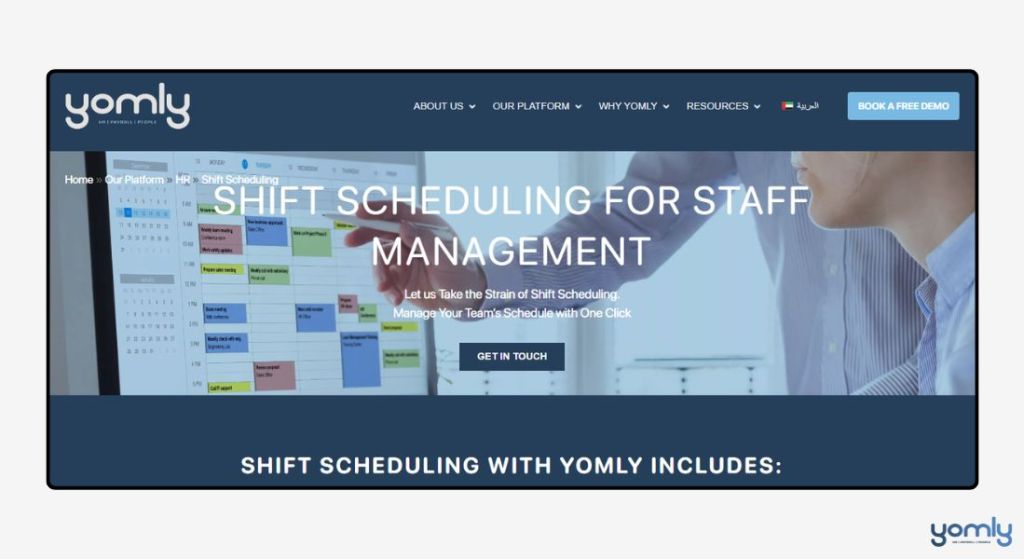















 English
  العربية